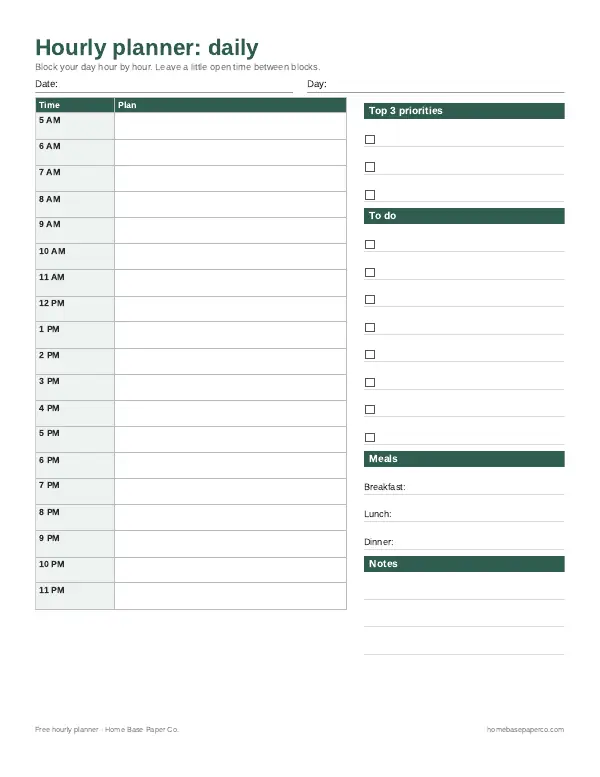
The short answer: time blocking means giving every important task a real slot on your calendar instead of working from an open to-do list. Plan fixed appointments first, put your top 1–3 priorities in your best focus hours, batch small tasks, and leave buffer blocks so the day can bend without breaking.
- 8 methods below: classic blocking, task batching, day theming, energy matching, timeboxing, the 3-3-3 rule, theme weeks for parents, and micro-blocks
- 4 sample schedules: office day, work-from-home parent, student, and shift work
- Free printables: hourly planner and daily planner printable (we email them to you)
- Templates to copy: our time blocking template page (daily + weekly layouts)
- Paid helpers: Household Binder ($6.99) · Printable Budget Planner ($5.99) · Home Management Bundle ($16.99,
$32.94)
Our picks for time blocking
Printables
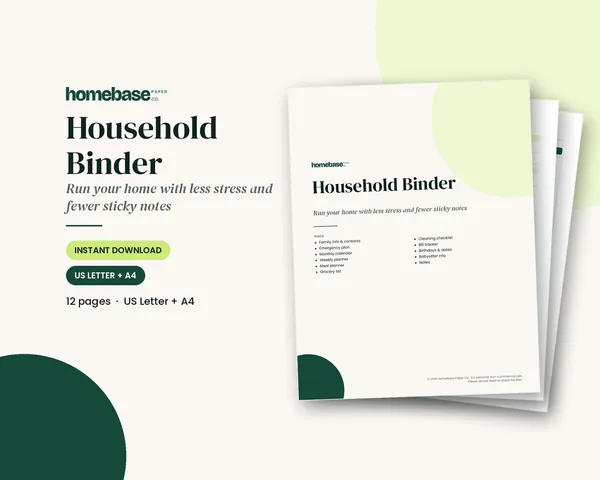
Household Binder
Family info, emergency plan, calendars, meals, groceries, cleaning, bills and sitter notes.

Printables
Budget Planner Printable
Twelve undated pages you can print every month: budget, bills, spending, savings and debt.
 Save 48%
Bundles
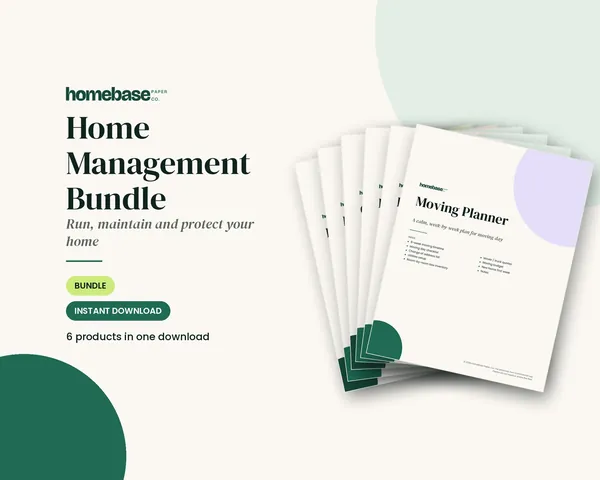
Home Management Bundle
Household binder, maintenance log, moving planner, cleaning schedule, home inventory and password log.
 Starter pick
Printables
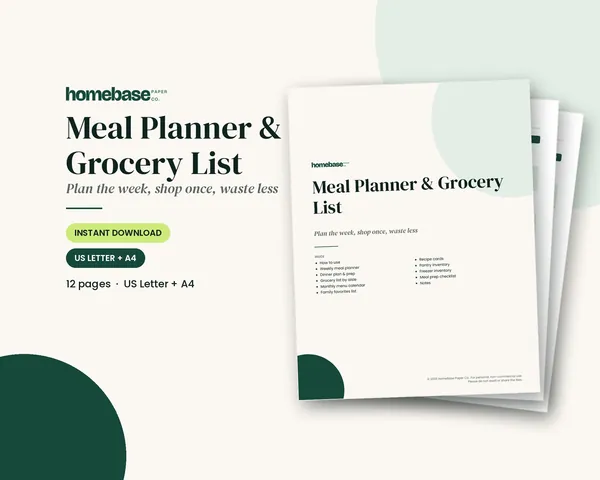
Meal Planner & Grocery List
Weekly meals, a grocery list sorted by aisle, and pantry and freezer inventories so you shop once and waste less.
Guide updated November 2026. Below: what time blocking is, how it compares to nearby methods, eight ways to run it, sample schedules, a starter checklist and common fixes.
What is time blocking?
Asana's time blocking guide defines time blocking as scheduling parts of your day into dedicated slots for specific work. You decide in advance when email, deep work, meetings, lunch and rest happen, then protect those blocks on the calendar.
Two pieces make it work:
| Piece | What you do | Why it helps |
|---|---|---|
| Visual scheduling | Put the block on a calendar or paper day plan | The time cannot quietly disappear into "I'll get to it later" |
| Task grouping | Batch similar tasks into one block | You cut the cost of switching contexts all day |
A to-do list says what to do. Time blocking says when. Most people still keep a list; the calendar is where the day's priorities get a home.
Time blocking vs timeboxing, batching and tracking
| Method | How it works | Best for |
|---|---|---|
| Time blocking | Reserve a window for a task or a batch of similar tasks | Protecting focus and reducing context switching |
| Timeboxing | Give a task a fixed start and hard stop | Tasks that expand forever; perfectionism |
| Task batching | Group similar small tasks, then schedule the group | Email, calls, errands, admin |
| Time tracking | Record how long work actually took | Billing, audits, learning your real durations |
Task batching is often inside a time block. Timeboxing can sit on top of a block when you need a hard stop. Time tracking is separate, but honest blocks make tracking easier because you already planned the windows.
Why time blocking works
Switching tasks has a real cost. The American Psychological Association's multitasking overview explains that each switch takes time, those costs add up, and complex work suffers most when attention keeps bouncing.
Time blocking helps because you:
- Decide priorities once (usually the night before or Sunday)
- Protect uninterrupted focus for the work that matters
- See where the day actually goes
- Schedule rest and meals on purpose, not as leftovers
Asana notes Parkinson's Law in this context: work expands to fill the time available. A block with an end time pushes you to finish or consciously reschedule, instead of letting one task eat the afternoon.
Who time blocking helps (and who should adapt it)
Time blocking fits best when you have open chunks of the day you can shape. It is harder if every hour is already a meeting.
It is especially useful if you:
- Multitask by habit
- Lose mornings to email
- Overwork because "one more thing" never ends
- Want a clearer picture of where time goes
- Need structure for ADHD or a busy household (keep blocks flexible)
If your job is reactive, keep one or two floating blocks for interruptions instead of abandoning the method.
8 time blocking methods (with when to use each)
1. Classic time blocking
Assign each priority a labeled window: "Deep work: proposal," "Admin batch," "School pickup." Best default for most people.
Depth tip: Label the outcome, not just "work," so you know what done looks like when the block ends.
2. Task batching blocks
Collect email, Slack, invoice checks and quick calls into one or two short blocks. Best when small tasks shred your focus hours.
Depth tip: Two 25-minute admin blocks beat eight random five-minute dips into your inbox.
3. Day theming
Give each weekday a theme: Monday planning, Tuesday deep work, Wednesday meetings, Thursday errands and admin, Friday wrap-up. Best for people who context-switch across projects all week.
Depth tip: Keep one "overflow" hour even on theme days so urgent work has a landing spot.
4. Energy matching
Put demanding work in your high-energy hours and shallow work in the slump. Best if you already know you fade after lunch or hit a late-afternoon second wind.
Depth tip: Track energy for three weekdays before you redesign the whole calendar.
5. Timeboxing on top of blocks
Keep the block, but end when the timer ends. Move leftovers to tomorrow's list. Best for writing, design, research and any task that invites polishing forever.
6. The 3-3-3 rule
Three hours on the most important project, three shorter tasks, three maintenance activities (email, tidy desk, plan tomorrow). Best when a blank calendar feels overwhelming.
7. Parent / household theme blocks
Lock family anchors first (school run, dinner, bedtime), then drop your own work into the gaps, plus one weekly meal-plan and budget block. Best for caregivers whose day is not a clean 9–5.
8. Micro-blocks (25–30 minutes)
Use short focus sprints with a five-minute break when 90 minutes feels impossible. Best for ADHD, recovery days or very fragmented schedules.
| Method | Block length | Best starting point |
|---|---|---|
| Classic | 60–90 min focus | One deep-work block before lunch |
| Batching | 15–30 min | Two admin windows |
| Day theming | Full day theme | Theme only Tue–Thu first |
| Energy matching | Matches your peak | Move one hard task into your peak |
| Timeboxing | Hard stop at end | Box one draggy task |
| 3-3-3 | Whole workday shape | Use on your busiest weekday |
| Parent / household | Anchors first | Block dinner + bedtime, then fill gaps |
| Micro-blocks | 25–30 min | Three sprints on one priority |
How to time block your day (starter checklist)
- Brain dump the list. Get tasks out of your head (a brain dump helps) onto a to-do list.
- Park fixed blocks first. Meetings, shifts, school runs, meals, sleep.
- Pick 1–3 priorities. Give each a 60–90 minute focus block in your best hours.
- Batch the small stuff. Email, messages, quick calls share short windows.
- Add buffers. At least one 30-minute open block morning and afternoon.
- Color code by type. Deep work, meetings, admin, home, health, buffer.
- Protect sleep. The CDC says adults need 7 or more hours a night; plan bedtime backward from wake-up.
- Review in 10 minutes nightly. Move unfinished work; do not silently carry guilt.
For a ready-made layout you can copy, use our time blocking template. For a blank day grid, get the free hourly planner or daily planner printable (we email them to you). A schedule template and Eisenhower matrix help when you need to decide what earns a block.
Sample schedule 1: office or hybrid day
| Time | Block | Notes |
|---|---|---|
| 7:00–8:00 | Morning routine + commute | No email yet |
| 8:00–9:30 | Deep work 1 | Top priority |
| 9:30–10:00 | Admin batch | Email, messages |
| 10:00–11:30 | Deep work 2 | Second priority |
| 11:30–12:00 | Buffer | Overruns only |
| 12:00–1:00 | Lunch + walk | Away from desk |
| 1:00–2:30 | Meetings | Clustered |
| 2:30–3:00 | Admin batch | Follow-ups |
| 3:00–4:00 | Shallow work | Lower-focus tasks |
| 4:00–4:30 | Shutdown | Plan tomorrow |
Sample schedule 2: work-from-home parent
| Time | Block | Notes |
|---|---|---|
| 6:30–8:00 | Family morning | Breakfast, school run |
| 8:00–9:30 | Deep work | Hardest task first |
| 9:30–10:00 | Admin + messages | Keep short |
| 10:00–10:30 | Buffer / household | Laundry start, packages |
| 10:30–12:00 | Deep work or meetings | Protect if possible |
| 12:00–1:00 | Lunch + reset | Real break |
| 1:00–2:30 | Collaborative work | Calls when kids are settled |
| 2:30–3:30 | Flexible / pickup buffer | School run window |
| 5:30–7:00 | Dinner + family | Non-negotiable |
| 7:30–8:00 | Home block | Chores from a list |
| 8:00–8:20 | Plan tomorrow | 10–20 minutes |
Sample schedule 3: student day
| Time | Block | Notes |
|---|---|---|
| Morning | Class / commute | Fixed |
| Mid-morning | Study block 1 | Hardest class first |
| Midday | Lunch + short break | |
| Early afternoon | Class or lab | Fixed |
| Late afternoon | Study block 2 | Assignments |
| Early evening | Admin | Email, forms, errands |
| Evening | Free / exercise | Protect recovery |
| Night | 15-min plan | Tomorrow's top 3 |
Sample schedule 4: shift or irregular hours
| Focus | What to block |
|---|---|
| Sleep | Treat sleep as a fixed block on workdays |
| One deep block | Place it in your best awake window, even if that is 8 p.m. |
| Life anchors | Meals, family time, appointments still get slots |
| Recovery day | Lighter theme: admin, errands, meal prep only |
Color codes you can copy
| Color | Block type |
|---|---|
| Blue | Deep work |
| Green | Meetings and calls |
| Yellow | Admin and email |
| Orange | Home and family |
| Purple | Health, exercise, rest |
| Gray | Buffer / flexible |
Paper vs digital time blocking
| Approach | Strength | Weakness |
|---|---|---|
| Paper day plan | Whole day visible; satisfying to cross off | Harder to share or drag when plans change |
| Digital calendar | Easy to move, share and set reminders | Easy to overbook; notifications interrupt blocks |
| Hybrid | Sunday paper sketch + digital appointments | Takes a short weekly setup habit |
Related guides: daily schedule, daily planner, hourly planner, weekly planner, paper vs digital planner, planner ideas, how to organize your life and how to be more productive.
Common time blocking mistakes (and fixes)
| Mistake | Fix |
|---|---|
| Packing every minute | Leave 20–30% of open work time as buffer |
| No theme for admin | Batch email twice a day instead of living in it |
| Ignoring energy | Move deep work to your real peak hour |
| Skipping personal blocks | Schedule lunch, pickup and rest like meetings |
| Treating the plan as law | Move blocks; do not trash the whole method after one interruption |
| Forgetting home work | Give chores and meal planning their own weekly blocks |
Fill the home and money blocks
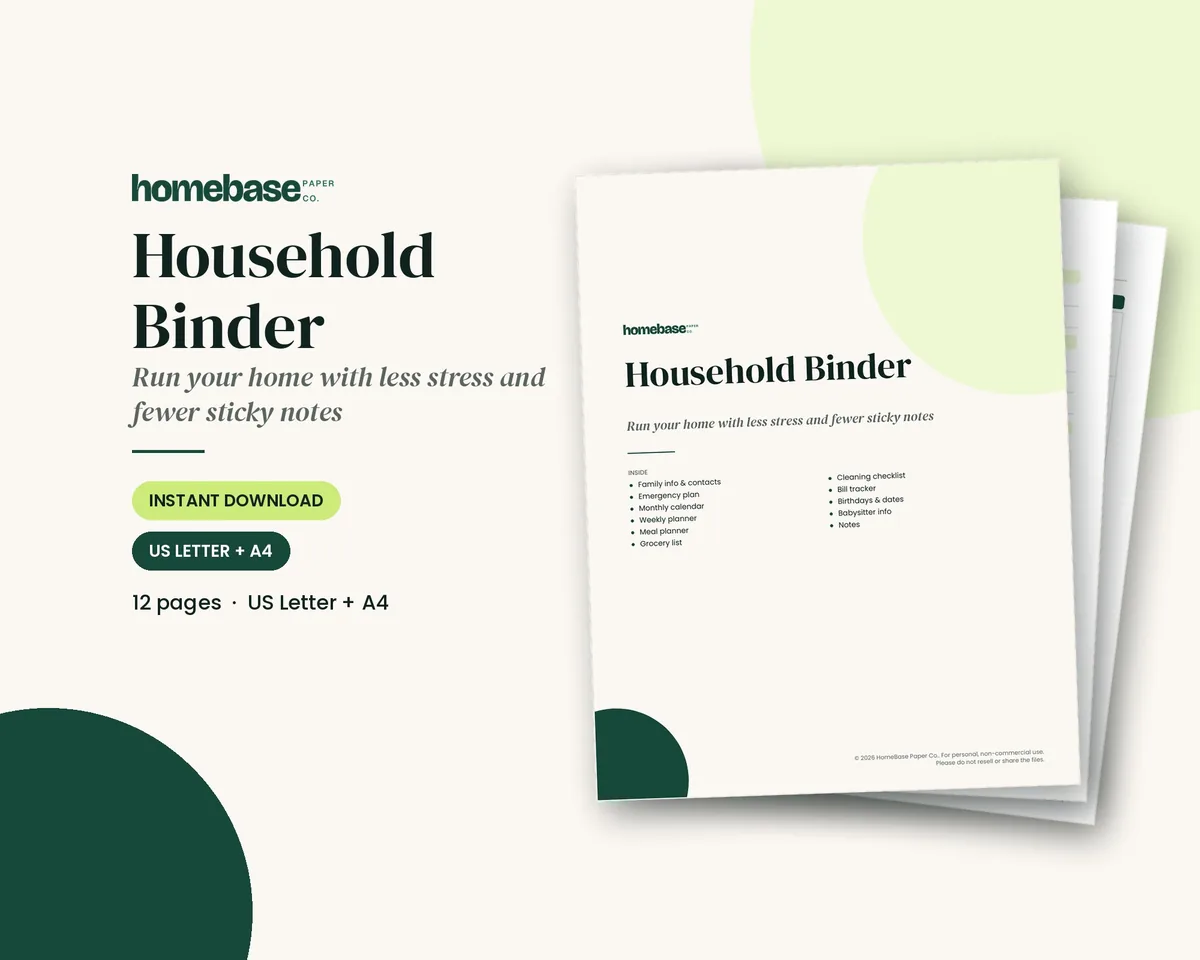
HomeBase does not sell a dedicated time-blocking planner product. These printables fill the blocks that usually get skipped:
- Household Binder ($6.99): weekly and monthly calendars, meal and cleaning pages, family info for the Sunday planning block
- Cleaning Schedule ($4.49): daily, weekly, monthly and seasonal lists for home blocks
- Meal Planner & Grocery List ($3.99): dinners and an aisle-sorted list for a weekly planning block
- Printable Budget Planner ($5.99): a money block so bills do not ambush Friday
- Home Management Bundle ($16.99,
$32.94bought separately): binder, cleaning schedule and related home printables together
Browse more in Printables. For copy-ready day and week layouts, stay on the time blocking template page.
Household Binder
Family info, emergency plan, calendars, meals, groceries, cleaning, bills and sitter notes.
$6.99 · Instant download. Print at home or fill it in on screen. Or browse the full Home & Organizing collection.
Frequently asked questions
What is time blocking? Time blocking is a time management method where you schedule parts of your day into dedicated slots for specific tasks or types of work. Instead of picking the next task from a to-do list in the moment, you give each task a window on the calendar, such as email from 9 to 9:30 a.m. or deep work from 10 to 11:30 a.m.
How do you start time blocking? Start by listing everything you need to do, placing fixed appointments first, then giving your top one to three priorities 60 to 90 minute blocks in your best focus hours. Batch small tasks into short blocks, leave buffer time for overruns, and review the plan each night for 10 minutes.
What is the difference between time blocking and timeboxing? Time blocking reserves calendar time for a task; timeboxing adds a hard stop when the box ends. You end when the box ends, even if the work is unfinished. Many people use both, blocking focus time and boxing tasks that tend to drag on.
Does time blocking actually work? Time blocking works for many people because it cuts task switching and protects focus time. The American Psychological Association notes that switching between tasks costs time, and those small costs add up across a day. It works best when you leave buffer blocks and adjust the plan instead of forcing a perfect day.
Is time blocking good for ADHD? Many people with ADHD find time blocking helpful because a visual schedule reduces decisions in the moment. Keep blocks shorter at first, build buffers between them, and treat the plan as a guide you can move rather than a rigid rule.
What is the 3-3-3 rule for productivity? The 3-3-3 rule for productivity structures a workday around three hours on your most important project, three shorter tasks, and three maintenance activities such as email or admin. It is a simple way to fill a time-blocked day without overpacking the calendar.
How long should a time block be? Most focus blocks work best at 60 to 90 minutes. Use 15 to 30 minutes for email, calls and errands, and leave at least one 30-minute buffer in the morning and one in the afternoon so one delay does not wreck the day.
Can I use time blocking if my job is unpredictable? Yes, you can use time blocking if your job is unpredictable. Block fixed work and family anchors first, then keep one or two floating blocks for reactive work. Move unfinished tasks into the floating block instead of abandoning the whole plan when something urgent appears.
Should I time block on paper or in an app? Use paper if you want to see the whole day at once and cross blocks off. Use a digital calendar if your schedule changes often or is shared with a team. Many people sketch the week on paper on Sunday and keep appointments in a shared calendar.
Where can I get a time blocking template? Our time blocking template page has daily and weekly schedules you can copy, plus color codes and step-by-step setup. For a printable day layout, get the free hourly planner or daily planner printable, which we email to you.
How does time blocking help with household tasks? Give chores their own short daily block and one longer weekly block so home work does not steal your focus hours. A cleaning schedule and a meal planner make those home blocks concrete, and a household binder keeps the weekly planning block in one place.
What is day theming? Day theming is a weekly form of time blocking that assigns one theme to each weekday, such as deep work on Tuesday and errands on Thursday. It reduces the mental cost of switching project types every few hours.
Free printable
Block your day hour by hour
A daily planner from 5 AM to 11 PM and a weekly hourly schedule. You'll also get our weekly HomeBase email with simple planning and home organization tips.