

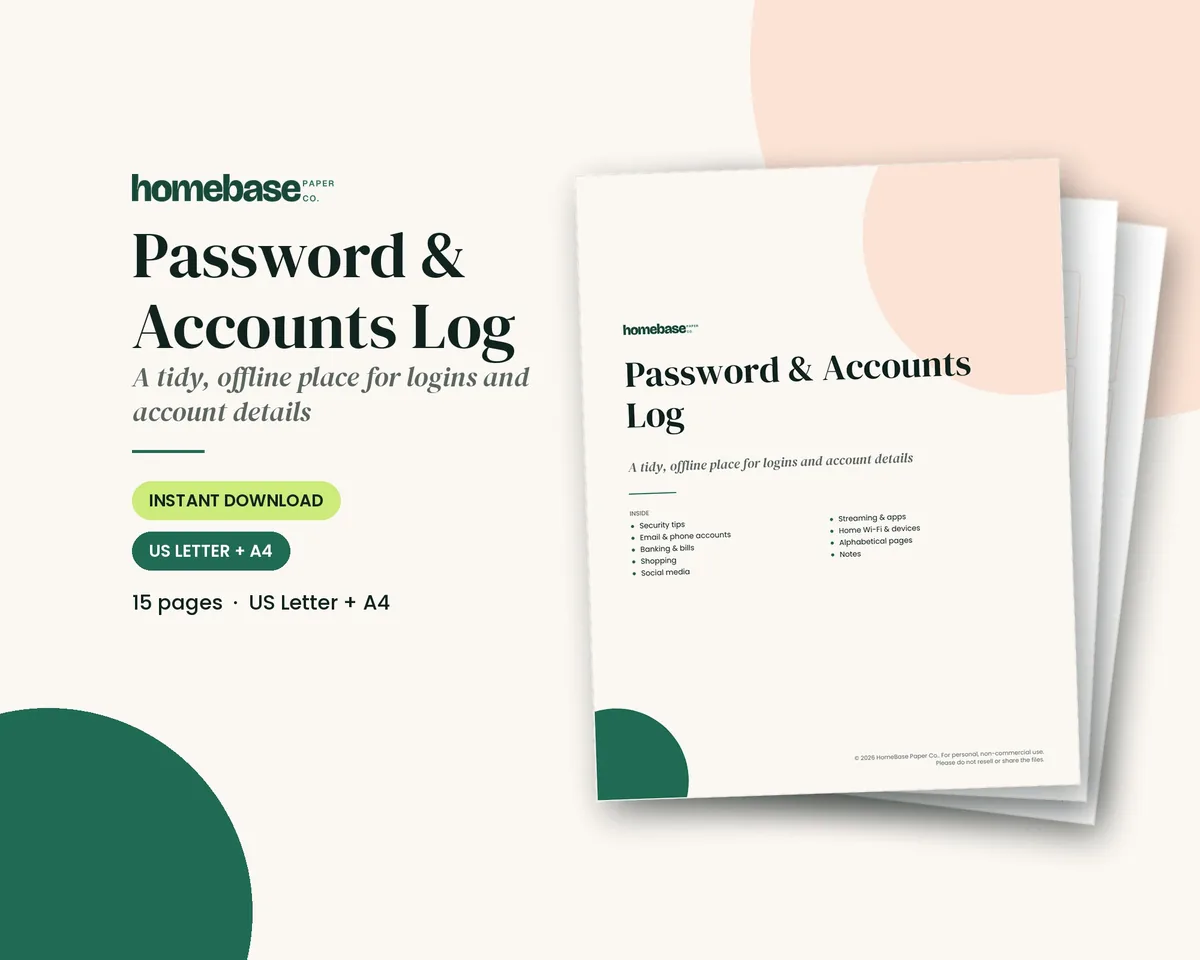
The short answer: A password tracker template is a simple, consistent page for recording every online account your household uses: the website or app, the username or email you sign in with, a password or a hint, and how two-step sign-in works. Used well, it ends the "forgot password" loop without making your accounts easier to break into. The trick is knowing what to write down and what to leave off.
If you'd like a ready-made one tonight, the Password & Accounts Log ($3.99, printable PDF) is organized by category and A to Z, with room for hints instead of full passwords.
Below is what to record, a filled-in example, how to keep a paper tracker safe, and how it fits alongside a password manager.
What's included in the Password & Accounts Log
- Keep it secure
- Email & Phone
- Banking & Bills
- Shopping
- Social Media
- Streaming & Apps
- Home Wi-Fi & devices
- Accounts A-D
- Accounts E-H
- Accounts I-L
- Accounts M-P
- Accounts Q-T
- Accounts U-Z
- Notes
Printable PDF, $3.99. Instant download; nothing is shipped. See every page on the product page.
Who it's for
- Families who share accounts, like streaming, utilities and the kids' school portals, and keep hitting "forgot password."
- Older parents and grandparents who prefer paper to an app, and the adult kids who get the "I'm locked out" calls.
- Anyone building a household or emergency binder who wants the login page done the same afternoon.
- People setting up a password manager who want a one-time list of every account to move over.
- Caregivers and executors who may one day need to know which accounts exist, even without the passwords.
How to fill in a password tracker template, step by step
- Start with the accounts that matter most. Email, phone carrier, bank, credit cards and utilities come first. Your email account is usually how every other password gets reset, so give it the most care.
- Write the website and username for each one. Record the exact web address or app name and the username or email you sign in with. That alone solves many lockouts.
- Write a hint, not the full password. For banking, email and anything sensitive, write a reminder only you would understand, or a note like "in the password manager." See why hints beat full passwords below.
- Note how two-step sign-in works. Write which method each account uses (text, authenticator app, security key) and where the backup codes are stored, without writing the codes themselves on a page that sits out.
- Add Wi-Fi, router and device logins. Your network name, the router admin page and smart devices belong on their own page. Our guide on how to change wifi password shows where to find each one.
- File everything else A to Z. Shopping, social media, streaming and one-off accounts go on the alphabetical pages, so you can find them in seconds.
- Date every change and store it somewhere private. Write the date next to each update, keep the tracker out of sight at home and review it twice a year.
What a password tracker template should include
Every account gets the same set of fields, so you're never hunting through scribbled notes. These are the lines worth having, and why:
| Field | What to write | Why it matters |
|---|---|---|
| Website or app | The exact name and web address | Stops you from typing passwords into look-alike sites |
| Username or email | The sign-in name you actually use | Half of lockouts are the wrong email, not the wrong password |
| Password or hint | A full password for low-risk accounts, a hint for sensitive ones | Lowers the damage if someone finds the page |
| Two-step method | Text, authenticator app or security key | You'll know what you need before you're locked out |
| Recovery details | The recovery email or phone on file | Makes resets possible after a number or email changes |
| Date changed | The month and year of the last update | Shows at a glance which entry is current |
| Notes | Shared with family, autopay on, account closed | The context you'll forget in six months |
Leave off full card numbers, Social Security numbers and two-step backup codes. Those belong with your important papers, not on a page you open every week.
Why hints beat full passwords
A paper tracker can't be hacked online, which is a real advantage. Its weak point is the physical page: a visitor, a contractor or a move where a box goes missing. Hints shrink that risk.
A good hint means something to you and nothing to anyone else. "Dog's name + the year we moved + !" works. "Same as the bank" doesn't, because it tells a reader that two accounts share a password. Some families use a simple rule: full passwords for low-risk logins (a recipe site, a store loyalty account) and hints only for email, banking, investment, health and government accounts.
Your email deserves the most protection of all. It's usually the account every other password reset goes through, so if someone gets into your email, they can often get into everything else.
How to make strong passwords you can still track
The best tracker in the world can't fix weak passwords. CISA's guidance is to use strong passwords that are long, random and unique, at least 16 characters, with a different one for every account. A passphrase of four or more random words is an easy way to hit that length and still remember it.
Current federal guidance has also moved away from the old "change it every 90 days" habit. NIST's authentication guidelines favor longer passwords and say systems shouldn't force routine changes unless there's evidence a password was compromised. For a home tracker, that means fewer updates, and the ones you do write down are more meaningful: you changed it because something happened.
Add two-step sign-in wherever it's offered, starting with email and banking. CISA calls it multifactor authentication and explains that it protects an account even when a password is stolen. On your tracker, write which method each account uses, such as a text code or an authenticator app, so you're never stuck when you get a new phone.
A filled-in password tracker example
The entries below are an EXAMPLE only, with made-up accounts and hints, to show how the fields work together.
| Account (EXAMPLE) | Username | Password or hint | Two-step | Changed |
|---|---|---|---|---|
| Main email | jsmith.home@... | Hint: first car + street + ! | Authenticator app | Mar 2026 |
| Bank | jsmith88 | In password manager | Text to cell | Jan 2026 |
| Electric company | Same email | Hint: kids' initials + zip | None offered | Jun 2025 |
| Streaming service | Family email | Full password written (shared with kids) | None | Sep 2026 |
| Grocery store app | Same email | Full password written | None | Aug 2026 |
| Router admin page | admin | Hint: on the label, changed | n/a | Oct 2026 |
Notice what the example does: the sensitive accounts get hints or a pointer to the password manager, the low-risk family logins are written in full to save the hassle, and every row has a date.
Organize it by category, then A to Z
Most people look up the same 15 or 20 accounts over and over. Put those in categories, then file everything else alphabetically. This is the setup the HomeBase log uses:
- Email & Phone: your email accounts, phone carrier and cloud account (the keys to everything else).
- Banking & Bills: bank, credit cards, utilities, insurance, loans. Pair this page with a bill tracker so due dates live in one place.
- Shopping: stores, delivery apps, loyalty programs.
- Social Media: each platform and which email it's tied to.
- Streaming & Apps: subscriptions, with a note on who in the family uses each one.
- Home Wi-Fi & devices: network name, router login, smart TV, doorbell, printer. Our how to change wifi password guide shows where to find each one.
- Accounts A to Z: everything else, from the dentist portal to the library card.
A notes page at the back is the place for the security question answers you've made up (a fake answer only you know is safer than your real hometown) and the list of accounts you've closed.
Paper, spreadsheet or password manager?
There isn't one right answer for every household, so here's an honest comparison.
| Option | Strengths | Watch out for |
|---|---|---|
| Printable or paper tracker | Offline, easy for any age, no app to learn | Must be stored privately at home; can be lost in a move |
| Plain spreadsheet | Searchable, easy to edit | Not encrypted; anyone who gets into your computer or cloud drive can open it |
| Password manager | Encrypted, creates strong passwords, fills them in | One master password to protect; takes some setup |
Many families use two of these together. A password manager holds the passwords, and a paper tracker holds the account list, the hints and the "where is everything" notes for the person who might one day need them. If you're moving to a manager, a paper list of every account is the easiest way to make sure nothing gets left behind.
If you do keep a spreadsheet, protect the file and the account it lives in with a strong unique password and two-step sign-in, keep hints rather than passwords for sensitive accounts, and never email it to yourself.
Keeping a paper password tracker safe
- Store it out of sight. A drawer, a locked filing cabinet or a home safe, not taped beside the computer.
- Don't label it "passwords." A plain cover or the back section of a home management binder draws less attention.
- Keep it at home. Not in a purse, wallet or glove box.
- Tell one trusted person where it is. If you're ever in the hospital, someone may need to pay a bill or reach your email. An emergency binder is a natural place to note where it's kept.
- Review it twice a year. Cross out closed accounts, add new ones and check that the dates make sense.
- Shred old pages. When you reprint a fresh copy, shred the old one rather than tossing it in recycling.
Helping a parent set one up
If you're the family member who gets the "I'm locked out again" calls, an hour at the kitchen table can save months of them. Bring a printed tracker, start with email and banking, and let your parent write the entries in their own handwriting so they can read it later. Turn on two-step sign-in for their email while you're together. For larger, easier-to-read lines, our large print password book for seniors guide covers what to look for, and the Password Logbook paperback ($9.99) has three roomy entries per page.
It's also a good moment to talk about what else the family would need if something happened. Our if something happens to me binder guide walks through accounts, insurance, bills and wishes.
Which HomeBase password tracker fits
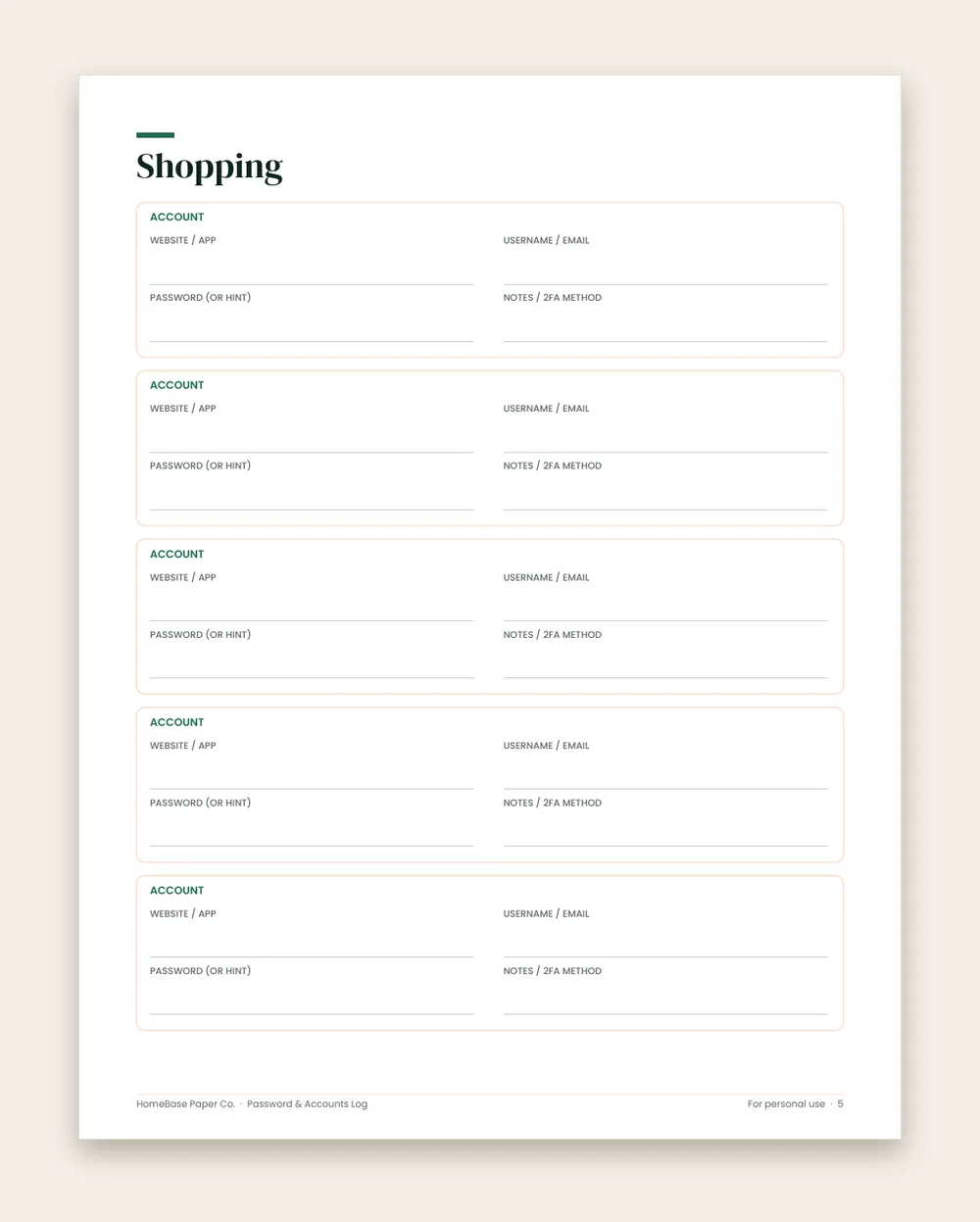
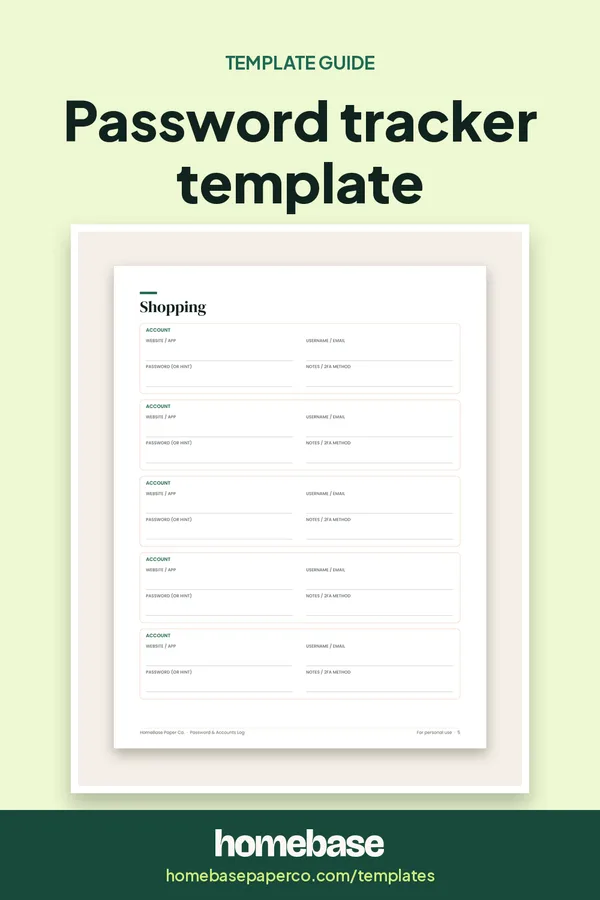
- Password & Accounts Log ($3.99): a 15-page printable PDF in US Letter and A4, with a "Keep it secure" page, category pages for email and phone, banking and bills, shopping, social media, streaming and apps, and home Wi-Fi and devices, six A to Z pages and a notes page. Every box has website or app, username or email, password or hint, and notes or 2FA method. Print as many copies as you need for your household.
- Password Logbook (paperback, $9.99): a bound A to Z book with large, roomy lines, for anyone who'd rather not print at home.
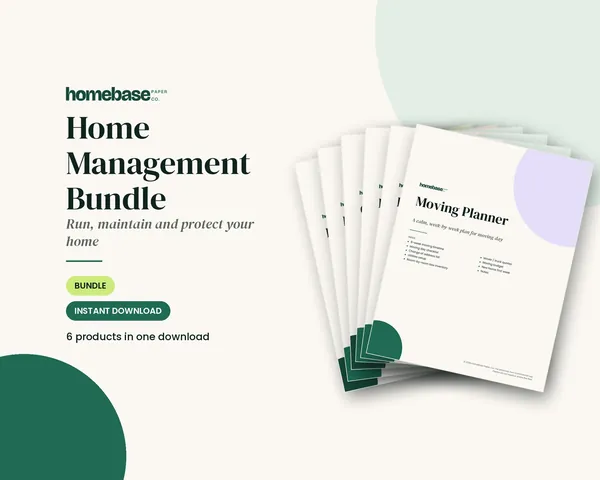
- Home Management Bundle ($16.99, or $32.94 if you bought the items separately): the Password & Accounts Log plus the Household Binder, Home Maintenance Log, Home Inventory, Cleaning Schedule and Moving Planner, for building the whole household binder at once.
A password tracker is an organizing tool, not a security product. Use strong, unique passwords and two-step sign-in, and keep the tracker private. Browse all of our templates, or see the full home organizing shop.
Ready to use
Password trackers you can print tonight
Affiliate links: we may earn a small commission. As an Amazon Associate we earn from qualifying purchases. Details.
Printables
Password & Accounts Log
Organized by category and A-Z, with room for hints instead of full passwords.
Paperback planners
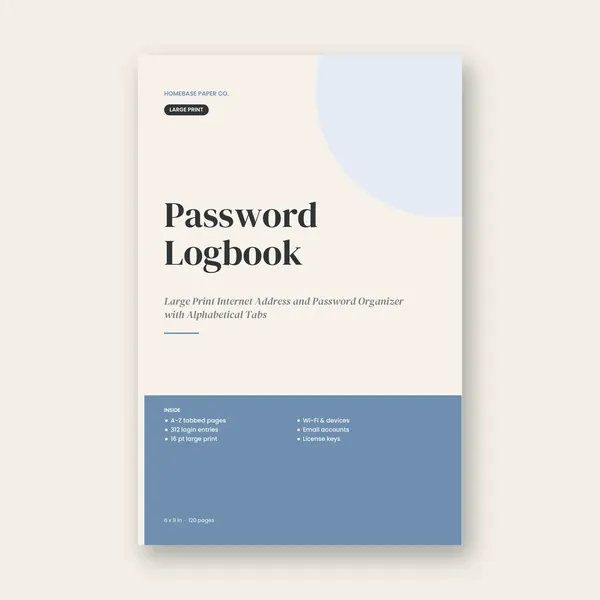
Password Logbook (Paperback)
Large Print Internet Address and Password Organizer with Alphabetical Tabs
Paid link. As an Amazon Associate we earn from qualifying purchases.
 Save 48%
Bundles
Home Management Bundle
Household binder, maintenance log, moving planner, cleaning schedule, home inventory and password log.
Frequently asked questions
What is a password tracker template? A password tracker template is a ready-made page for recording your online accounts in one place: the website or app, the username or email you use, a password or a hint, and notes such as which two-step sign-in method the account uses. It gives every account the same layout, so you can find a login in seconds instead of guessing or resetting.
What should a password tracker include? At minimum, the website or app name, the web address, your username or sign-in email, a password or hint, and the date you last changed it. Useful extras are the two-step method, security question reminders, the account's recovery email or phone, and a notes line for things like "shared with the kids" or "autopay on."
Is it safe to write down passwords? It can be reasonably safe at home if the tracker stays private and out of sight, because paper can't be hacked online. The main risk is someone at home or a visitor finding it, or losing it in a move. Writing hints instead of full passwords for your most sensitive accounts lowers that risk a lot. If you're comfortable with apps, CISA recommends a password manager.
Should I write the full password or a hint? For email, banking, investment and government accounts, write a hint only you would understand, or simply "in the password manager." For low-risk accounts, such as a recipe site or a store loyalty login, many families write the full password to save the reset hassle. Decide account by account.
Is a password log template the same as a password tracker template? Yes, a password log template and a password tracker template are the same thing. People call it a password log, password tracker, password keeper or account login template. They all mean a structured page or spreadsheet for recording logins. The HomeBase Password & Accounts Log is our printable version.
Is a printable or a spreadsheet password tracker better? A printable works with no screen, can't be reached online and is easy for older relatives to use. A spreadsheet is searchable, but a plain file on your computer or in cloud storage is a tempting target if that account is ever breached. If you want a digital option, a password manager is built for the job and encrypts your vault, which a normal spreadsheet does not.
Can I keep a password tracker in Excel or Google Sheets? You can, but think carefully first. A normal spreadsheet isn't encrypted, and anyone who gets into your computer, email or cloud drive could open it. If you do use one, keep only hints for sensitive accounts, protect the file and the account it lives in with a strong unique password and two-step sign-in, and never email it to yourself.
How should I organize a password tracker? Two ways work well together. Put the accounts you use most into categories (email and phone, banking and bills, shopping, social media, streaming and apps, home Wi-Fi and devices), then file everything else A to Z. The HomeBase log uses exactly that setup across 15 pages.
How long should my passwords be? CISA recommends passwords that are at least 16 characters, random and unique for every account. A passphrase made of four or more random words is one easy way to get there. Current NIST guidance also favors length over forced complexity and says passwords shouldn't have to be changed on a schedule unless there's evidence they were compromised.
How often should I update my password tracker? Write the change the moment you make it, with the date. Then do a quick review twice a year, for example when the clocks change, to cross out closed accounts and add new ones. An out-of-date tracker is where most lockouts come from.
Where should I keep a paper password tracker? Somewhere private at home that you can still reach quickly: a drawer, a locked filing cabinet, a home safe or the back of a household binder that stays put. Don't carry it in a purse or car, and don't leave it next to the computer with a label that says "passwords."
What about two-step verification codes? Write down which method each account uses, such as text message, an authenticator app or a security key, and where the backup codes are kept. Don't write the backup codes themselves on a page that sits out. CISA explains how to turn on multifactor authentication for your most important accounts.
Should my family know where the password tracker is? A trusted person usually should. If you're suddenly unavailable, someone may need to pay a bill, reach your email or close accounts. Tell one person where the tracker is, or keep a sealed copy with your important papers. Our if something happens to me binder guide covers what else to leave behind.
Is a password tracker good for seniors? Yes, for many older adults a paper tracker is easier and less stressful than an app. A large print book helps if small type is hard to read. Our large print password book for seniors guide covers what to look for, and the Password Logbook paperback uses large, roomy lines.
Can I use a password tracker to move to a password manager? Yes, and it's a great first step. List every account on the tracker, then work down the list adding each one to the manager and changing weak or reused passwords as you go. When you're done, keep only the master password hint and a list of account names on paper.
What format is the HomeBase Password & Accounts Log? It's a 15-page printable PDF, with one file in US Letter and one in A4. It has a "Keep it secure" page, category pages, six A to Z pages and a notes page. Every account box has lines for the website or app, username or email, password or hint, and notes or 2FA method. It's a digital download, so nothing is shipped.
Free printable
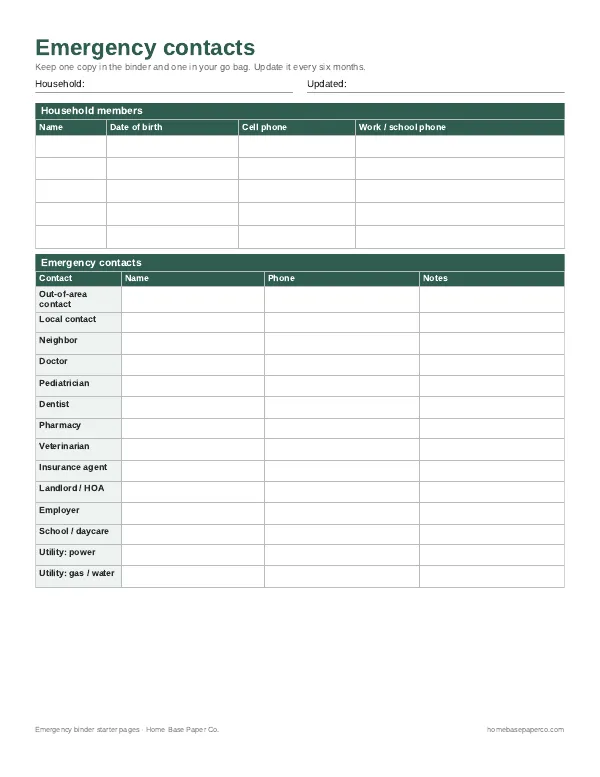
Have the important stuff in one place: get the free emergency binder pages
Printable starter pages for household members, emergency contacts, medical notes and where key documents live. You'll also get our weekly HomeBase email with simple ways to keep family records and important papers in order.
Sources
- CISA: Use strong passwords cisa.gov
- CISA: Turn on multifactor authentication cisa.gov
- NIST SP 800-63B: Digital Identity Guidelines, Authentication pages.nist.gov