

The short answer: A spending tracker is a running log of every purchase you make, with the date, the place, the amount and a category, kept for at least 30 days. It's the fastest way to find out where your money actually goes, and it gives you real numbers to build a budget on instead of guesses.
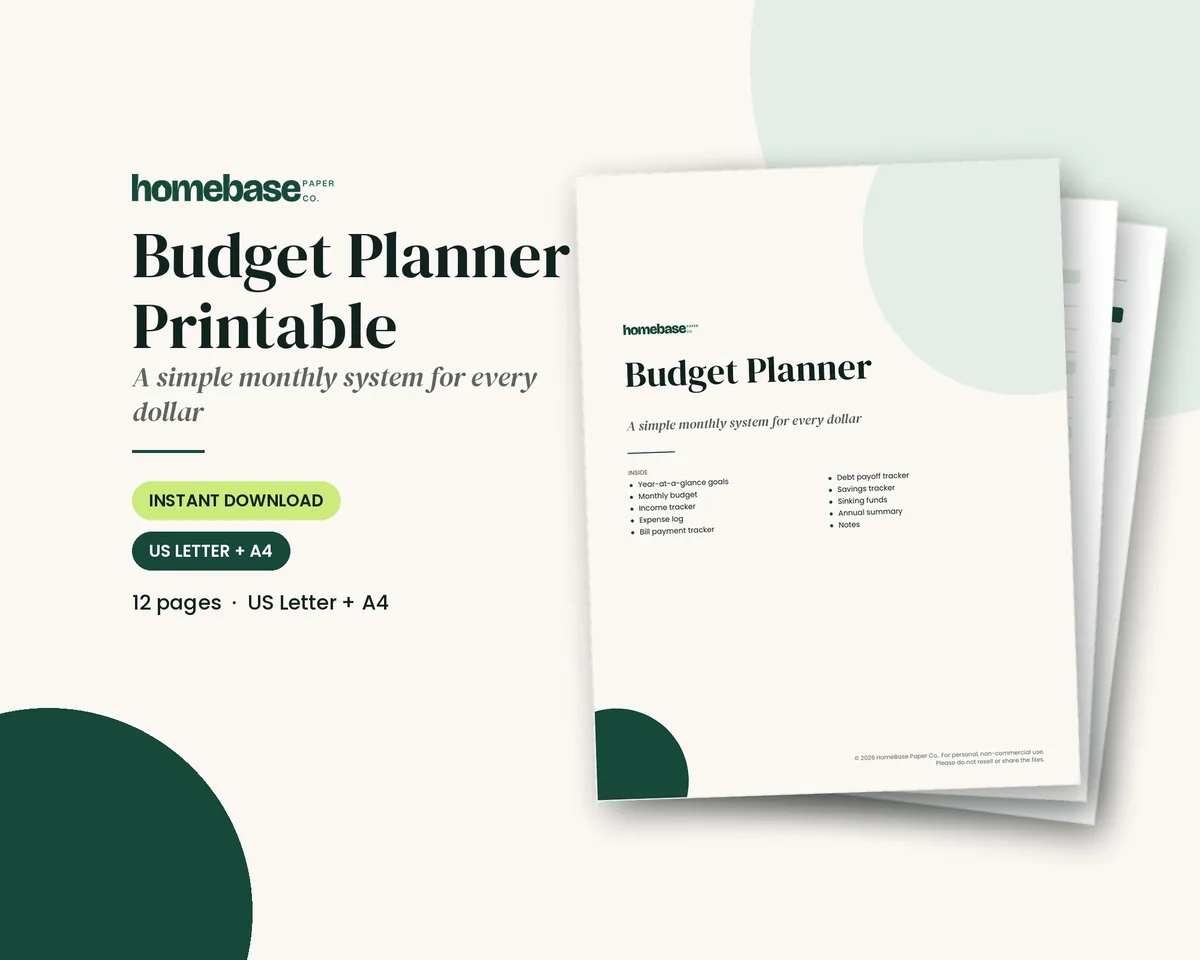
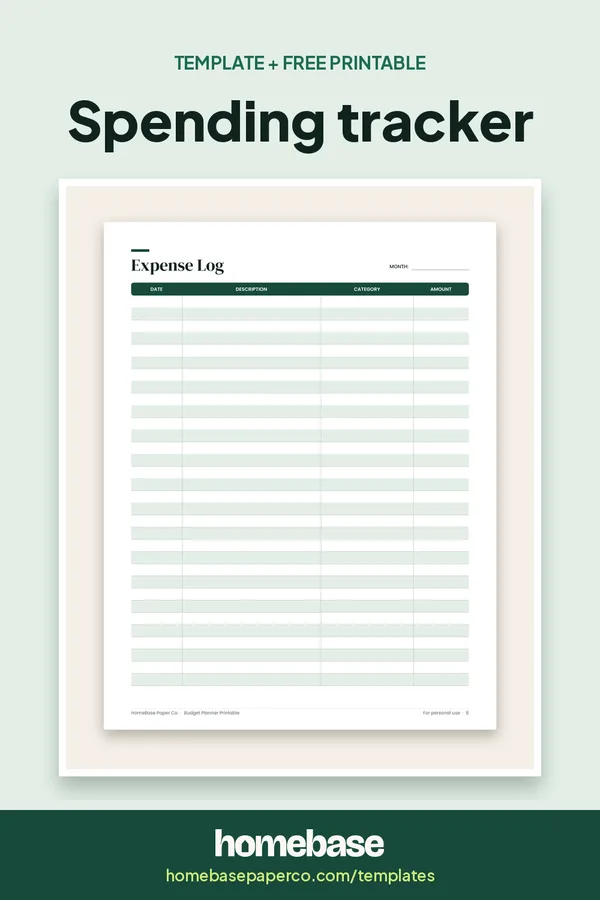
You can use the Expense Log in the Budget Planner Printable ($5.99) or the transaction log in the Annual Budget Spreadsheet ($6.99), which adds everything up for you. Here's how to make tracking stick.
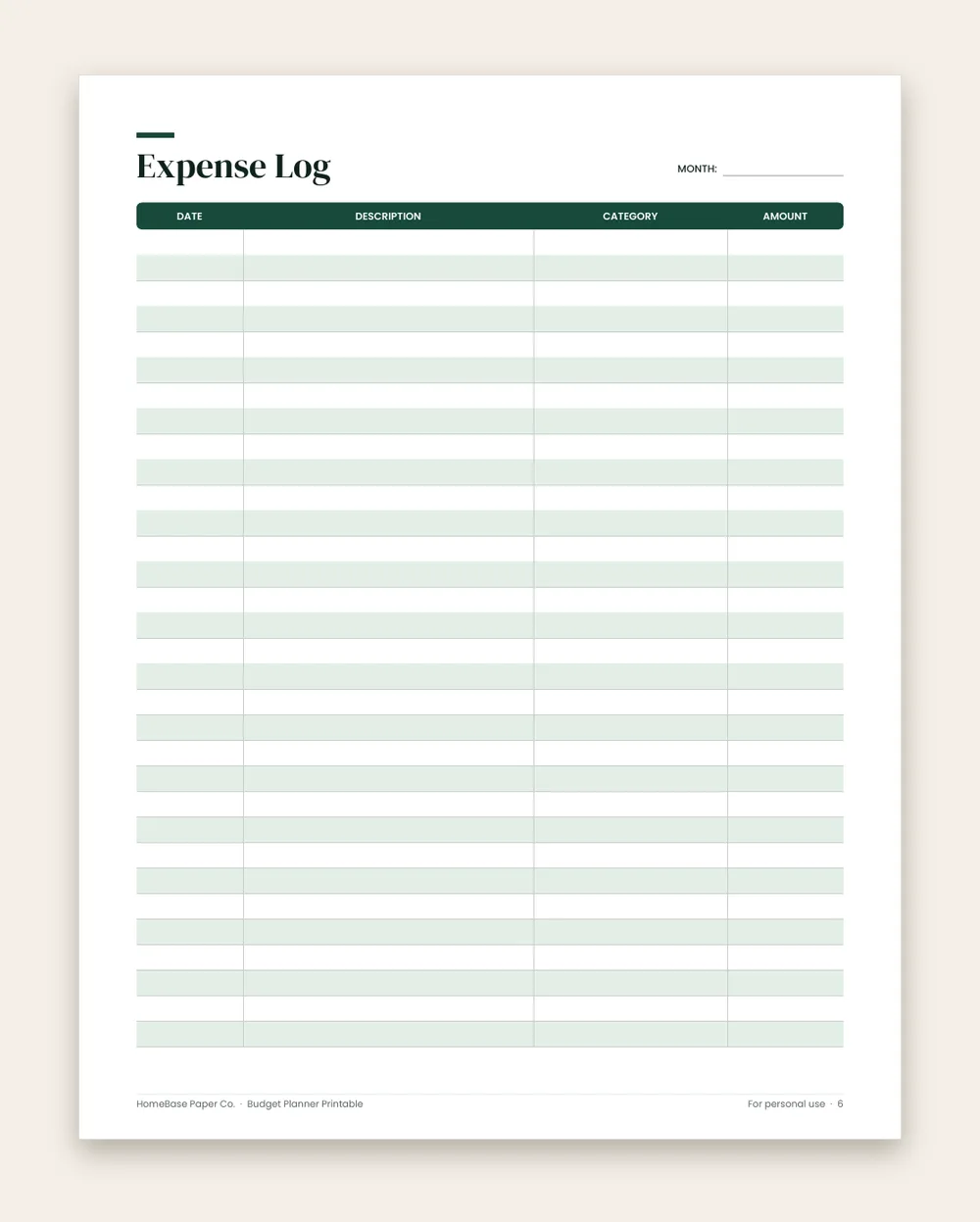
What's included in the Budget Planner Printable
- How to use this planner
- Money goals for the year
- Monthly Budget
- Income Tracker
- Expense Log
- Bill Payment Tracker
- Debt Payoff Tracker
- Savings Tracker
- Sinking Funds
- Annual Summary
- Notes
Printable PDF, $5.99. Instant download; nothing is shipped. See every page on the product page.
Who it's for
- First-time budgeters who want real numbers before writing a budget.
- Anyone who's not sure where the money goes between paychecks.
- Couples and families who want one shared log instead of two half-finished ones.
- People paying off debt or saving for a goal who need to find money to redirect.
- Personal use, not business: if you need to track expenses for a side business or taxes, see our business budget template instead.
How to track your spending, step by step
- Choose paper or spreadsheet and stick with it for the month. Paper is easier to keep in sight; a spreadsheet does the totals. Our printable vs. spreadsheet comparison can help you decide.
- Pick your categories before day one. Write them across the top of the page or set them in the spreadsheet's dropdown list.
- Record purchases the same day. Keep receipts in one envelope or snap a photo, then log them in the evening. Same-day entries take seconds; week-old ones take detective work.
- Do a weekly ten-minute catch-up. Compare your log with your bank and card statements to catch anything you missed, including automatic charges.
- Don't change your spending in the first month. You're measuring, not dieting.
- Total each category at the end of the month. In the Annual Budget Spreadsheet the transaction log does this for you; on paper, add up each category on one line.
- Circle the two biggest surprises. Those are the categories worth working on first.
- Turn the totals into next month's budget. Use your tracked numbers as the starting plan, then set one realistic target. A monthly budget worksheet is a good next page.
Why track spending before you budget
Most budgets fail because the numbers in them are guesses. People plan $400 for groceries because it sounds right, then spend more and feel like they failed. A month of tracking replaces the guess with your real number. It also shows you the leaks you can't see from a bank balance: the subscriptions you forgot, the quick store runs, the weekend takeout that happens more often than you thought.
Tracking isn't about judging every purchase. For the first month, change nothing. Just write it down.
What to write down for each purchase
Every entry needs four things, and none of them should take more than a few seconds:
- Date. So you can see patterns by day of the week and around paydays.
- Where. The store, app or person. "Target" tells you more later than "shopping."
- Amount. The total you paid, including tax and tip.
- Category. One of about 8 to 12 you choose before you start (see the budget categories list).
Optional fifth column: a quick need or want mark. It isn't a verdict; it's a note that helps when you review.
How to track expenses: 5 methods
There's no single best way to track expenses. The right method is the one you'll keep using for a month. Here are five that work for personal and household spending:
- Pen and paper. Write each purchase in a notebook or a printed expense log the same day. It's slower, but writing every purchase down makes you notice it, which is often what changes habits.
- A spreadsheet. Enter each purchase in a transaction log with a category column. The sheet adds up totals by category, so the end-of-month math is done for you.
- Your bank or card's built-in categories. Many banks and card issuers sort transactions into categories automatically. It's a quick way to start, but check the categories, since a store that sells groceries and household goods may be filed under the wrong one.
- Cash and envelopes. Withdraw a set amount for categories like groceries and eating out, and keep it in labeled envelopes. When an envelope is empty, that category is done for the month. Counting what's left once a week is your tracker. Our cash envelope system guide explains how to set it up.
- A receipt photo routine. Snap a photo of every receipt, or keep paper receipts in one envelope, then log them all in one sitting each evening or a few times a week.
| Method | Time per week | Best for | Watch out for |
|---|---|---|---|
| Pen and paper | 10 to 15 minutes | People who like writing things down | Adding up totals by hand |
| Spreadsheet | 10 minutes | Anyone who wants automatic totals | Forgetting to open the file |
| Bank or card categories | 5 minutes | A quick first look at spending | Wrong categories and missed cash |
| Cash envelopes | 5 minutes | Groceries, eating out, fun money | Not practical for bills or online spending |
| Receipt photos | 10 minutes | Busy weeks with lots of small purchases | Purchases without a receipt, like app charges |
Many people combine two methods: bank categories or receipt photos to capture everything, and a printed log or spreadsheet where they review it. Whatever you pick, use it for a full month before you switch.
How to categorize your expenses
Categories turn a list of purchases into something you can act on. Start with two groups, then sort inside them:
- Fixed expenses stay about the same each month: rent or mortgage, insurance, car payments, phone and internet. Our guide to fixed expenses has a full list.
- Variable expenses change from month to month: groceries, gas, eating out, household supplies, gifts and entertainment. See our variable expenses guide for examples.
Inside those groups, keep it to about 8 to 12 categories. A few rules make sorting quick:
- Sort by what you bought, not where. A big-box store run might be part groceries, part household supplies. Split it if the amounts are large, or put it all under the bigger category if not.
- Give irregular costs their own line. Car repairs, annual subscriptions and back-to-school shopping are easy to forget when you plan.
- Keep "miscellaneous" small. If it grows past a few entries a week, it needs a real category.
- Use the same categories every month, so you can compare one month to the next.
A worked spending tracker example
The numbers below are an EXAMPLE only, invented to show how a month of tracking adds up. They aren't averages or recommendations.
EXAMPLE: one adult who guessed they spent about $600 a month on everything outside bills.
| Category (EXAMPLE) | Guessed | Tracked over 30 days | Surprise |
|---|---|---|---|
| Groceries | $300 | $356 | +$56 |
| Eating out and coffee | $80 | $214 | +$134 |
| Gas | $120 | $118 | −$2 |
| Household supplies | $40 | $63 | +$23 |
| Subscriptions and apps | $30 | $71 | +$41 |
| Personal care | $30 | $38 | +$8 |
| Total | $600 | $860 | +$260 |
What this EXAMPLE shows: the overall guess was off by $260, and most of that gap came from two categories, eating out and subscriptions. That's the usual pattern: tracking rarely shows that everything is too high, just a few lines. In month two, this person would set a realistic eating-out amount, cancel one or two subscriptions and keep tracking to see whether the change held.
A 10-minute weekly expense tracking routine
Daily logging catches most purchases, but a short weekly check catches the rest. Pick the same time each week, like Sunday evening, and follow these steps:
- Minutes 1 to 3: gather everything. Collect paper receipts, check your receipt photos, and open your bank and card accounts.
- Minutes 3 to 6: fill the gaps. Compare your log with your bank and card statements. Add anything you missed, especially automatic charges, payment app transfers and cash.
- Minutes 6 to 8: check categories. Make sure each entry is in the right category, and move anything sitting in "miscellaneous."
- Minutes 8 to 10: look at the totals. Note which categories are running high for the month so far. Don't change anything in the first month; just notice.
Growing up in Detroit as the oldest of three, I was the one my family leaned on to keep things coordinated, and a short, regular check-in was always easier to keep up than a big catch-up. The same is true here: ten minutes on a set day beats an hour of detective work at the end of the month.
How to track spending without an app
You don't need an app to track spending well. Paper and a spreadsheet are often easier to stick with, because you choose what to record and you see every number. To track spending without an app:
- Keep a printed expense log where you'll see it, like on the fridge or in your bag.
- Carry a small notebook or use your phone's notes for purchases away from home, then copy them to the log at night.
- Download your bank statement each week to catch anything you forgot to write down. If you also want a running balance for one account, our check register template handles that side.
- Add up each category at the end of the week and the end of the month.
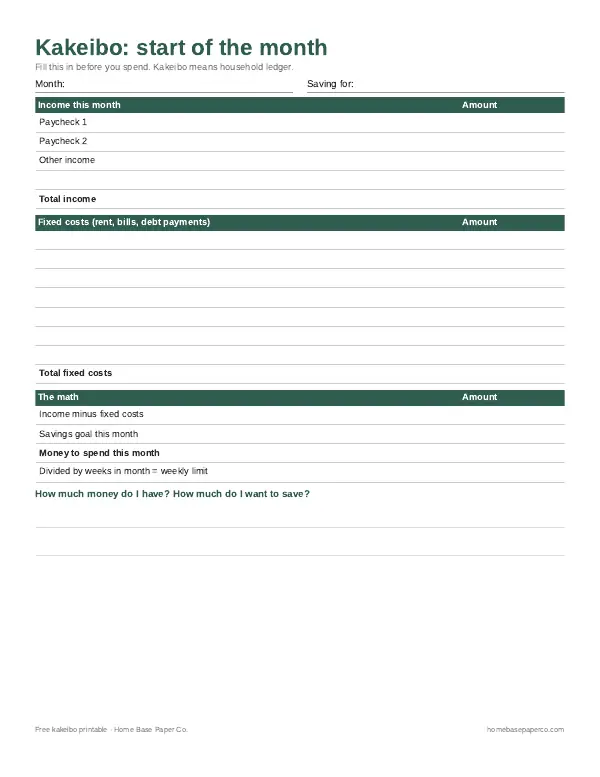
The free Kakeibo spending journal in the download box on this page is one simple paper method. It uses weekly spending by category and a month-end reflection, and our Kakeibo budgeting guide explains how it works.
Using it as an expense tracker for personal use
A personal expense tracker and a spending tracker are the same tool: a log of what you spend on yourself and your household, kept separate from any business or work expenses. If you have a side job, keep a second log or spreadsheet for those costs so tax time is easy and your household numbers stay clean. In the Annual Budget Spreadsheet, add a "reimbursable" category for anything an employer will pay back, so it doesn't make a category look over budget. If you run a side business, our guide on how to track business expenses covers that side separately.
Ways to make tracking easier to keep up
- Track at the same moment every day, like after dinner or before bed.
- Keep the tracker where you'll see it. A printed Expense Log on the fridge gets updated more than a file buried in a folder.
- Round to the nearest dollar. Cents don't change any decision you'll make.
- Use a "miscellaneous" line sparingly and check it weekly so it doesn't swallow the month.
- Track together if you share money. One shared log beats two half-finished ones.
- Pair tracking with one small goal once the first month is done, such as a savings goal tracker for the money you free up.
Common spending tracker mistakes
- Only tracking card purchases. Cash, payment apps and automatic charges count too.
- Too many categories. If sorting a purchase takes thought, you'll stop. Merge categories until each entry is obvious.
- Waiting until the end of the month. By then the small purchases are forgotten, and those are the ones that matter most.
- Treating the first month as a test you can fail. A high number isn't a failure; it's the information you came for.
- Stopping as soon as the month ends. The tracker becomes useful when it feeds a budget. Keep logging weekly inside your plan.
- Ignoring impulse buys. If they keep showing up, our guide to how to stop impulse spending has practical fixes.
Turn your tracked expenses into a budget
Tracking is step one. The payoff comes when you use those numbers to plan next month. Here's how to turn a month of tracked expenses into a simple budget:
- Total each category for the month, including cash and automatic charges.
- List your take-home income for the month.
- Start with fixed expenses. Those numbers are already known.
- Use your tracked totals as the starting plan for variable categories, not the amount you wish you spent.
- Pick one or two categories to adjust. Lower the target by a realistic amount, not by half.
- Give the difference a job, such as savings or paying down debt.
- Keep tracking so you can see whether the new plan works.
If you want a framework for dividing income, the 50/30/20 budget splits take-home pay into needs, wants and savings, and our guide to budgeting for beginners walks through a first budget step by step. To reset a category that keeps running high, try a short no-buy challenge.
For free, unbiased help, the Consumer Financial Protection Bureau's Your Money, Your Goals toolkit has worksheets and booklets for setting goals and working through money problems. The FDIC's Money Smart program offers free financial education for all ages, including interactive games on everyday money topics.
Slow progress is still progress. One month of honest numbers is a real start, even if the totals surprise you.
Which HomeBase tracker to use
- Budget Planner Printable ($5.99): a 12-page PDF in US Letter and A4. Use the Expense Log as your daily spending tracker, then move the totals onto the Monthly Budget page. Best if you like writing things down and want the tracker in sight.
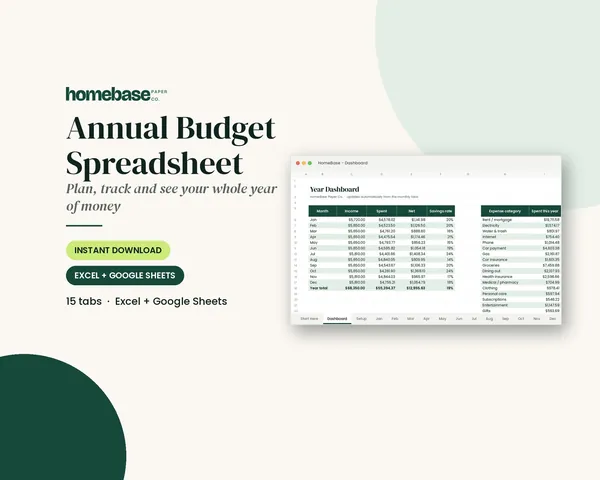
- Annual Budget Spreadsheet ($6.99): Excel and Google Sheets. Log each purchase in the transaction log with a category dropdown; planned vs. actual and red over-budget alerts update automatically, and the year dashboard keeps twelve months in one place. Best if you want the adding done for you.
Both are organizing tools for your own numbers, not financial advice. When you're ready to plan, move to a household budget template, or see every template guide or the full budgeting shop.
Once you have a month of purchase totals, move them into a budget template to plan the next month. Our comparison shows the free monthly PDF alongside paid spreadsheets, with previews and clear access steps.
Ready to use
Spending trackers that do the adding for you

Printables
Budget Planner Printable
Twelve undated pages you can print every month: budget, bills, spending, savings and debt.
Spreadsheets
Annual Budget Spreadsheet
See exactly where your money goes every month - without complicated software.
Frequently asked questions
What is a spending tracker? A spending tracker is a simple log of every purchase you make: the date, where you spent, the amount and a category. Over a few weeks it shows you exactly where your money goes, which is the information you need before you can build a budget that works. It can be a printable page, a spreadsheet or a notes app; the habit matters more than the tool.
What's the difference between a spending tracker and a budget? A budget is the plan: what you intend to spend in each category this month. A spending tracker is the record: what you actually spent. You need both. The tracker tells you whether the plan is realistic, and the plan tells you whether a purchase fits. Most people start with a month of tracking, then use those real numbers to write their first budget.
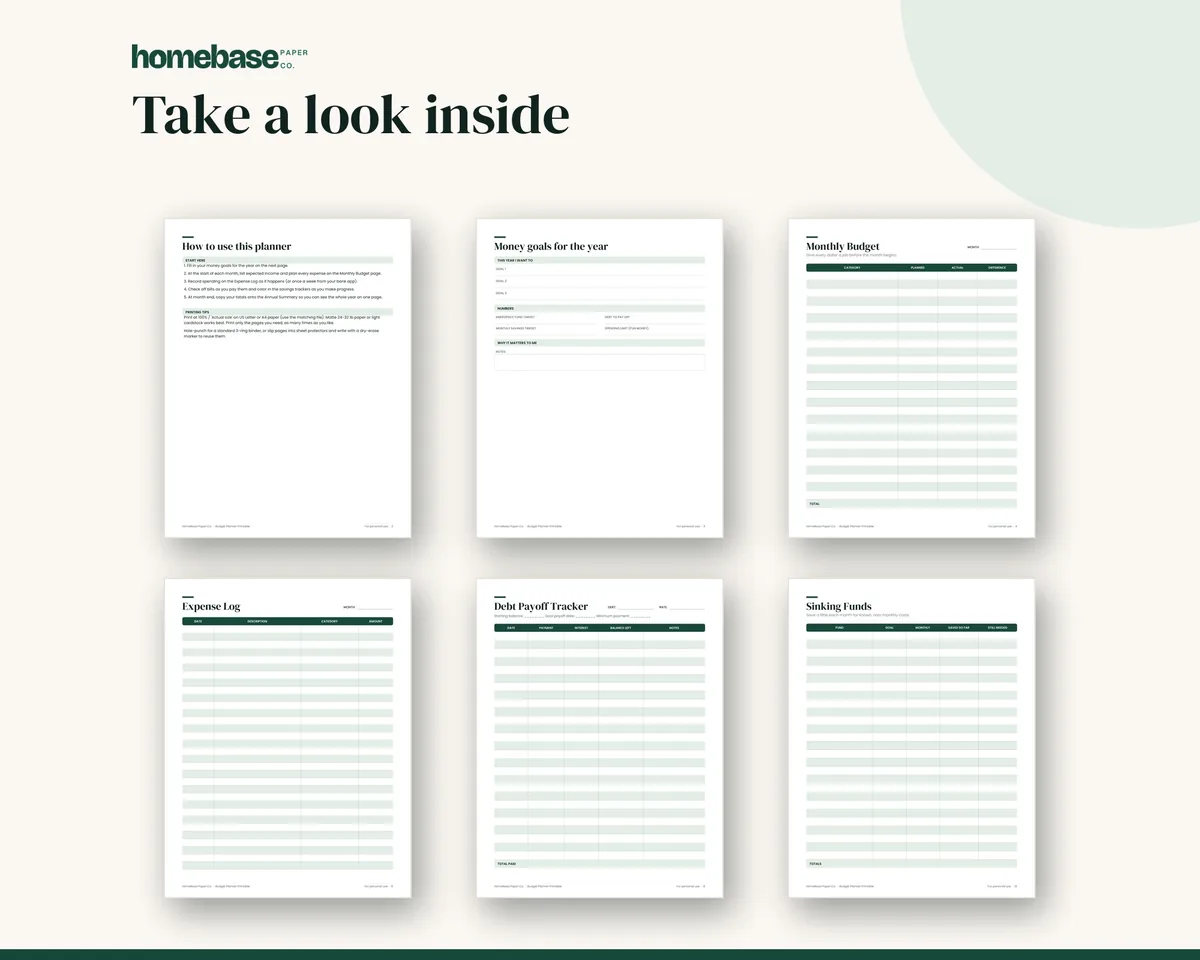
Is there a printable spending tracker? Yes, the HomeBase Budget Planner Printable ($5.99) is a printable spending tracker: it includes an Expense Log page for writing down purchases, along with Monthly Budget, Income Tracker, Bill Payment Tracker, Debt Payoff Tracker, Savings Tracker, Sinking Funds and Annual Summary pages. It's a 12-page PDF in US Letter and A4, and you can print as many Expense Log pages as you need.
What is the best expense tracker for personal use? The best personal expense tracker is the one you'll update every day for a month. If you like writing things down, a printed expense log on the fridge works well. If you want the totals done for you, a spreadsheet with a category dropdown is faster. Apps that import transactions save time, but it's easy to stop looking at them. Personal expense tracking is about household spending; for business expenses, use a separate tracker so the two never mix.
Is there a spending tracker for Excel or Google Sheets? Yes, the HomeBase Annual Budget Spreadsheet ($6.99) is a spending tracker for Excel and Google Sheets, with a transaction log and category dropdowns. Each purchase you enter rolls into planned vs. actual by category for the month, lines turn red when you go over plan, and a year dashboard shows the totals. It opens in Microsoft Excel or, after uploading to Google Drive, in Google Sheets.
What categories should I use in a spending tracker? Keep it to about 8 to 12 categories so you can sort a purchase in a second: groceries, eating out, gas and transportation, household supplies, kids, personal care, health, subscriptions, gifts, entertainment, and a 'miscellaneous' line you check weekly so it doesn't grow. Bills paid automatically can go in one 'bills' category. Our budget categories list has a longer set if you need more detail.
Should I track cash spending too? Yes, you should track cash spending too. Cash is the easiest money to lose track of. Write cash purchases down the same day, or record the full ATM withdrawal under the category it's meant for. If you use the cash envelope system, a quick count of each envelope once a week works as your tracker for those categories.
How long should I track my spending? Track every purchase for at least 30 days to see a full cycle of bills, paychecks and weekends. Two or three months is even better because it catches costs that don't show up every month. After that, many people keep tracking weekly inside their budget rather than as a separate exercise.
Do I have to write down every single purchase? Write down every single purchase for the first month. The small purchases (coffee, snacks, app charges, quick store runs) are usually the ones that surprise people, and they only show up if you record them. After the first month you can simplify, for example by tracking only the categories you're working on.
How do I track spending as a couple or family? To track spending as a couple or family, use one shared tracker. In a spreadsheet, share the Google Sheets file so both adults add purchases to the same transaction log. On paper, keep the Expense Log pages in one spot, like the fridge or a household binder, and add receipts at the end of each day. Agree on categories up front so 'household' means the same thing to everyone.
Is a spending tracker app better than a printable or spreadsheet? Apps can pull in transactions automatically, which saves time, but many people stop looking at them because nothing requires attention. A printable or spreadsheet makes you notice each purchase as you write it down, which is often what changes habits. Use whichever one you'll actually open every week.
What do I do with my spending tracker after a month? Total each category, compare the totals to what you expected, and circle the two or three categories that surprised you most. Use those real totals as the starting numbers for your monthly budget, set a target for one category you want to bring down, and keep tracking so you can see whether it worked.
Can I start tracking today? Yes, you can start tracking today. Right after checkout you get a download button and an email with the same link. Print the Expense Log pages from the Budget Planner Printable, or open the Annual Budget Spreadsheet in Excel or upload it to Google Sheets, and log today's purchases tonight. If you'd rather try it free first, download the Kakeibo spending journal on this page.
What if the spreadsheet tracker won't open? Email us within 14 days of your order. If the file won't open, is damaged or isn't what the product page described, we'll fix it or replace it, and refund you in full if we can't make it work. We'll also walk you through setup in Excel or Google Sheets. Downloads aren't refundable for a change of mind, so check the tabs and pages shown on the product page before you buy. Our refund policy has the details.
Will a spending tracker tell me what to cut? No, a spending tracker won't tell you what to cut by itself. It shows you the totals by category, and you decide what to change. Most people find the answer in the two or three categories that surprised them most. The example on this page is made up to show how the totals work; it isn't a target. For decisions about debt, taxes or investing, talk to a qualified professional.
How do I track my expenses? The HomeBase Budget Planner Printable ($5.99) helps you track your expenses with an Expense Log page you fill in each day. To track expenses, record every purchase with the date, the place, the amount and a category, using paper, a spreadsheet, your bank's categories, cash envelopes or receipt photos. Then do a 10-minute weekly check against your bank and card statements so nothing is missed, and total each category at the end of the month.
How can I track spending without an app? The HomeBase Budget Planner Printable ($5.99) lets you track spending without an app, using printed Expense Log pages. Keep the log where you'll see it, jot down purchases away from home in a notebook or your phone's notes, and copy them to the log each evening. Once a week, check your bank statement for anything you missed. A spreadsheet such as the Annual Budget Spreadsheet ($6.99) works too, and adds up the totals for you.
Free printable
Try kakeibo, the Japanese way to spend on purpose
A start-of-month page, weekly tables and a month-end review. You'll also get our weekly HomeBase email with simple budgeting and bill-paying tips.
Sources
- Your Money, Your Goals consumerfinance.gov
- Money Smart fdic.gov