

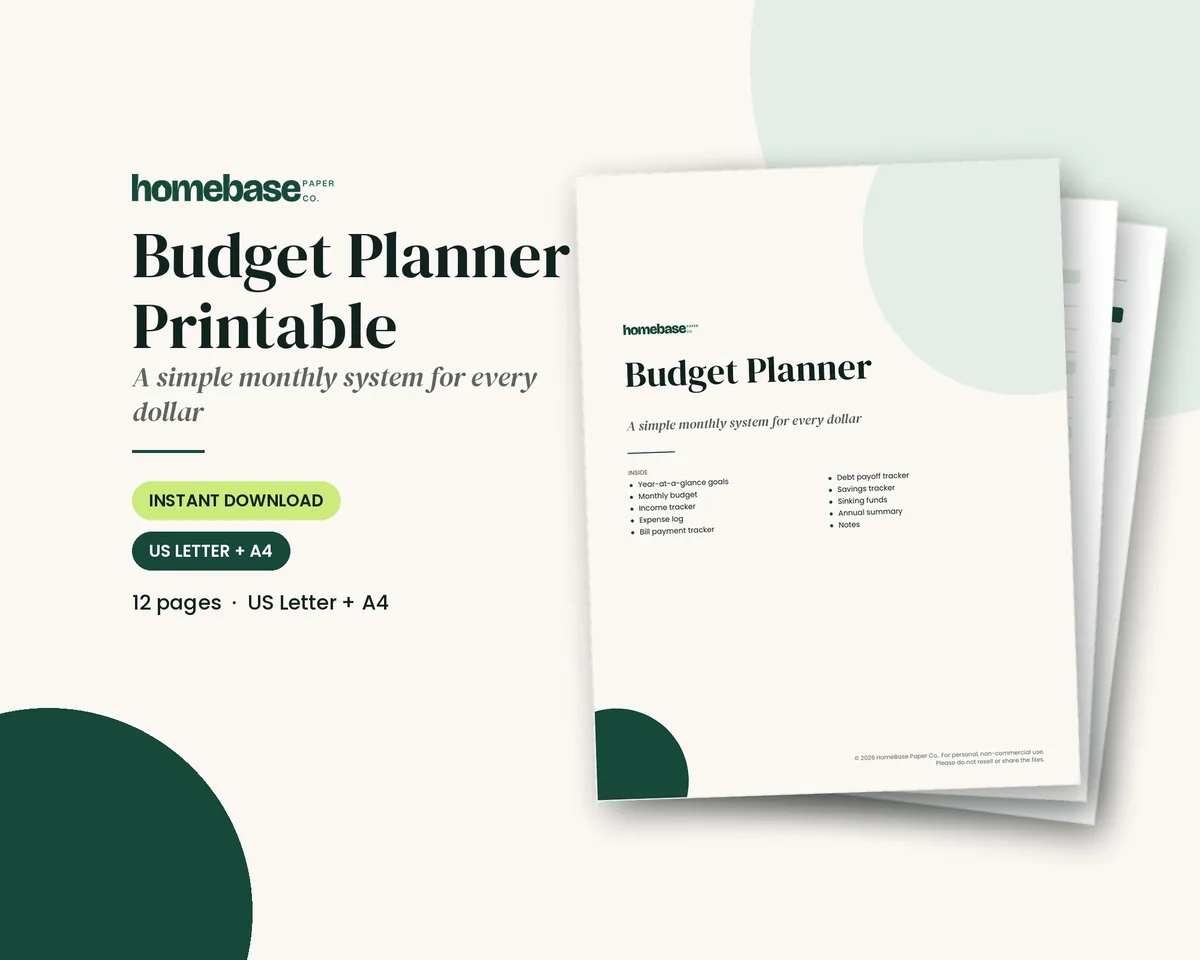
The short answer: A budget template gives your income, bills, spending and savings a place in one monthly plan. That usually means a clear place for income, bills and spending, a planned column and an actual column, and a quick way to see whether you came out ahead.
- 6 template styles compared below: monthly planned vs. actual, zero-based, 50/30/20, paycheck, envelope and annual
- Free download: get the free two-page monthly budget template with a 50/30/20 check and an expense tracker (we email it to you)
- Next step: want a full set of pages? The Budget Planner Printable is $5.99.
Start with our free monthly budget template PDF: two US Letter pages, emailed after signup. Page one plans the month; page two tracks purchases. Prefer automatic totals? Compare our paid Excel and Google Sheets spreadsheets below before choosing. The free PDF is for handwriting; it does not calculate totals or connect to your bank.
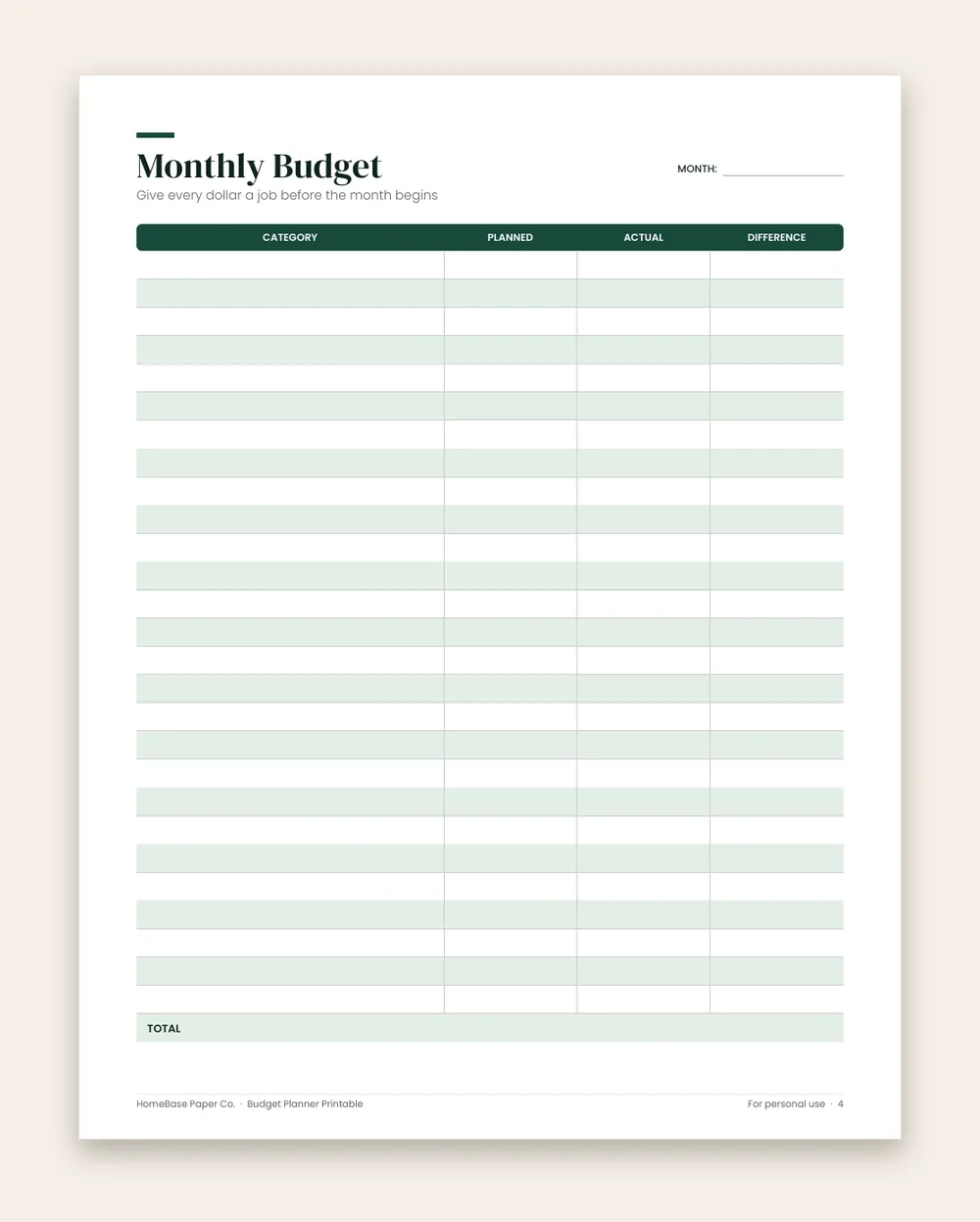
What's included in the Budget Planner Printable
- How to use this planner
- Money goals for the year
- Monthly Budget
- Income Tracker
- Expense Log
- Bill Payment Tracker
- Debt Payoff Tracker
- Savings Tracker
- Sinking Funds
- Annual Summary
- Notes
Printable PDF, $5.99. Instant download; nothing is shipped. See every page on the product page.
Who it's for
- First-time budgeters who want a simple place to start.
- Couples and families planning a monthly money talk.
- Anyone paying down debt who wants to see progress each month.
- Freelancers and gig workers balancing irregular income.
- Students and new grads setting up their first budget.
How to use the free monthly budget template
- Print both pages. Print the PDF on US Letter paper. Page 1 is the monthly budget and page 2 is the expense tracker.
- Write your take-home income. List every paycheck and side income in the Income section, using the amount that actually reaches your account.
- Plan your bills and spending. Fill in the Planned column for fixed bills, everyday spending, savings and debt.
- Assign every dollar. Subtract total planned from total income and write the result in Left to assign. Adjust until it reaches zero.
- Track spending all month. Log each purchase on the expense tracker, then add actual totals to page 1 every week.
- Review the difference. At month end, compare planned and actual, check your 50/30/20 split, and plan next month.
Choose a budget template by format and cost
| Our template | Format | Best use | Cost and access |
|---|---|---|---|
| Monthly budget and expense tracker | Two-page PDF | A first monthly plan on paper | Free, emailed after signup |
| Budget Planner Printable | Printable PDF | Budget, bills, savings and debt in one planner | $5.99, product page has purchase link |
| Zero-Based Budget Spreadsheet | Excel + Google Sheets | Assigning every dollar and comparing planned vs. spent | $6.99, product page has purchase link |
| Paycheck Budget Spreadsheet | Excel + Google Sheets | Matching bills to weekly, biweekly or other paydays | $5.99, product page has purchase link |
| Annual Budget Spreadsheet | Excel + Google Sheets | Seeing all twelve months together | $6.99, product page has purchase link |
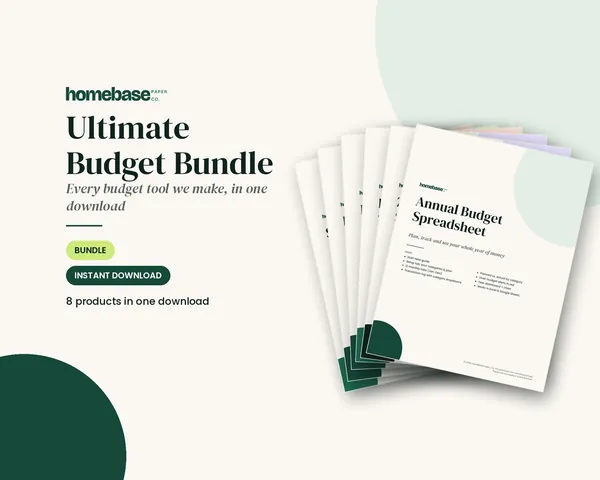
| Ultimate Budget Bundle | Spreadsheets + printable planners | Keeping several budgeting methods together | $19.99, product page lists everything included |
The free option is a printable PDF, not a free Excel workbook. Spreadsheet product pages show their own previews and checkout paths. Choose paper if you want to write the plan together at the table; choose a spreadsheet if repeating arithmetic is the part that stops you.
Compare budget templates by budgeting method
| Budget template style | How it works | Best for |
|---|---|---|
| Monthly planned vs. actual | Plan each category, then record what you really spent | Beginners and families |
| Zero-based | Every dollar of income gets a job until the balance is $0 | People who want full control |
| 50/30/20 | Split take-home pay into needs, wants and savings | Anyone who wants a simple rule |
| Paycheck budget | Plan bills and spending around each payday | Biweekly or weekly paychecks |
| Envelope or cash budget | Set a fixed amount per spending category | Groceries, gas and fun money |
| Annual budget | Plan the year, including irregular costs | Sinking funds and big goals |
Affiliate links: we may earn a small commission. As an Amazon Associate we earn from qualifying purchases. Details.
If you choose the cash version, a cash envelope wallet with tabbed envelopes keeps category cash together, and Paper Mate InkJoy gel pens work for filling in the printed tracker. The HomeBase template remains your spending plan.
You don't have to pick only one. Our free printable combines the planned-versus-actual layout with a zero-based "Left to assign" box and a 50/30/20 check, so you can try all three ideas on one page. Whichever style you choose, the rows matter as much as the layout, and our budget categories list has 102 categories to pick from.
What's in the free budget template printable
| Page | What's included |
|---|---|
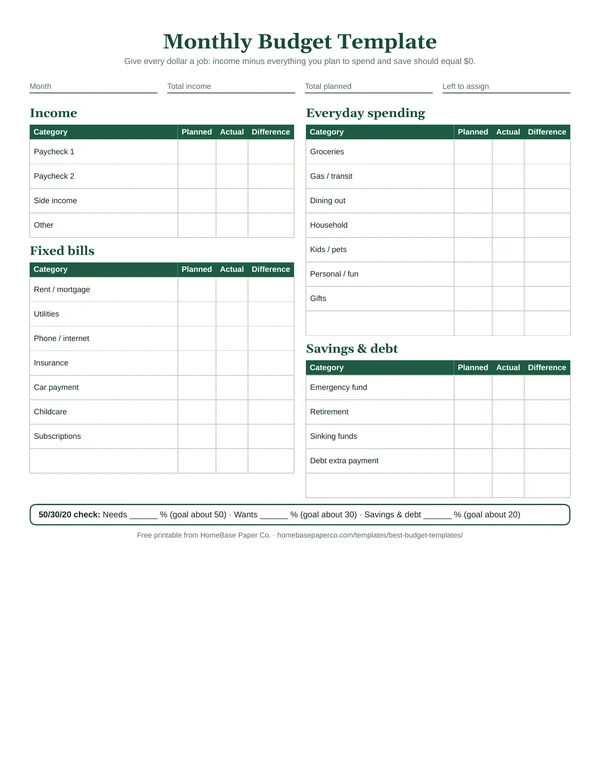
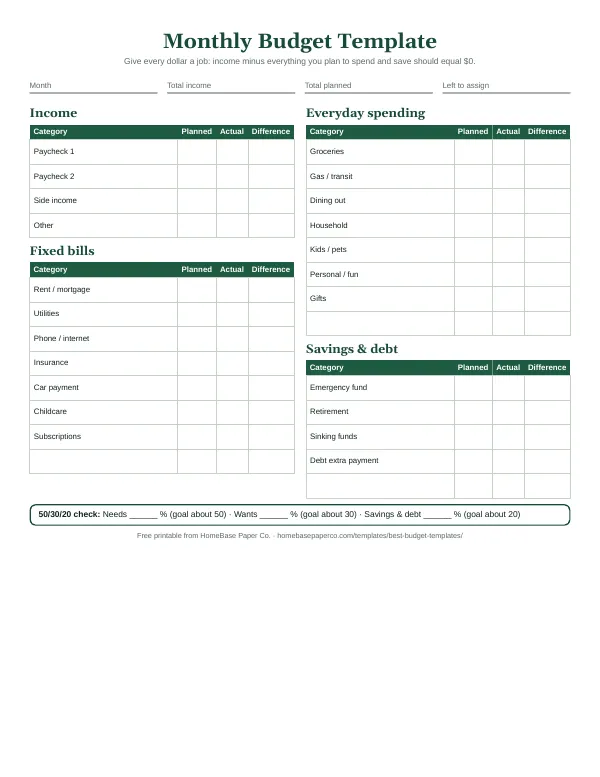
| 1. Monthly budget template | Month, total income, total planned and left-to-assign boxes; income, fixed bills, everyday spending, and savings and debt tables with planned, actual and difference columns; a 50/30/20 check |
| 2. Expense tracker | Starting and ending balance, plus date, what you bought or paid, category, amount and payment method for every purchase |
Get and print the free monthly budget template
- Open the free budget template signup page and enter your email.
- Check your inbox for the delivery email from Malaysia at HomeBase. Use the download link in that email to save the PDF. Check spam or Promotions if it has not appeared.
- Print both pages on US Letter paper at Actual size or 100%. Start with one month; the undated layout can be reused.
- Keep the blank PDF saved and print a fresh copy next month. Use a separate copy for each household if you help someone else budget.
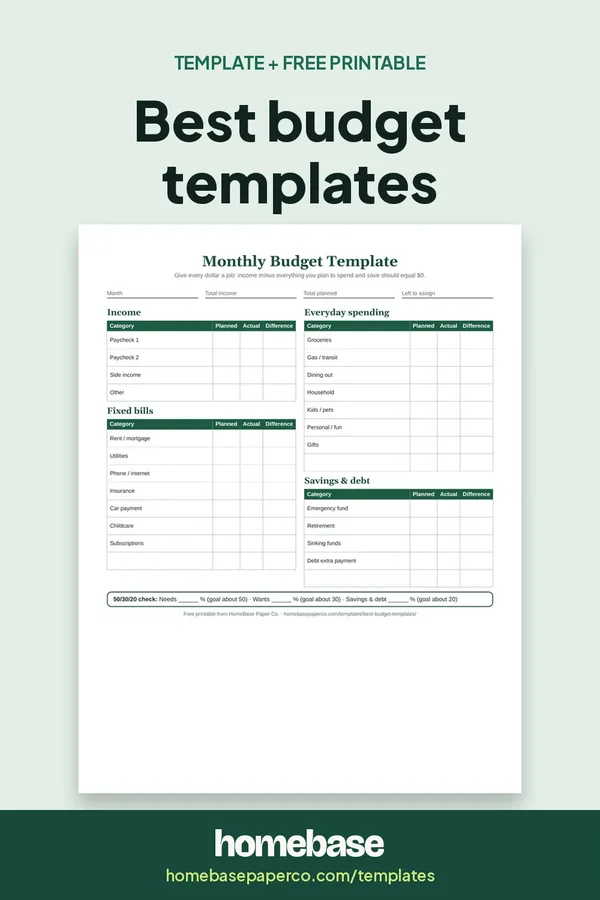
The preview above shows the actual monthly layout. The expense tracker gives each purchase a date, category, amount and payment method so you can bring the totals back to the budget page. You do not need Excel or a Google account for this PDF.
How to build a budget that works, step by step
The Consumer Financial Protection Bureau's guide to creating a budget and sticking with it starts with knowing what comes in and what goes out. Here's how that looks on the template:
- Start with take-home pay. Write the amount that actually reaches your account, not your salary before taxes.
- List fixed bills first. Rent or mortgage, utilities, insurance, phone, car payment, childcare and subscriptions.
- Estimate everyday spending. Look at last month's bank and card statements for groceries, gas, dining out and household costs.
- Plan savings and debt. Treat your emergency fund, sinking funds and extra debt payments like bills.
- Track as you go. Log purchases on the expense tracker and update the actual column weekly.
- Review and adjust. The difference column shows where your plan and real life didn't match.
Use the 50/30/20 check
The 50/30/20 rule suggests spending about 50% of take-home pay on needs, 30% on wants and 20% on savings and debt. NerdWallet's explanation of 50/30/20 uses these three groups as a starting point. It's a guideline, not a law. If you live in a high-cost area, needs may take more than half, and that's okay. The point is to notice the split and nudge it in the right direction.
Tips for sticking with your budget template
- Pick a weekly money date. Ten minutes every Sunday keeps the actual column up to date.
- Budget for irregular costs. Car registration, holidays and birthdays are easier with a small monthly sinking fund.
- Leave room for fun. A realistic budget includes some wants, which makes it easier to stick with. NerdWallet's budgeting guide makes the same point about building a plan you can live with.
- Start again next month. A month that goes over budget is information, not failure.
Want more than two pages?
The Budget Planner Printable ($5.99) gives you twelve undated pages to print every month, covering the budget, bills, spending, savings and debt. For everything at once, the Ultimate Budget Bundle ($19.99) includes all six of our budget spreadsheets plus both printable planners. Prefer a spreadsheet that does the math? Try the Zero-Based Budget Spreadsheet ($6.99).
A filled-in monthly budget template example
This is an illustration, not a spending recommendation or a claim about the average household. Suppose take-home income is $4,000. The amounts below show how planned and actual columns work when one category goes over.
| Category | Planned | Actual | Planned minus actual |
|---|---|---|---|
| Housing | $1,400 | $1,400 | $0 |
| Utilities, phone and internet | $300 | $320 | -$20 |
| Groceries | $450 | $490 | -$40 |
| Transportation | $250 | $230 | $20 |
| Insurance and minimum debt payments | $400 | $400 | $0 |
| Dining out and other wants | $400 | $360 | $40 |
| Savings and extra debt payments | $700 | $700 | $0 |
| Buffer | $100 | $100 | $0 |
| Total assigned | $4,000 | $4,000 | $0 |
The grocery and utility overruns total $60. Transportation and wants come in $60 below plan, so the month still balances. If the other categories had stayed unchanged, you would need to reduce another flexible category or revise the savings assignment. Do not erase the overrun from the actual column to make the plan look balanced.
On an expense row, planned minus actual gives a positive number when you are under budget and a negative number when you are over. For income, actual minus planned is a more useful way to read extra earnings. Keep those meanings separate when reviewing the form.
A zero-based balance of $0 means every dollar has an assignment, including savings and the buffer. It does not mean your bank balance should be $0. A monthly budget also does not tell you whether rent is due before your next paycheck; check bill dates separately.
Preview our spreadsheet budget templates
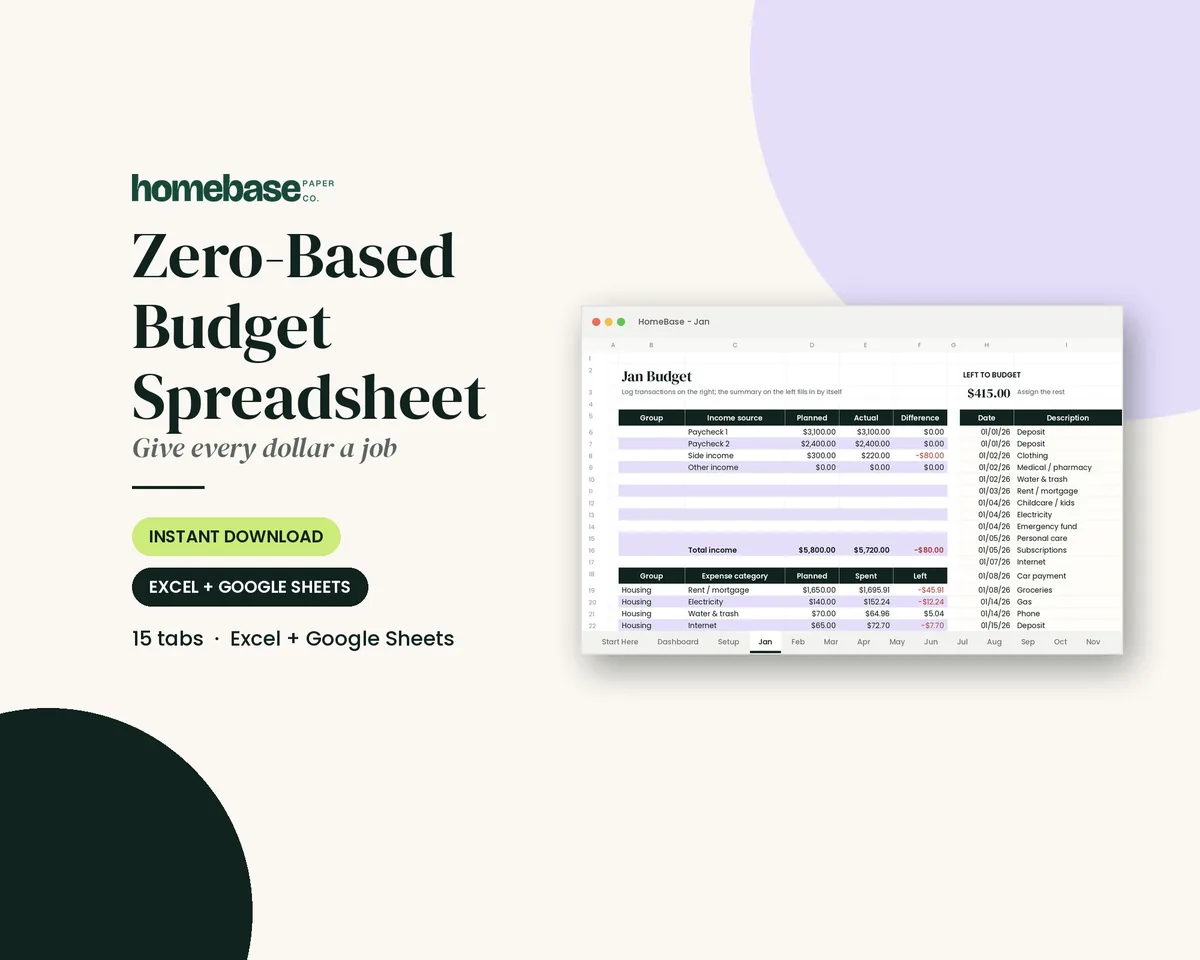
The Zero-Based Budget Spreadsheet is $6.99. Its product page shows the workbook and explains the included setup guide, monthly tabs and transaction log before checkout.
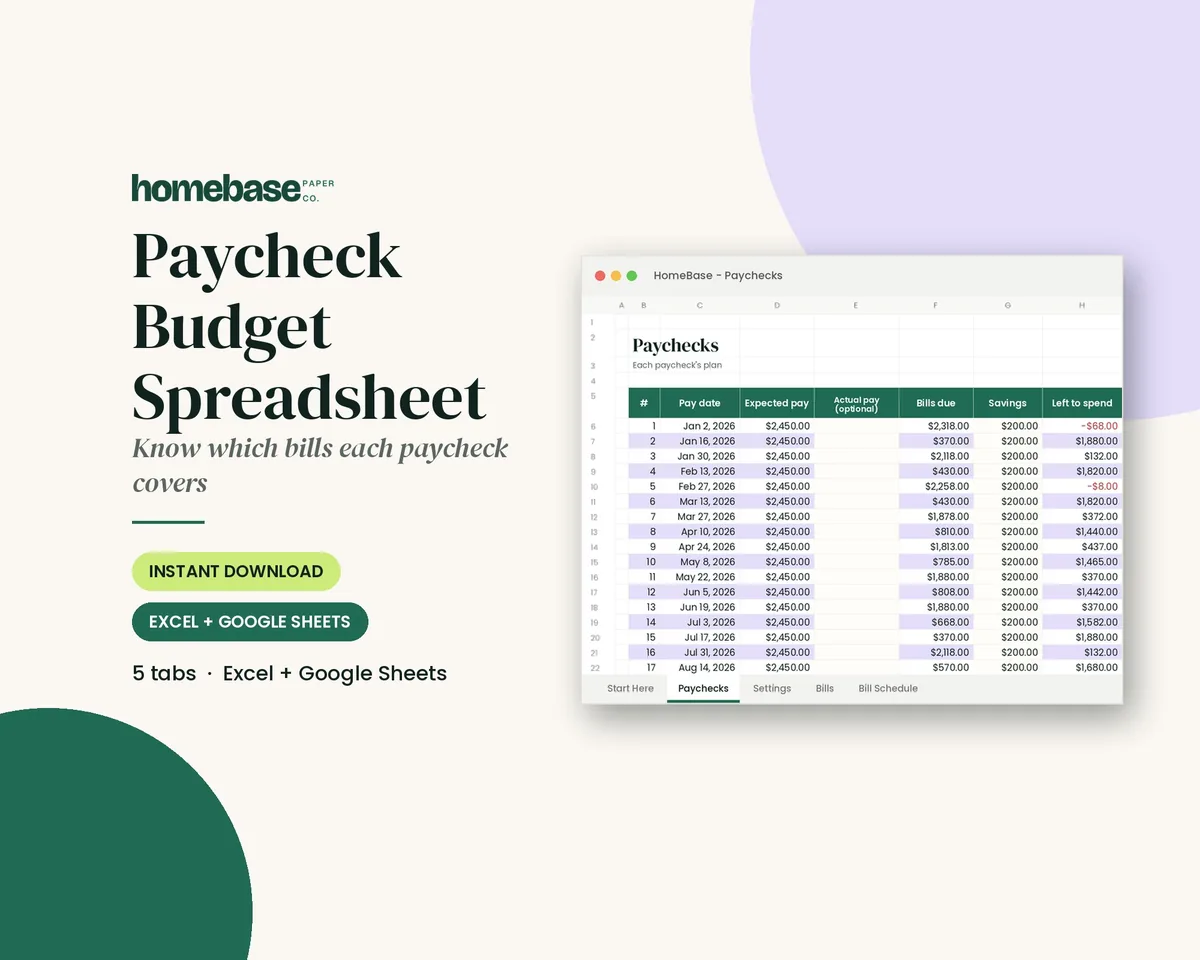
The Paycheck Budget Spreadsheet is $5.99. Choose it when assigning bills to paydays matters more than a single monthly total. Check its product page for the supported pay schedules and setup details.
Excel or Google Sheets budget template: what changes?
Our paid spreadsheet options include Excel and Google Sheets formats; use the product's included setup instructions for the correct file or copy link. A PDF stays a PDF when uploaded to Drive. It does not turn into a working spreadsheet just because you open it there.
For a spreadsheet budget, save an untouched original before changing categories. Enter a small sample income and expense first, confirm the totals change as expected, then enter your own month. Type into input cells rather than replacing formulas with numbers. Use the budget spreadsheet setup guide if you would rather build your own layout.
Couples can agree on a shared category list and one check-in time. If using a shared Google Sheet, review sharing permissions and keep account numbers and passwords out of the file. A handwritten budget can work just as well if both people can find it and update it.
Match the template to your paydays and household
Weekly or biweekly pay: keep the monthly totals for the big picture, then use the paycheck budgeting guide to decide which paycheck covers each bill. A two-paycheck month and a three-paycheck month need different assignments; extra pay is not a reason to increase every recurring bill.
Irregular income: start with a conservative income amount you can support from your own records. List essential bills before optional spending. When more income arrives, update the actual income and decide where the additional money belongs. Do not count an unpaid invoice as cash already available.
Families and shared bills: use the household budget template guide for shared categories. Decide whether the plan covers one person's spending or the whole household so the same bill is not counted twice.
Annual and seasonal costs: divide a known yearly bill into monthly savings assignments. For an illustrative $600 annual cost, setting aside $50 each month reaches $600 after twelve contributions. If the bill is due sooner, divide the remaining amount by the number of contributions you can still make. Gifts, school supplies and car maintenance need room even in months when nothing is due.
Business finances: keep business income and expenses separate from this personal plan. Our business budget template guide covers that different job.
Avoid the mistakes that make a budget hard to trust
- Counting credit card spending twice. If purchases are already logged by category, do not log the payment as the same spending again. Separate old debt repayment from this month's purchases.
- Calling a transfer an expense twice. Money moved to a savings account is a savings assignment. Keep it from appearing again as unrelated shopping.
- Forgetting a bill's timing. Check due dates as well as totals. A balanced month can still have a tight first week.
- Using gross pay. Start with money actually available after payroll deductions. Do not deduct the same withheld tax a second time.
- Changing methods too often. Keep one template through a full month, make a weekly check-in, then change the parts that caused confusion.
Start with the free budget template PDF if you want to test the habit on paper. Once you know whether you need payday scheduling, automatic category totals or a whole-year view, use the comparison table to choose a matching HomeBase spreadsheet.
Ready to use
Budget planners that keep every month on track

Printables
Budget Planner Printable
Twelve undated pages you can print every month: budget, bills, spending, savings and debt.
 Save 57%
Bundles
Ultimate Budget Bundle
All 6 spreadsheets + both printable planners - for less than half the price of buying them separately.
Frequently asked questions
What are the best budget templates for beginners? For most beginners, the best budget templates are a simple monthly budget with planned and actual columns and a basic expense tracker. Planned versus actual shows you where your guesses were off, and the tracker shows where the money really went. Once that habit sticks for two or three months, you can try a stricter style such as zero-based budgeting.
Is a printable or a spreadsheet budget template better? Neither is better for everyone. A printable budget template is great if you like writing things down, want a budget on the fridge, or find screens easy to ignore. A spreadsheet does the math for you and is easier to update on the go. Many families use both: a spreadsheet for the numbers and a printed page for the monthly money talk.
How does the 50/30/20 budget template work? The 50/30/20 rule puts about 50% of your take-home pay toward needs like housing, food and insurance, 30% toward wants, and 20% toward savings and paying down debt. Our free monthly budget template has a check box at the bottom where you write your percentages so you can see how close you are to that guideline.
What is a zero-based budget template? A zero-based budget template gives every dollar of income a job before the month starts, so income minus everything you plan to spend and save equals zero. The money doesn't all get spent. Some of it is assigned to savings or debt. The 'Left to assign' box on our printable helps you get to zero.
What categories should a budget template include? A good budget template covers income, fixed bills like rent, utilities, insurance and car payments, everyday spending like groceries, gas, dining out and kids' costs, and savings and debt goals. Leave a few blank lines in each section for costs that are unique to your household, such as pet care, tuition or a hobby.
How often should I update my budget template? Fill in the planned column once at the start of the month, then add actual spending at least once a week. Weekly check-ins catch overspending while there is still time to adjust. At the end of the month, compare the difference column and use what you learned to plan next month a little more accurately.
Are these budget templates really free? The two-page monthly budget template and expense tracker are free for personal use and are emailed after you sign up through our free-template page. If you want more pages, like sinking funds, debt payoff and annual planning, our paid planners and spreadsheets go further.
Can I use the best budget templates with irregular income? Yes, you can use these budget templates with irregular income. If your pay changes from month to month, plan your budget using your lowest typical month, and list must-pay bills first. When a bigger month comes in, assign the extra to savings, debt or a buffer for slower months. Writing the actual income on the template each month shows your real average over time.
More from HomeBase
Plan your year with HomeBase
Printables
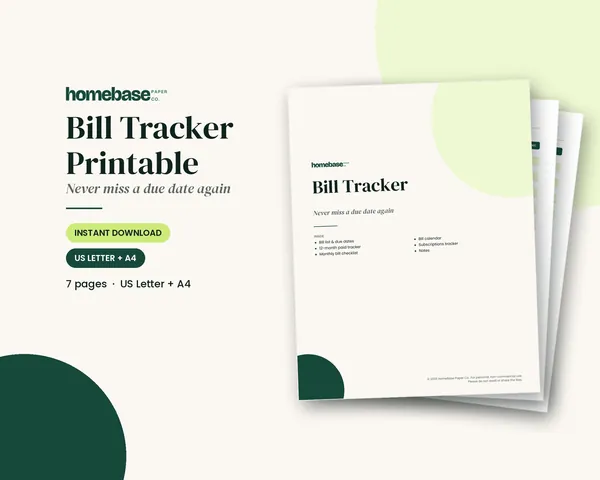
Budget Planner Printable
Twelve undated pages you can print every month: budget, bills, spending, savings and debt.
 Starter pick
Spreadsheets
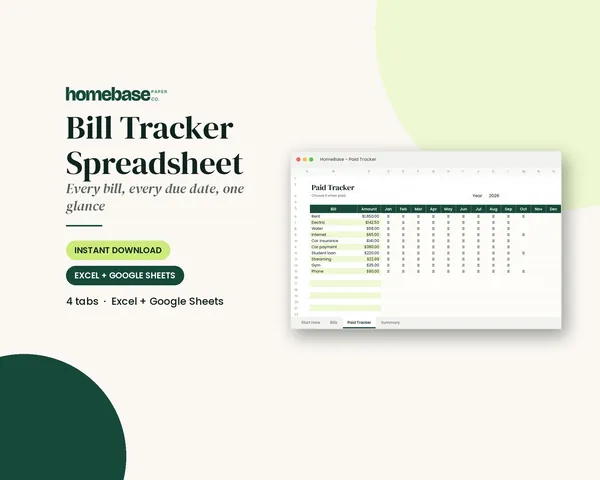
Bill Tracker Spreadsheet
Bills due in 3 days or less light up red, so nothing slips through.
 Club
Monthly club
Planner & Calendar Club
Anyone who wants a monthly calendar, bill calendar and meal plan ready to print.
Free printable
Give every dollar a job this month
A simple zero-based monthly budget you can fill in by hand. You'll also get our weekly HomeBase email with simple budgeting and bill-paying tips.
Sources
- Budgeting: How to create a budget and stick with it (Consumer Financial Protection Bureau) consumerfinance.gov
- How to budget (NerdWallet) nerdwallet.com