

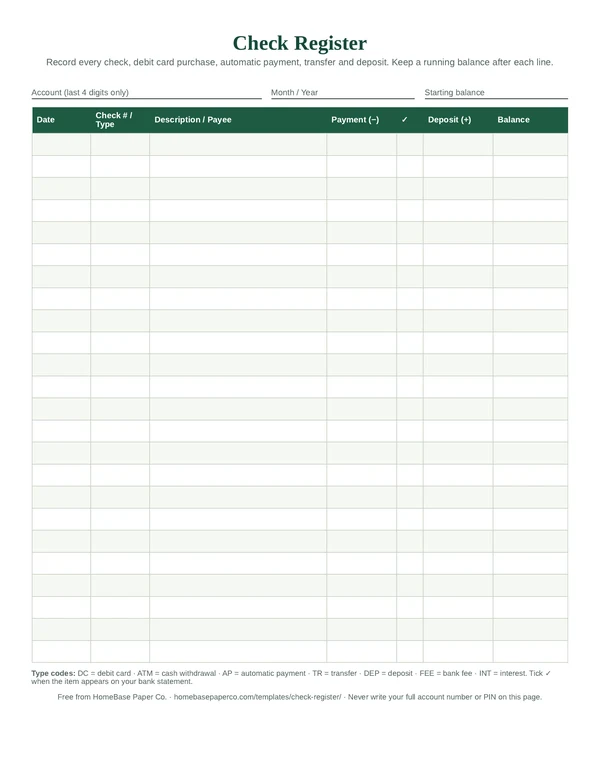
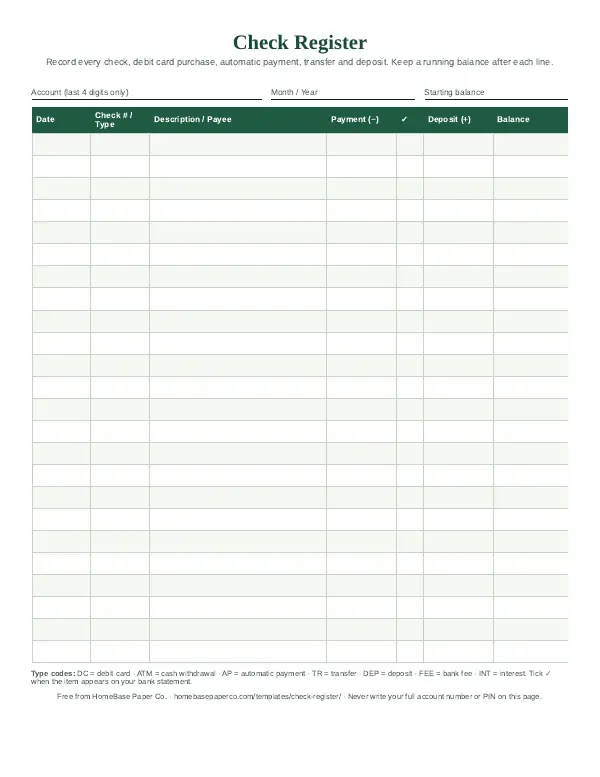
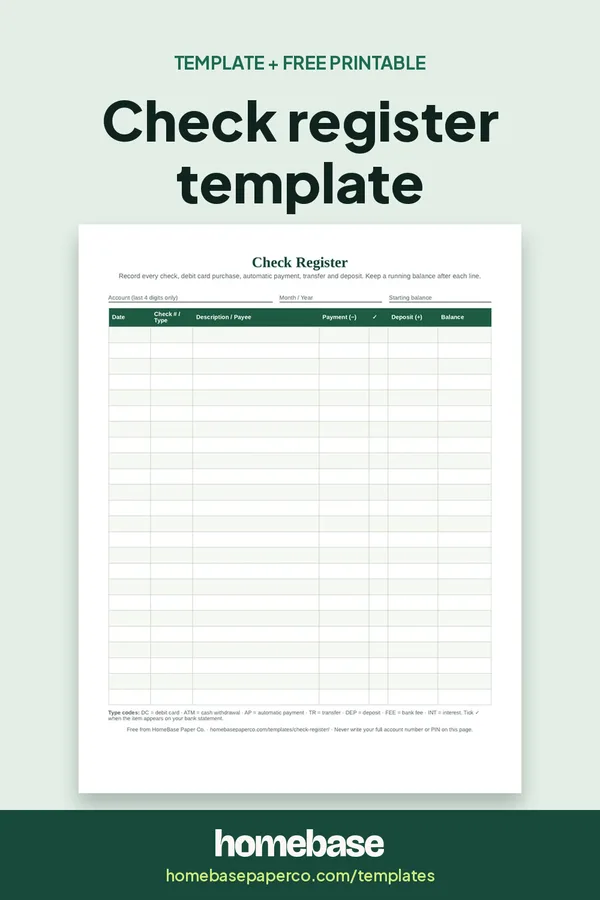
The short answer: A check register template is a simple page for recording every check, debit card purchase, automatic payment and deposit in your checking account, with a running balance after each line. Our free printable check register gives you 24 lines per page and a second page for matching your register to your bank statement each month.
It takes about two minutes a day and tells you what you can actually spend, which isn't always the number in your banking app.
What's included in the Annual Budget Spreadsheet
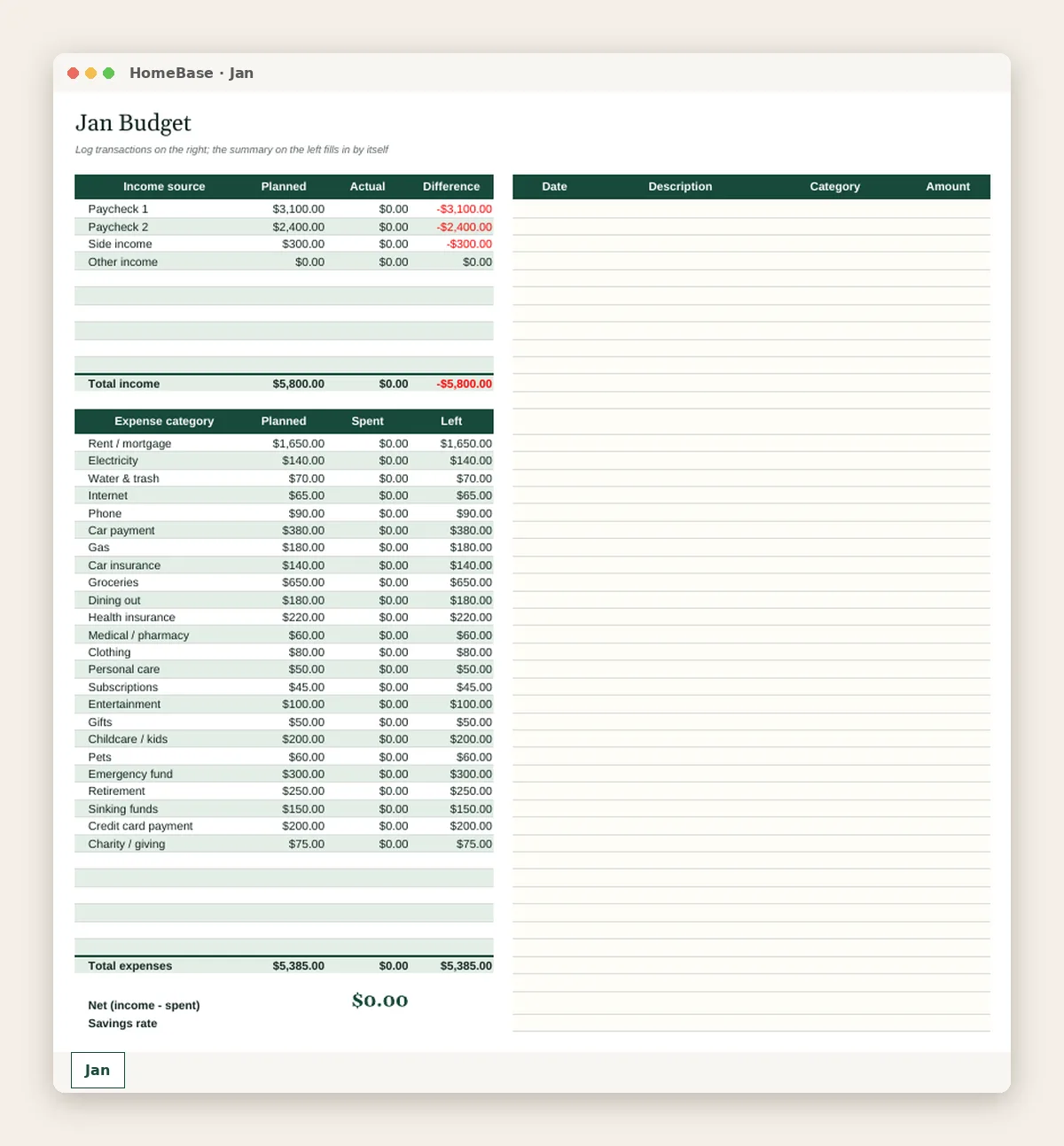
- Start Here guide
- Setup tab: your categories & plan
- 12 monthly tabs (Jan-Dec)
- Transaction log with category dropdowns
- Planned vs. actual by category
- Over-budget alerts in red
- Year dashboard + chart
- Works in Excel & Google Sheets
Spreadsheet (Excel + Google Sheets), $6.99. Instant download; nothing is shipped. See every page on the product page.
Who it's for
- Anyone who still writes checks for rent, a landlord, a babysitter or a school fee.
- Families living close to the line who want to see the real balance before a payment, not after.
- Couples sharing one account who need one record of what each person spent.
- Teens with a first checking account learning how deposits and purchases change a balance.
- Caregivers keeping a clear record of a parent's account.
How to use a check register, step by step
- Print the register and write the starting balance. Use the balance in your account today, after anything that's still pending. Add the month and the last four digits of the account at the top.
- Pencil in this month's automatic payments. Rent, utilities, subscriptions and loan payments that come out on their own. Use AP as the type and the scheduled date.
- Record every transaction the day it happens. Checks, debit card purchases, ATM withdrawals, transfers and deposits. Write the amount in the payment or deposit column.
- Update the running balance on every line. Subtract each payment from the line above, or add each deposit. The last balance is what you can actually spend.
- Tick items as they clear. When a transaction shows up on your bank statement or app, put a checkmark in the ✓ column.
- Reconcile once a month. Use page 2 to match your register to the statement: add deposits that haven't posted, subtract checks that haven't cleared and record any fees or interest.
- Start a fresh page each month. Carry the reconciled balance over as the new starting balance and file the old page with the statement.
Why keep a check register in 2026
Most of us don't write many paper checks anymore, so a register can feel old-fashioned. The reason it still works is that your bank's balance and your real balance aren't always the same thing. A check you mailed on Monday may not clear until next week. An automatic payment scheduled for the 15th hasn't come out yet. A debit card purchase can sit as pending. The app shows money that's already promised to someone else.
A register fixes that by recording each transaction when you make it, not when it posts. The FDIC's guide to overdraft and account fees says keeping track of your account balance helps you avoid charges for overdrawing your account, and that it's your responsibility to stay current with the checks and transactions you've made. Overdraft fees vary by bank, and the FDIC notes they may cost around $35 per transaction, so one missed transaction can cost more than the purchase itself.
A register is also a calm, low-tech habit. It takes no app, no login and no linked accounts. Many families keep one on the counter next to the bill calendar so everyone can see what's due and what's left.
What's on the free printable check register
The PDF has two US Letter pages. Print page 1 as many times as you need and page 2 once a month.
| Page | What it has | How you use it |
|---|---|---|
| 1. Check register | Account (last 4 digits), month, starting balance; 24 lines with date, check # or type, description, payment, cleared ✓, deposit and balance | Record every transaction the day it happens and keep the running balance |
| 1. Type codes | DC, ATM, AP, TR, DEP, FEE, INT | Short codes for transactions that aren't paper checks |
| 2. Monthly reconciliation | Statement balance worksheet, register balance worksheet | Match your register to your statement once a month |
| 2. Outstanding items | Table for checks and payments that haven't cleared | Carry them forward so nothing is forgotten |
| 2. Troubleshooting checklist | Six quick checks when balances don't match | Find the difference without starting over |
How to fill out a check register
Start with an accurate opening balance. Log in to your bank, look at the available balance, and subtract anything you know is coming that isn't showing yet. Write that number in the starting balance box.
Then record each transaction on its own line:
- Date: the day you wrote the check, swiped the card or scheduled the payment.
- Check # / Type: the check number for paper checks, or a code like DC (debit card), AP (automatic payment) or TR (transfer).
- Description / Payee: who you paid or where the deposit came from. Be specific enough that you'll recognize it on the statement.
- Payment (−) or Deposit (+): one amount per line, in the right column.
- Balance: the line above minus the payment, or plus the deposit.
- ✓ (cleared): leave it blank until the item shows up on your statement or app.
A worked check register example
The numbers below are an EXAMPLE only, made up to show how the running balance works. They aren't averages or advice.
| Date | # / Type | Description | Payment (−) | ✓ | Deposit (+) | Balance |
|---|---|---|---|---|---|---|
| Nov 1 | Starting balance | $1,240.00 | ||||
| Nov 1 | AP | Rent (EXAMPLE) | $950.00 | ✓ | $290.00 | |
| Nov 3 | DC | Grocery store | $86.42 | ✓ | $203.58 | |
| Nov 5 | DEP | Paycheck | ✓ | $1,180.00 | $1,383.58 | |
| Nov 6 | 1042 | Piano lessons | $60.00 | $1,323.58 | ||
| Nov 8 | AP | Phone bill | $55.00 | $1,268.58 | ||
| Nov 9 | ATM | Cash for school fundraiser | $40.00 | ✓ | $1,228.58 | |
| Nov 10 | FEE | Paper statement fee | $2.00 | ✓ | $1,226.58 |
What this EXAMPLE shows: on November 10, a banking app might show more money than $1,226.58, because check 1042 and the phone bill haven't cleared yet. The register already counts them, so the family knows not to spend that $115 twice.
How to balance a checkbook register each month
Reconciling sounds technical, but it's just matching two lists. Do it when your monthly statement arrives, or pick a date in your banking app's history. Page 2 of the free PDF lays out every line.
- Tick what matches. Go down the statement and put a ✓ next to each matching item in your register.
- Adjust the statement balance. Take the statement's ending balance, add any deposits in your register that aren't on the statement yet, and subtract checks and payments that haven't cleared.
- Adjust the register balance. Take your register's current balance, subtract any fees or charges on the statement you hadn't recorded, and add any interest or deposits you missed.
- Compare. The adjusted statement balance and the adjusted register balance should be the same.
- Carry forward. List outstanding checks on page 2 and start next month with the reconciled balance.
If the numbers don't match, the troubleshooting checklist on page 2 catches most mistakes: a running balance added wrong, a payment written in the deposit column, transposed digits, or an automatic payment you forgot to write down. The difference is usually one of those.
Common check register mistakes
- Waiting until the weekend. Receipts get lost. Write each transaction the same day, even if it's a quick note on the line.
- Rounding inconsistently. Some people round every payment up to the next dollar to build a small cushion. That's fine, but do it every time and reconcile with the real amounts.
- Skipping small purchases. A $4 coffee and a $6 app charge add up. Every line counts toward the balance.
- Forgetting automatic payments. Pencil the month's subscriptions and bills in on the first. Our bill tracker can show what's due and when.
- Trusting pending items. A pending charge can change. A gas station hold, for example, may be different from the final amount.
- Writing sensitive details on the page. Use only the last four digits of the account. Never write a PIN, password or full account number.
Check register vs. spending tracker vs. budget
People often use these words interchangeably, but each one does a different job. Many households use all three.
| Tool | Answers | Covers | Best for |
|---|---|---|---|
| Check register | What's my real balance right now? | One bank account | Avoiding overdrafts and bounced checks |
| Spending tracker | Where did my money go this month? | All spending, any payment method | Spotting patterns and leaks |
| Budget | Where should my money go? | All income and spending | Planning the month ahead |
A register keeps your balance honest, but it doesn't tell you whether you spent too much on takeout. For that, add a category to each line or copy totals into a budget. If you're just starting out, our budgeting for beginners guide walks through the first month, and a monthly budget worksheet gives you a simple plan to compare against.
Choosing a bank account that fits the way you track
If you keep running into fees, it may be worth looking at your account itself. The CFPB's bank account tools explain how overdraft coverage works, what it means to opt in, how long a bank can hold a deposited check, and what to look for when you open a new account. Some banks offer low-balance alerts or accounts without overdraft fees. Pair those with a register and you'll rarely be surprised.
When a spreadsheet makes more sense
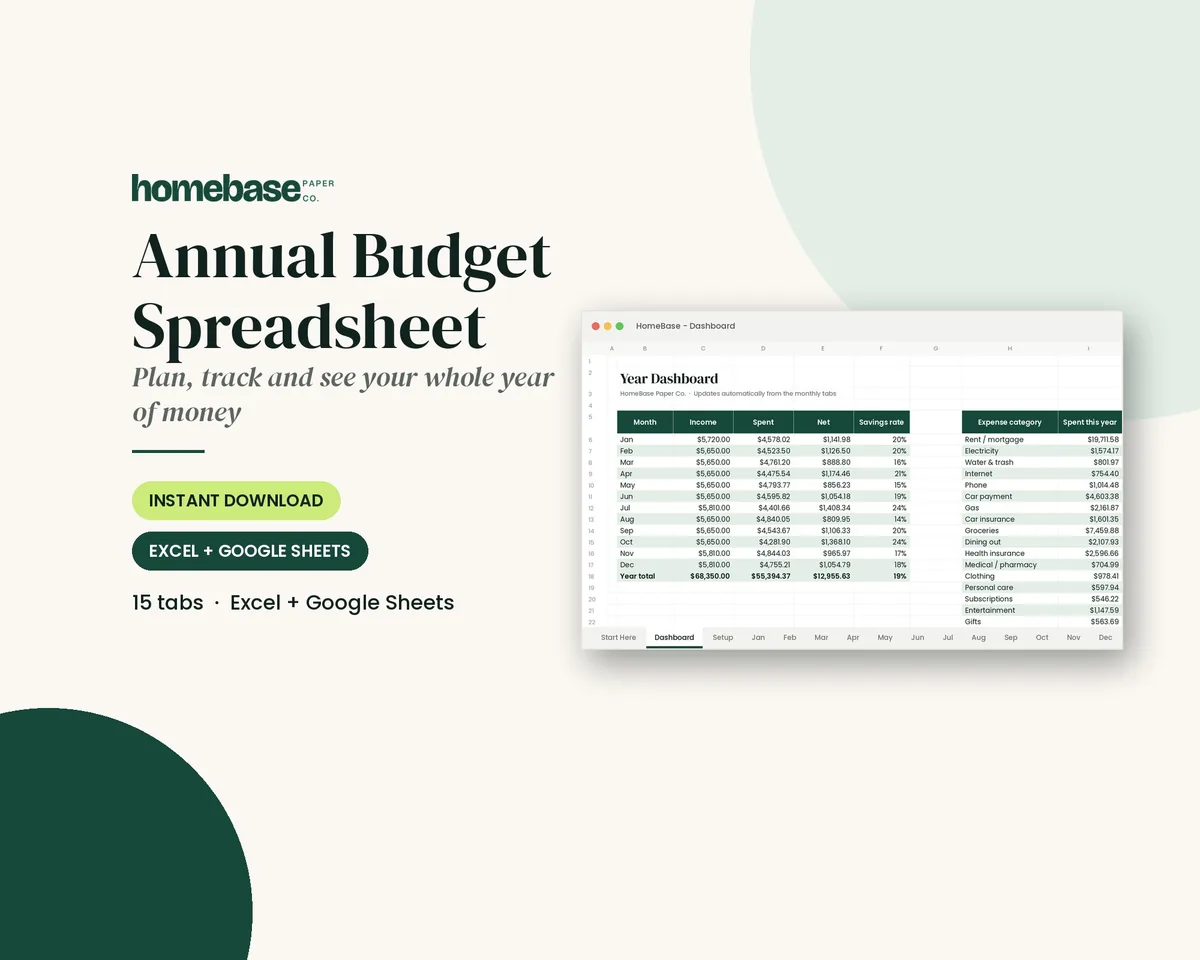
Paper works well for one account and a few dozen transactions a month. If you track several accounts, share a budget with a partner, or want the totals done for you, a spreadsheet saves time. The Annual Budget Spreadsheet has a transaction log with category dropdowns, 12 monthly tabs and planned vs. actual totals, and it works in Excel and Google Sheets. If you'd rather stay on paper, the Budget Planner Printable includes an expense log and a bill payment tracker alongside the monthly budget.
Tips for keeping the habit
- Keep it where you pay. A register in your purse, wallet folder or kitchen binder gets used. One in a drawer doesn't.
- Pick a daily cue. Update it when you plug in your phone at night or after dinner.
- Save receipts in one envelope. Clear it out once a week after you've written everything down.
- Turn on low-balance alerts. Your bank's alerts plus your register catch mistakes from both sides.
- Make it a family job. If two people share an account, agree on who writes what down and check the register together once a week.
Ready to use
When you want the register to do the math
Spreadsheets
Annual Budget Spreadsheet
See exactly where your money goes every month - without complicated software.

Printables
Budget Planner Printable
Twelve undated pages you can print every month: budget, bills, spending, savings and debt.
Spreadsheets
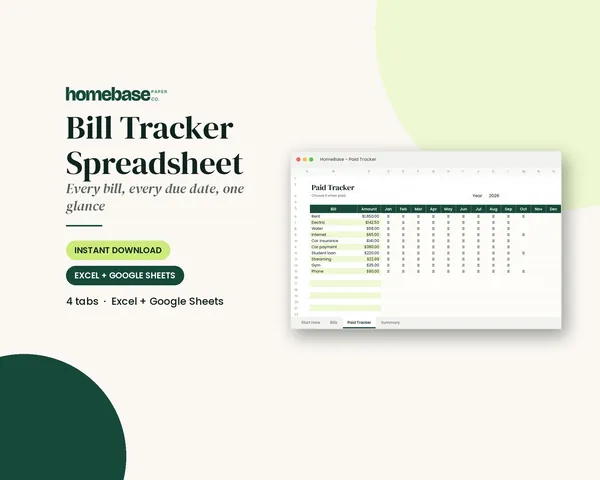
Bill Tracker Spreadsheet
Bills due in 3 days or less light up red, so nothing slips through.
Frequently asked questions
What is a check register template? A check register template is a ready-made page for recording every transaction in a checking account: checks, debit card purchases, automatic payments, transfers, ATM withdrawals, fees and deposits. Each line has a date, a description, the amount and a running balance, so you always know what's actually available to spend.
How do you fill out a check register? Write your starting balance at the top. For each transaction, record the date, the check number or a type code like DC for debit card, the payee, and the amount in the payment or deposit column. Subtract payments from (or add deposits to) the line above and write the new running balance. Tick the checkmark column when the item shows up on your bank statement.
Is this printable check register really free? Yes, this printable check register is really free. The HomeBase check register PDF is free; enter your email and we send it to you. It's two US Letter pages: a 24-line register with a running balance column and a monthly reconciliation worksheet. Print as many copies as you like for personal use.
What columns should a check register have? A useful check register has seven columns: date, check number or transaction type, description or payee, payment (minus), a cleared checkmark, deposit (plus) and balance. Some people add a category column so the register doubles as a spending tracker.
Do I still need a check register if I bank online? You don't have to keep one, but it still helps. A bank's app shows your current balance, which can include pending items and leave out checks that haven't cleared or scheduled automatic payments. A register shows what you've already committed. The FDIC notes that keeping track of your account balance helps you avoid overdraft charges.
How do you balance a checkbook register? Once a month, compare your register to your bank statement. Tick every item that appears on both. Start with the statement's ending balance, add deposits that haven't posted, subtract checks and payments that haven't cleared, and compare that to your register balance after adding any fees or interest you hadn't recorded. The two numbers should match. Page 2 of the free PDF walks you through it.
What if my check register doesn't match my bank statement? Re-add the running balance line by line, look for a payment entered as a deposit, check for transposed digits like 54 and 45, and look for automatic payments, fees or interest you didn't record. If you still can't find the difference, call your bank and ask them to walk through the transactions with you.
What do the type codes on a check register mean? Short codes save space in the check number column. On our template, DC is a debit card purchase, ATM is a cash withdrawal, AP is an automatic payment, TR is a transfer between accounts, DEP is a deposit, FEE is a bank fee and INT is interest earned.
How do I record a debit card purchase in a check register? Record it the same way as a check: the date, DC in the check number column, the store name, and the amount in the payment column. Subtract it from your balance right away, even though it may take a day or two to post at the bank.
How do I record automatic payments and subscriptions? Write each automatic payment in the register on the day it's scheduled to come out, with AP as the type. Many people pencil the month's automatic payments in at the start of the month so the running balance already accounts for them. Our bill calendar is a handy way to see the dates.
Should I write my account number on a check register? No, you shouldn't write your full account number on a check register. Write only the last four digits of the account to tell registers apart. Never write your full account number, online banking password or debit card PIN on the page, and keep filled-in registers somewhere private.
How long should I keep old check registers? Keep each month's register at least until you've reconciled it with the bank statement. Many people keep a year of registers with their statements for reference. For tax or legal records, talk to a qualified professional about what you need to keep and for how long.
Is a check register the same as a budget? No, a check register isn't the same as a budget. A check register records what already happened in one account. A budget plans what should happen across all your money. They work well together: the register keeps your balance accurate, and the budget decides where the money goes. If you want both in one place, a budget spreadsheet with a transaction log can do the adding for you.
Is there a check register template for Excel or Google Sheets? Our free check register is a printable PDF. If you'd rather type than write, the HomeBase Annual Budget Spreadsheet works in Excel and Google Sheets and has a transaction log with category dropdowns and planned vs. actual totals. It isn't a bank-style running balance ledger, but it adds up your spending by category automatically.
How many transactions fit on one page? The free check register has 24 lines per page. Most households with a few dozen transactions a month use one to three pages. Start a new page each month so the monthly reconciliation lines up with your statement.
Can I use a check register for a savings account or a kids' account? Yes, you can use a check register for a savings account or a kids' account. A register works for any account where you want a running balance: savings, a joint household account, a holiday sinking fund or a teen's first checking account. It's a simple way to teach kids how deposits and spending change a balance.
Free printable
Always know your real balance
A printable register for checks, debit, autopay, transfers and deposits. You'll also get our weekly HomeBase email with simple budgeting and bill-paying tips.
Sources
- FDIC's guide to overdraft and account fees fdic.gov
- CFPB's bank account tools consumerfinance.gov