
Printables
Budget Planner Printable
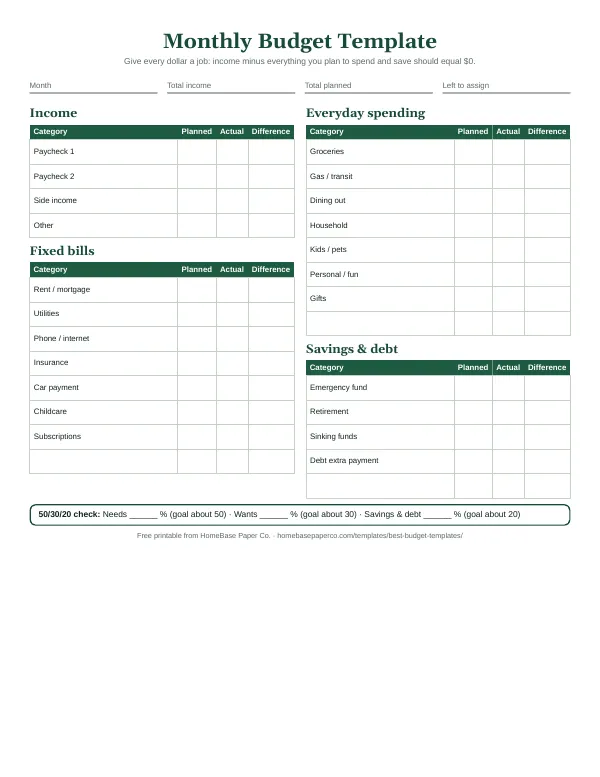
Twelve undated pages you can print every month: budget, bills, spending, savings and debt.
$5.99Buy

Free tool · no sign-up · nothing saved or sent
This free monthly budget calculator shows where your paycheck goes. Enter your take-home pay and your monthly expenses to see what's left (or how much you're short), how your spending compares with the 50/30/20 rule, and which categories take the biggest share of your income.
How to calculate a monthly budget: add up your monthly take-home pay, list every expense with its monthly amount (divide yearly bills by 12), and subtract expenses from income. Give any money left over a job, like savings or extra debt payoff. As a check, the 50/30/20 rule puts about 50% toward needs, 30% toward wants and 20% toward savings and debt payoff.
The 50/30/20 rule is the simplest way to check whether a budget is balanced. Investopedia's explanation of the 50/30/20 rule traces it to Elizabeth Warren and Amelia Warren Tyagi's book All Your Worth. Here's how the buckets break down on take-home pay:
| Bucket | Share of take-home pay | What goes in it | On $5,000 a month |
|---|---|---|---|
| Needs | 50% | Housing, utilities, groceries, transportation, insurance, childcare, minimum debt payments | $2,500 |
| Wants | 30% | Dining out, entertainment, hobbies, shopping, subscriptions, travel | $1,500 |
| Savings and debt payoff | 20% | Emergency fund, sinking funds, retirement beyond payroll, extra debt payments | $1,000 |
If your needs run well over 50%, you're not alone: housing is the biggest line for most U.S. households in the Bureau of Labor Statistics Consumer Expenditure Survey. In that case, use the calculator to see exactly how far over you are, then decide whether to trim wants, raise income or lower a big fixed cost over time. Other splits work too; our guide to the 50/30/20 budget covers when to adjust it, and the 70/20/10 budget is a common alternative when needs are higher.
The calculator works with any method. Once you see your numbers, pick the one that fits how you think about money:
Our overview of budgeting methods compares them side by side, and if you're building your first budget, start with budgeting for beginners.
Paying down debt? Once your budget shows an amount you can put toward it every month, plug that number into our debt payoff calculator to see your debt-free date. Planning for the holidays? The holiday budget calculator and Christmas budget calculator split a seasonal total into gifts, food and travel.
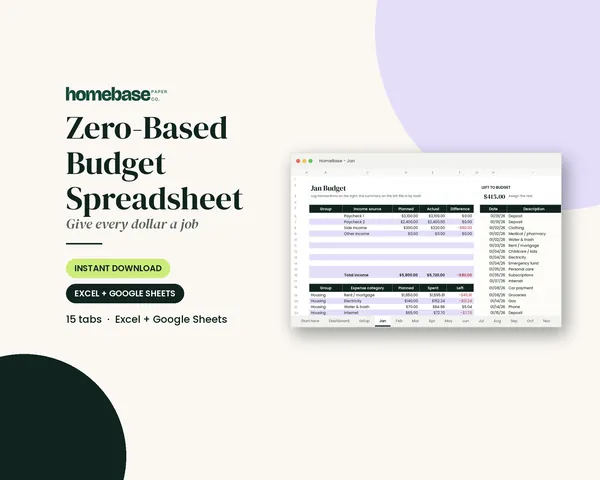
A calculator gives you a snapshot. A written budget you update every month shows whether things are getting better. Print our free monthly budget worksheet to copy these numbers onto, see our budget categories list for lines you may have missed, or use the Zero-Based Budget Spreadsheet to have the math done for you in Excel or Google Sheets.
How does this budget calculator work? The budget calculator adds up your monthly take-home income, adds up every expense line you enter, and shows the difference: money left to assign, or a shortfall. It also sorts each line into needs, wants or savings and debt payoff and compares your totals with the 50/30/20 rule, then lists your categories from biggest to smallest with the share of income each one takes. Everything runs in your browser, nothing is saved or sent, and the starting numbers are only an example to replace with yours.
What is the 50/30/20 budget rule? The 50/30/20 rule splits take-home pay into three buckets: about 50% for needs (housing, utilities, groceries, transportation, insurance and minimum debt payments), 30% for wants (dining out, entertainment, shopping, subscriptions) and 20% for savings and extra debt payoff. It was popularized by Elizabeth Warren and Amelia Warren Tyagi in their book All Your Worth, as Investopedia explains. It's a starting guideline, not a law: in high-cost areas needs often run above 50%, and that's fine as long as you know where the gap is coming from.
Should I use gross or take-home pay in a budget calculator? Use take-home pay, the amount that actually lands in your bank account after taxes, health insurance and retirement deductions. That's the money you can spend, so it's what every expense line is compared against. If you're paid every two weeks, multiply one paycheck by 26 and divide by 12 to get a true monthly figure; if your income changes month to month, use the lowest month from the last six to twelve months so the budget still works in a slow month.
How do I calculate my monthly budget? To calculate a monthly budget, write down your monthly take-home income, list every regular expense with its monthly amount (divide yearly bills like car insurance by 12), add up the expenses and subtract them from income. If the result is positive, assign the leftover to savings, debt payoff or sinking funds until it reaches zero. If it's negative, cut wants first, then look at your three biggest needs. This calculator does the adding and subtracting for you as you type.
What categories should a monthly budget include? Most household budgets need housing, utilities, groceries, transportation, insurance, minimum debt payments, phone and internet, childcare if you have it, dining out, subscriptions, fun and gifts, personal care and shopping, plus savings and extra debt payoff. Add lines for anything you pay at least once a year, like car registration, school costs or holidays, by dividing the yearly cost by 12. Our budget categories list has a fuller set with examples.
What if my expenses are more than my income? If the calculator shows you're short each month, start with wants: dining out, subscriptions and shopping are usually the fastest to trim. Then look at your three largest needs, since a cheaper phone plan, insurance quotes or a grocery plan built around sales can free up more than many small cuts. If you're behind on bills, the CFPB has free guides on prioritizing payments and talking to creditors, and our guide to budgeting on a low income walks through the order to pay things.
How much should I spend on rent or housing? A common guideline is to keep housing costs at or below about 30% of gross income, which is the cost-burden measure HUD uses, and many budgeters aim lower on take-home pay. In this calculator, housing sits inside the 50% needs bucket, so if rent alone takes 40% of take-home pay, the other needs have to fit in what's left or the needs share will run over 50%. That's a signal, not a failure: it tells you where the pressure in your budget is.
How much of my income should go to savings? The 50/30/20 rule suggests about 20% of take-home pay for savings and paying down debt beyond the minimums. If that's not possible yet, start smaller and automate it: even a fixed amount each payday builds an emergency fund. The CFPB's guide to building an emergency fund suggests setting a specific savings goal and making it automatic, and once you have a cushion, extra money can go to debt payoff or retirement.
Is this a zero-based budget calculator? It can be. A zero-based budget gives every dollar of income a job, so income minus expenses and savings equals zero. Enter your income and expenses, then keep adding the leftover to savings, debt payoff or sinking funds until the 'left to assign' number reads $0. If you prefer a spreadsheet that does this month after month, the Zero-Based Budget Spreadsheet is built for it.
Does the budget calculator save my numbers? No. The budget calculator runs entirely in your browser and never sends or stores your numbers, so if you close the page they're gone. Use Copy summary to paste your budget into a note or email to yourself, or Print to keep a paper copy. For a budget you update every month, a printable planner or spreadsheet is easier to keep.
Is there a free budget calculator for families? Yes, this one is free by email, and it works for families: add a second income line for a partner, include childcare and kids' activities as categories, and add lines for school costs or holidays divided by 12. Many families also hold a short monthly budget meeting to go over the numbers together, and our family budget meeting guide has an agenda you can follow.
Make the budget stick
Your budget only works if you come back to it. The Printable Budget Planner gives you a monthly budget page, bill tracker and savings tracker, so you can see how each month compares with the last.
Want the full set? Ultimate Budget Bundle, $19.99 (instead of $46.42 bought separately).
Free printable
A printable zero-based monthly budget: income, bills, everyday spending and savings on one page, with a planned vs. actual column. You'll also get our weekly HomeBase email with simple budgeting and bill-paying tips.
Budget tools
Printables
Twelve undated pages you can print every month: budget, bills, spending, savings and debt.
Spreadsheets
The 'Left to budget' counter turns green when every dollar has a job.
Spreadsheets
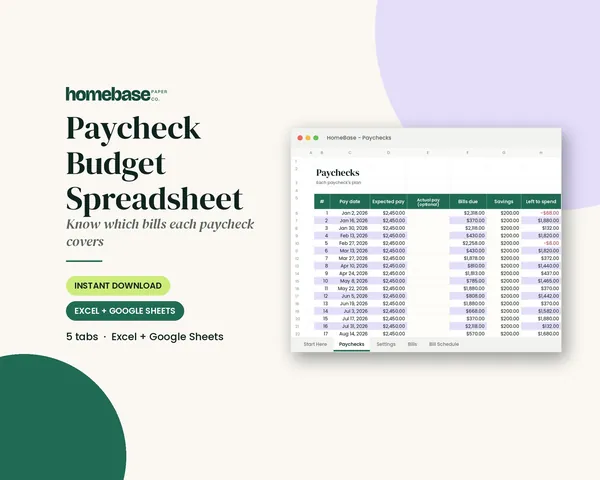
Enter your bills once. The sheet tells you which paycheck pays each one, all year.