The short answer: A purchase order template is a ready-made form a business fills out before it buys something, listing what it wants, how many, the agreed price, the delivery date and the payment terms.
- Our free template: one page with 12 item lines and a totals box, plus a purchase order log on page two
- Free download: get the free purchase order template (we email it to you)
- Next step: log every order and bill in the Business Income & Expense Tracker ($7.99).
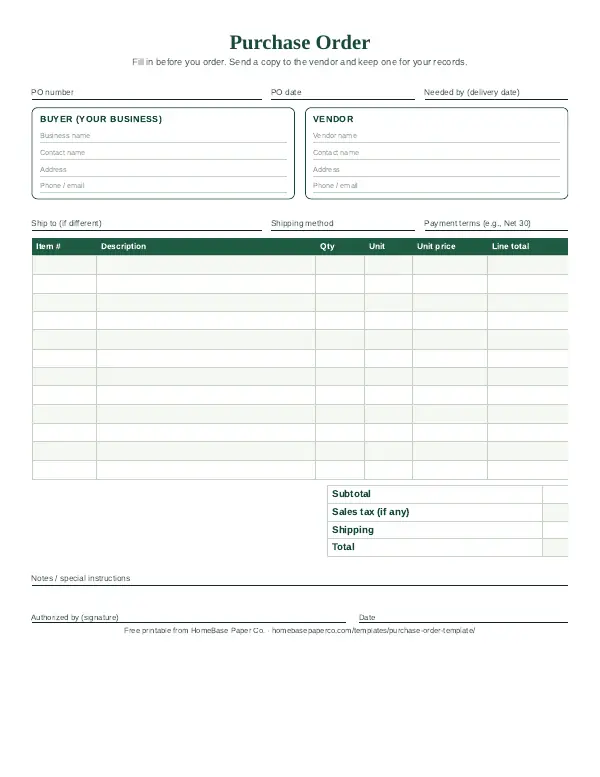
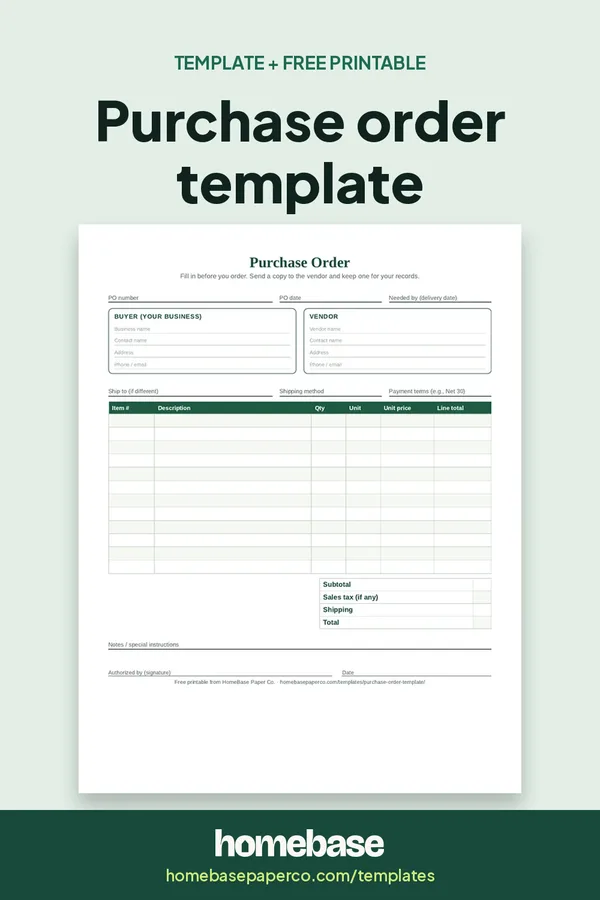
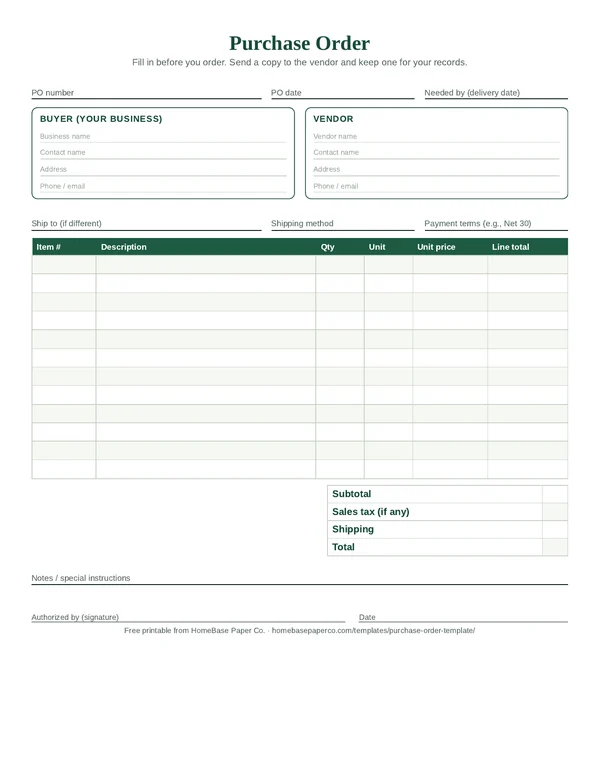
Our free printable purchase order template gives you a one-page PO with 12 item lines and a totals box, plus a purchase order log on page two for tracking every order from "sent" to "paid." It's built for small shops, makers, contractors, home-based businesses and school or club buyers who want a clear paper trail without buying accounting software.
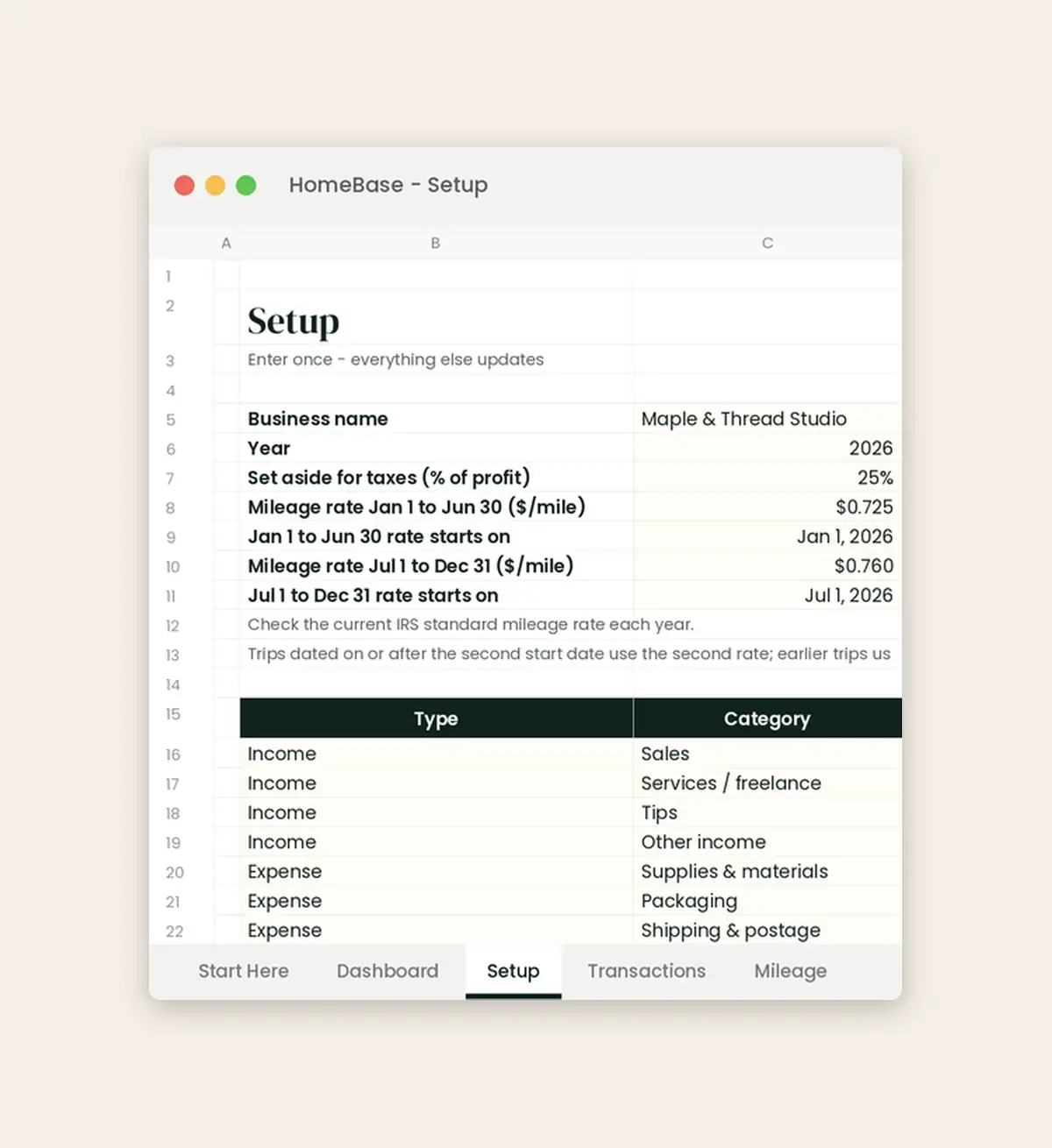
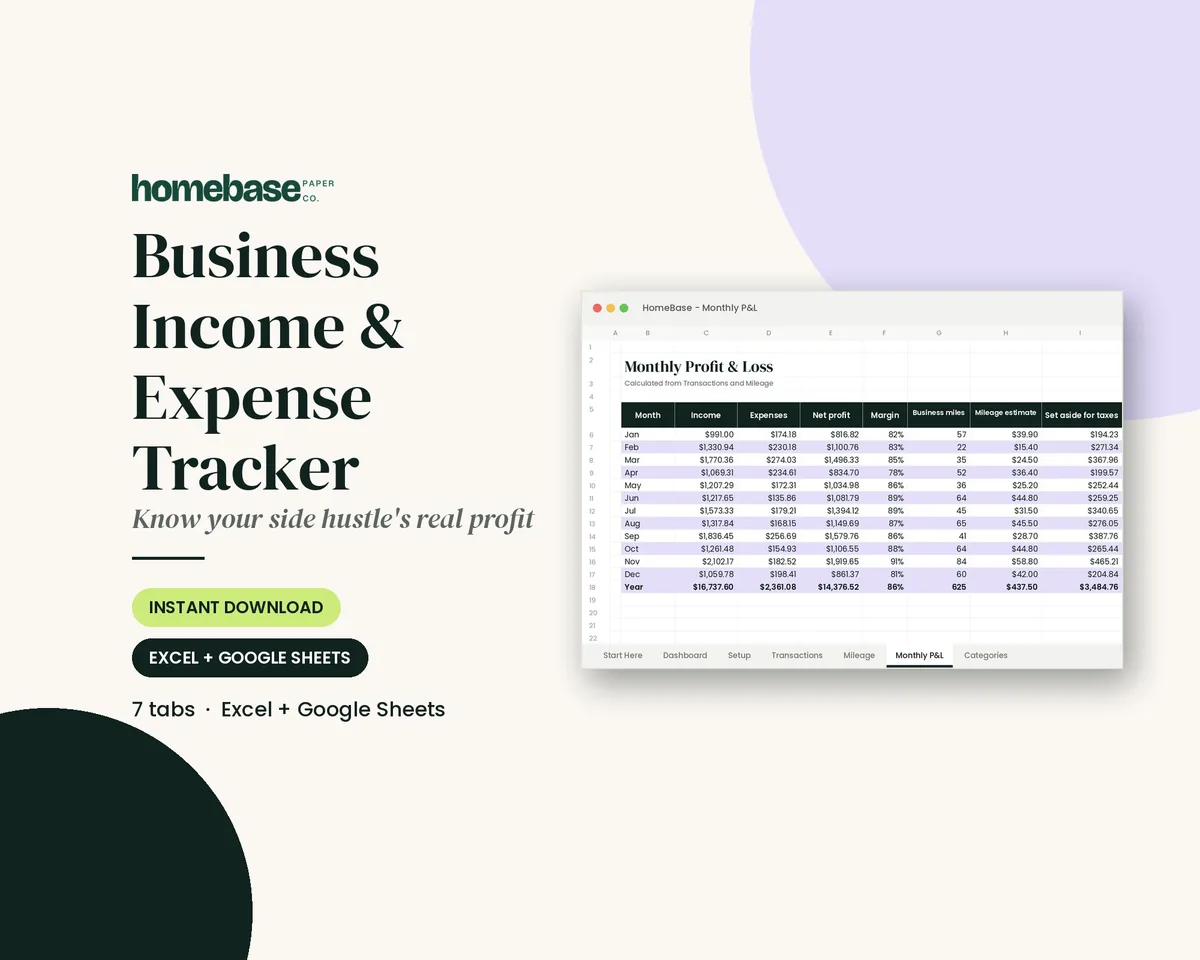
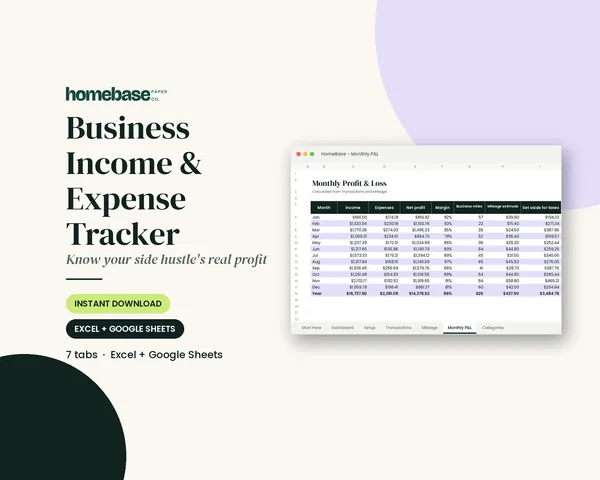
What's included in the Business Income & Expense Tracker
- Start Here guide
- Income & expense log with category dropdown
- Income / expense type fills in automatically
- Monthly profit & loss
- Mileage log with deduction estimate
- Tax set-aside estimate each month
- Year & month totals by category
- Dashboard + chart
Spreadsheet (Excel + Google Sheets), $7.99. Instant download; nothing is shipped. See every page on the product page.
Who it's for
- Makers and small shops ordering supplies from wholesalers before a busy season.
- Contractors and trades ordering materials for a specific job.
- Home-based businesses that buy from the same vendors every month.
- School, PTA and club treasurers who need a signed approval for every purchase.
- Small offices where more than one person orders supplies.
How to fill out a purchase order, step by step
- Give it a PO number. Start at 001 or 2026-001 and never skip or reuse a number.
- Write the PO date and needed-by date. The needed-by date tells the vendor when the goods must arrive.
- Fill in the buyer and vendor boxes. Use your business name and one contact, then the vendor's name and contact.
- Add shipping and payment terms. Write the ship-to address, shipping method and terms such as Net 30.
- List each item on its own line. Include item number, description, quantity, unit and unit price.
- Total it. Multiply each line, add the subtotal, then any sales tax and shipping.
- Sign, send and log it. Sign the authorized-by line, send a copy to the vendor and add the PO to the log on page 2.
Why use a purchase order template
A purchase order (PO) puts the deal in writing before any money moves. You and the vendor agree on items, quantities, prices, shipping and terms, and both of you keep a copy. When the box arrives and the invoice follows, you compare all three. If something doesn't match, you catch it before you pay.
That paper trail matters at tax time, too. The IRS explains that purchases, sales, payroll and other transactions generate supporting documents, and that documents for purchases should identify the payee, the amount paid, proof of payment, the date and a description of the item. A numbered PO, the vendor's invoice and your proof of payment together cover all of that. When you sell used equipment instead of buying supplies, record that deal with a bill of sale.
POs help small businesses in a few everyday ways:
- No surprise prices. The price is written down before the order ships.
- Clear approvals. If more than one person buys supplies, a signed PO shows who approved it.
- Easier bookkeeping. Each PO number ties a vendor invoice to a specific order.
- Better cash planning. Open POs show money you've already committed but haven't paid yet.
What's on the free printable purchase order template
The PDF has two US Letter pages. Print page 1 for every order and page 2 once you've used up the lines.
| Page | What it has | How you use it |
|---|---|---|
| 1. Purchase order | PO number, PO date, needed-by date | Number every PO in order and set the delivery date |
| 1. Buyer and vendor boxes | Business name, contact, address, phone or email | Fill in both parties so the vendor knows who's ordering |
| 1. Shipping and terms | Ship-to address, shipping method, payment terms | Agree on delivery and when payment is due |
| 1. Item lines | 12 rows: item #, description, qty, unit, unit price, line total | One line per product or service |
| 1. Totals and approval | Subtotal, sales tax, shipping, total, notes, signature and date | Add it up and sign before you send it |
| 2. Purchase order log | 22 rows: PO #, date, vendor, what was ordered, total, received, invoice #, paid | Track each order until it's received and paid |
How to fill out a purchase order
- Give it a PO number. Start at 001 (or 2026-001) and never skip or reuse a number.
- Write the PO date and the needed-by date. The needed-by date tells the vendor when the goods have to arrive.
- Fill in the buyer and vendor boxes. Use your business name and one contact person, then the vendor's name and contact.
- Add the ship-to address, shipping method and payment terms. Common terms are "due on receipt," "Net 15" or "Net 30," meaning payment is due 15 or 30 days after the invoice date.
- List each item on its own line. Include the vendor's item or SKU number if they have one, a clear description, the quantity, the unit (each, box, case, yard) and the unit price.
- Total it. Multiply quantity by unit price for each line, add the lines for a subtotal, then add sales tax if it applies and shipping.
- Sign it and send it. Sign the authorized-by line, send a copy to the vendor and log the PO on page 2.
A worked purchase order example
The numbers below are an EXAMPLE only, made up to show how the math works. They aren't real prices or quotes.
| Item # | Description | Qty | Unit | Unit price | Line total |
|---|---|---|---|---|---|
| CND-8 | 8 oz amber candle jars (EXAMPLE) | 4 | case of 12 | $24.00 | $96.00 |
| WX-10 | Soy wax, 10 lb bag | 3 | bag | $32.50 | $97.50 |
| WK-100 | Pre-tabbed cotton wicks | 2 | pack of 100 | $9.75 | $19.50 |
| LBL-R | Round labels, 2 in. | 1 | roll of 500 | $18.00 | $18.00 |
| Subtotal | $231.00 | ||||
| Shipping | $22.00 | ||||
| Total | $253.00 |
What this EXAMPLE shows: a small candle maker orders supplies for a holiday market on PO 2026-014, with Net 30 terms. When the shipment arrives, she counts the cases against the PO, notes "received" in the log, then checks that the vendor's invoice shows the same items and $253.00 before paying. Sales tax is left blank here because many states let businesses buy items for resale tax-free with a resale certificate, but rules vary by state.
The purchase order log: from sent to paid
Page 2 keeps every order on one sheet. Each row moves through three checkpoints:
- Received: the goods or service arrived, and you counted them against the PO.
- Invoice #: you wrote down the vendor's invoice number once it came in and matched it to the PO.
- Paid: you paid the invoice and noted it (a date or check number works).
This is a simple version of what bookkeepers call a three-way match: the purchase order, the receiving record and the invoice should agree before you pay. If a row has "received" but no "paid," it's a bill coming due. If it has "paid" but no "received," follow up with the vendor right away.
Purchase order vs. invoice vs. receipt
These three documents get mixed up, but each has its own job.
| Document | Who creates it | When | What it says |
|---|---|---|---|
| Purchase order | The buyer | Before the order | "Here's what we want to buy, at this price, by this date." |
| Invoice | The seller | After delivery or at billing | "Here's what you owe and when it's due." |
| Receipt | The seller | After payment | "We received your payment." |
If you're the one selling, you'll want our free invoice template and our free printable receipt template. If you're the one buying, the PO comes first.
Does a small business need purchase orders?
Not every purchase needs a PO. Grabbing printer paper at the store doesn't. A PO is worth it when:
- You're ordering from a vendor who will bill you later.
- The order is large, custom or has a delivery date that matters.
- More than one person can spend business money.
- You order from the same supplier often and want a record of prices over time.
- A customer, school or grant program asks you for a PO number.
Some small businesses set a simple rule, such as "any order over $250 gets a PO." Pick a number that fits your business and write it down so everyone follows the same rule.
Cash vs. accrual: where POs fit in your books
A purchase order itself usually isn't an expense in your books. It's a promise to buy. The expense shows up when you're billed or when you pay, depending on your accounting method. The SBA explains that businesses often use either the accrual or cash method: the accrual method records a transaction right away, while the cash method records it once payment changes hands. Ask a tax professional which method fits your business. Either way, your PO log shows what's coming before it hits the bank account.
Common purchase order mistakes
- Skipping PO numbers. Gaps make it hard to tell whether a PO was lost or never written.
- Vague descriptions. "Jars" isn't enough. Include size, color, item number and unit (each vs. case).
- Forgetting shipping and terms. These change the total and the due date.
- Not signing. An unsigned PO doesn't show who approved the spending.
- Paying from memory. Always match the invoice to the PO and what actually arrived before you pay.
- Letting the log go stale. Update page 2 the day a shipment or invoice arrives.
When a spreadsheet makes more sense
Paper POs work well for a handful of orders a month. Once the totals need to roll into profit, taxes and cash planning, a spreadsheet saves time. The Business Income & Expense Tracker ($7.99) works in Excel and Google Sheets. Log each paid PO as an expense, and it shows your monthly profit, category totals for tax time and how much to set aside. If vendors bill you on a schedule, the Bill Tracker Spreadsheet ($4.99) highlights anything due in three days or less, so a Net 30 invoice doesn't slip past its due date.
For a bigger picture of where business money should go each month, see our business budget template and our small business expense tracker guide.
Tips for keeping up with purchase orders
- Keep one folder per vendor, with each PO, packing slip, invoice and proof of payment clipped together.
- Review open POs every Friday. Anything not received by its needed-by date gets a call or email.
- Note price changes. If a vendor raises prices, update the next PO and note it in the log.
- Scan or photograph paper POs so you have a backup if the folder goes missing.
- Store records by year. It makes tax season and any vendor dispute much easier.
Affiliate links: we may earn a small commission. As an Amazon Associate we earn from qualifying purchases. Details.
For paper copies, an Amazon Basics expanding accordion file separates vendor records and a Bankers Box plastic file box holds the completed files. Keep scanned copies as a backup.
Selling a job instead of buying supplies? Use our free estimate template to quote the customer first.
Ready to use
When you want your orders to add themselves up
Spreadsheets
Business Income & Expense Tracker
Log sales, expenses and business miles - see your monthly profit, category totals for tax time and how much to set aside.
Spreadsheets
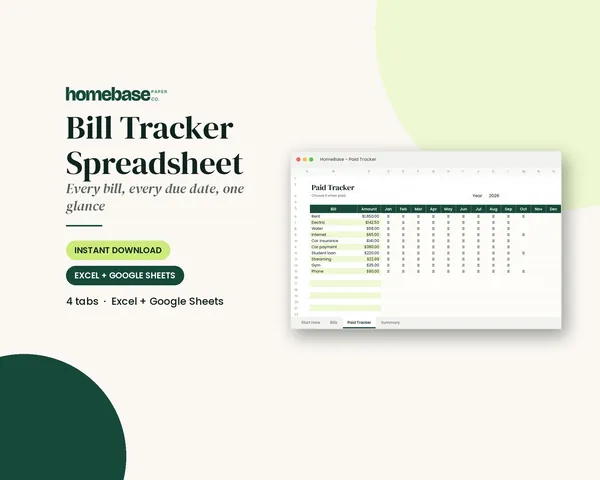
Bill Tracker Spreadsheet
Bills due in 3 days or less light up red, so nothing slips through.
 Save 57%
Bundles
Ultimate Budget Bundle
All 6 spreadsheets + both printable planners - for less than half the price of buying them separately.
Frequently asked questions
What is a purchase order template? A purchase order template is a ready-made form a buyer fills out before ordering from a vendor. It lists the PO number, date, buyer and vendor details, each item with quantity and price, shipping, payment terms, the total and an approval signature.
What should a purchase order include? A purchase order should include a unique PO number, the PO date, a needed-by date, buyer and vendor names and contacts, a ship-to address, the shipping method, payment terms, each item with item number, description, quantity, unit and unit price, the subtotal, any sales tax, shipping, the total and an authorized signature.
Is this purchase order template free? Yes, this purchase order template is free: enter your email and we will send you the PDF to print. Page 1 is a purchase order form with 12 item lines and page 2 is a 22-line purchase order log, both on US Letter paper.
How do I fill out a purchase order? Number the PO, write the date and the needed-by date, fill in the buyer and vendor boxes, add the ship-to address, shipping method and payment terms, then list each item with quantity and unit price. Total it, sign it, send a copy to the vendor and log it.
Who creates a purchase order, the buyer or the seller? The buyer creates the purchase order and sends it to the seller. The seller then ships the goods and sends an invoice. If you're the seller, you'll usually receive POs from customers and reference the PO number on your invoice.
What is the difference between a purchase order and an invoice? A purchase order comes from the buyer before the sale and says what they want to buy and at what price. An invoice comes from the seller after delivery or at billing and says what the buyer owes and when it's due.
Is a purchase order legally binding? A purchase order can become a binding agreement once the vendor accepts it, for example by confirming it or shipping the goods. The details depend on the terms and where you do business, so for large or unusual orders, ask a qualified professional to review the terms.
How do I number purchase orders? Number purchase orders in order without skipping or reusing a number. Many small businesses use the year plus a sequence, like 2026-001, 2026-002, so it's easy to see how many orders were placed each year and to spot a missing PO.
What does Net 30 mean on a purchase order? Net 30 means the full amount is due 30 days after the invoice date. Net 15 means 15 days, and due on receipt means payment is expected as soon as the invoice arrives. Write the agreed terms on the PO so both sides know the due date.
Do small businesses need purchase orders? Small businesses don't need a PO for every purchase, but POs help when you order from a vendor who bills you later, when an order is large or custom, when more than one person can spend business money, or when a customer asks for a PO number.
What is a three-way match? A three-way match means checking that the purchase order, the receiving record (what actually arrived) and the vendor's invoice all agree on items, quantities and prices before you pay. The PO log on page 2 of the free template helps you track all three.
Should I add sales tax to a purchase order? Add sales tax to a purchase order only if it applies to the purchase. Many states let businesses buy items for resale without paying sales tax by giving the vendor a resale certificate, but rules vary by state, so check your state's rules or ask a tax professional.
How long should I keep purchase orders? Keep purchase orders with the matching invoices and proof of payment as part of your business records. The IRS says to keep records as long as they may be needed to prove income or deductions on a tax return, which is generally at least 3 years and sometimes longer.
Can I use this purchase order template for a school, club or nonprofit? Yes, you can use this purchase order template for a school, club, PTA or nonprofit. A signed PO shows who approved each purchase, and the log gives the treasurer one page that shows every order, what it cost and whether it's been paid.
Is there a purchase order template for Excel or Google Sheets? Our free purchase order template is a printable PDF. If you'd rather track spending in a spreadsheet, the HomeBase Business Income & Expense Tracker works in Excel and Google Sheets and totals your expenses by category and month once you log each paid order.
What is the difference between a purchase order and a purchase requisition? A purchase requisition is an internal request asking someone in your business to approve a purchase. A purchase order is the approved order sent to the vendor. Very small businesses often skip the requisition and use the PO's signature line as the approval.
Free printable
Order supplies with a clear purchase order
A printable PO form and a PO log. You'll also get our weekly HomeBase email with simple small business paperwork and money tips.