

The short answer: this free invoice template gives a small business, side hustle or freelancer what's needed to bill a client and get paid.
- PDF: a standard invoice, an hourly service invoice and an invoice log
- Editable Word file that opens in Google Docs
- Fill it in: your details, the client, a unique number, dates and the work
- Tips to get paid faster below
- Next step: Get the free invoice template (PDF) (we email it to you); want more? The Business Income & Expense Tracker is $7.99.
Our picks for free invoice template
Spreadsheets
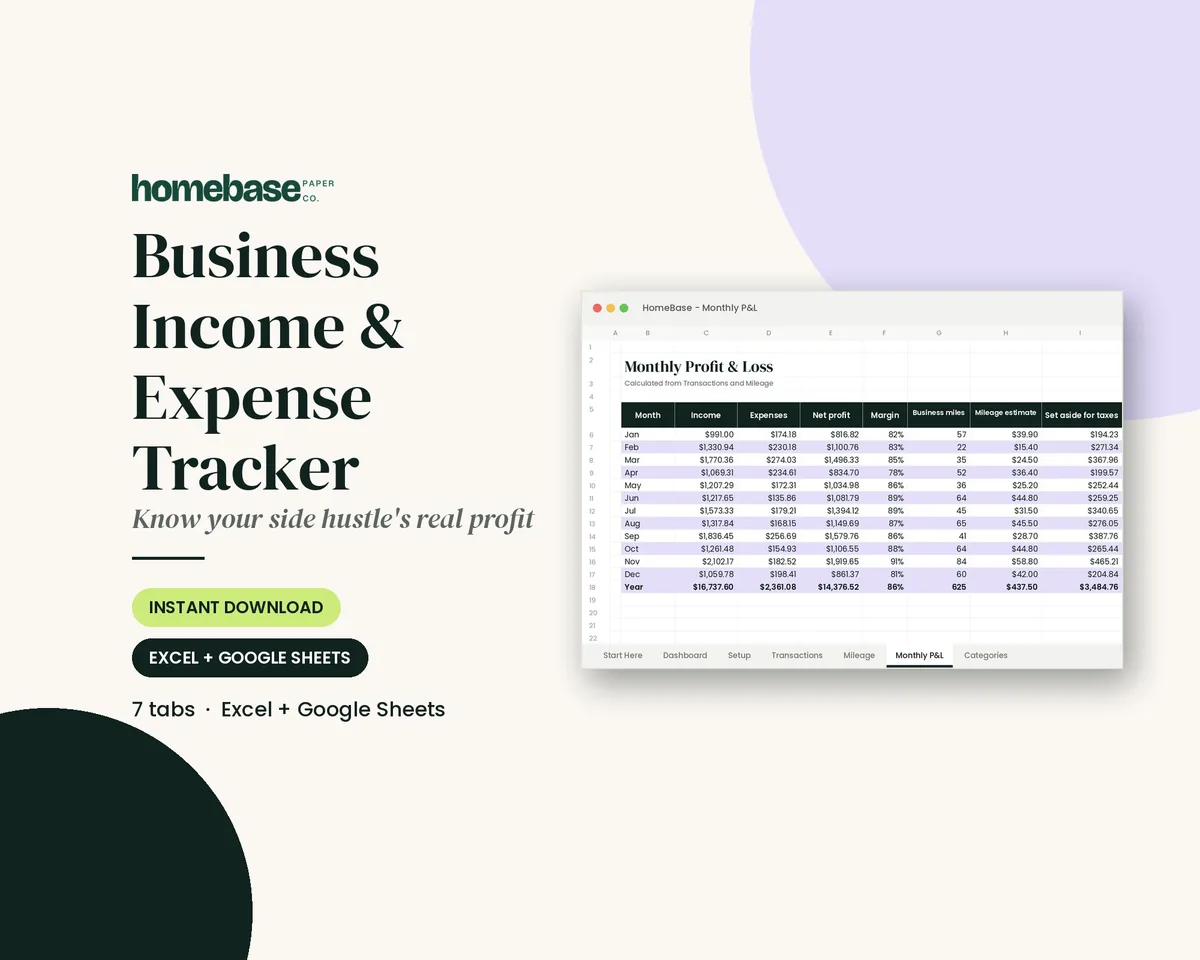
Business Income & Expense Tracker
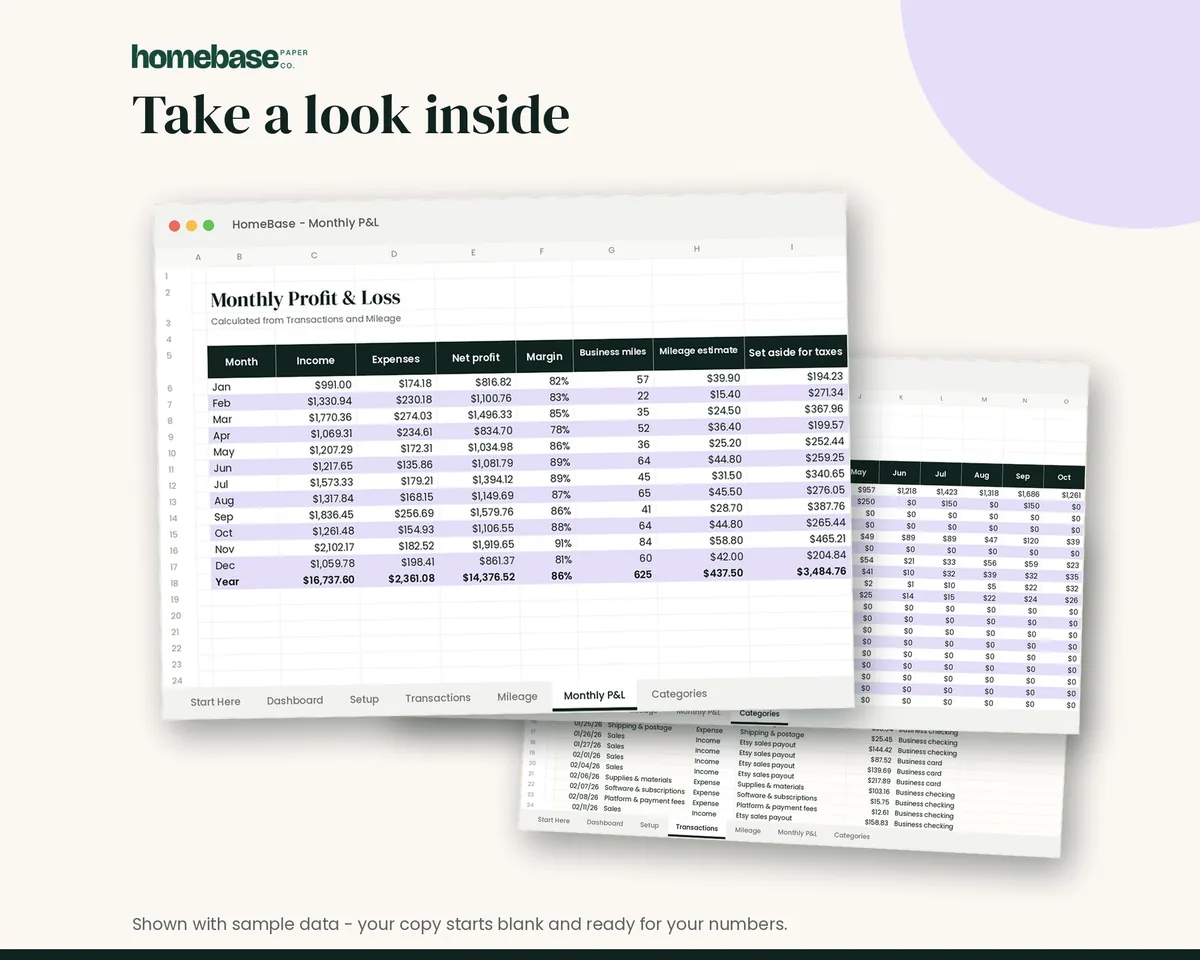
Log sales, expenses and business miles - see your monthly profit, category totals for tax time and how much to set aside.
Spreadsheets
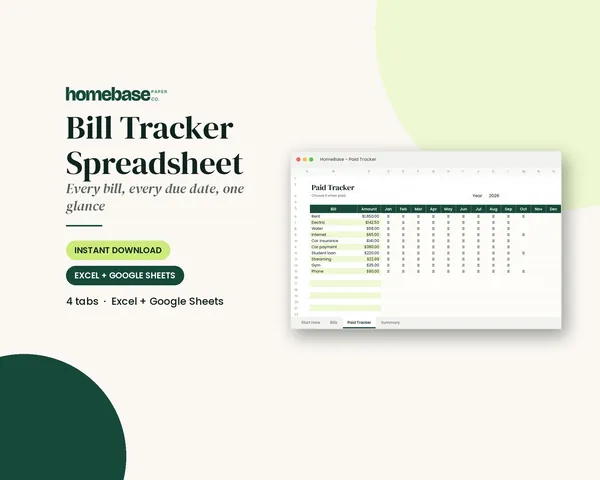
Bill Tracker Spreadsheet
Bills due in 3 days or less light up red, so nothing slips through.
Printables
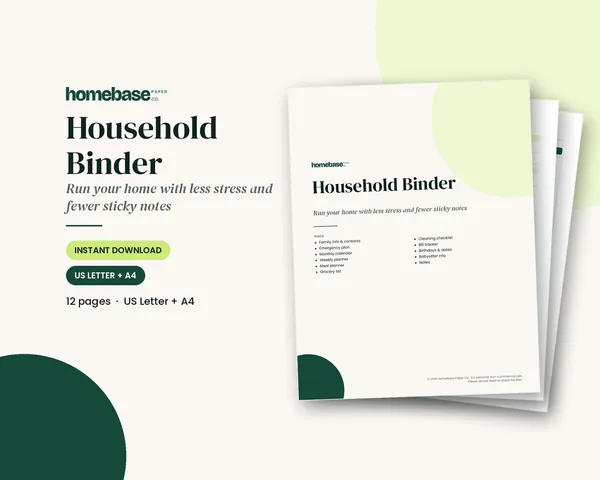
Household Binder
Family info, emergency plan, calendars, meals, groceries, cleaning, bills and sitter notes.
This free invoice template gives you everything a small business, side hustle or freelancer needs to bill a client and get paid: a printable PDF invoice, an hourly service invoice, an invoice log, and an editable Word file that opens in Google Docs. Get it below free by email, fill in your details, and send a clean, professional invoice in a few minutes.
To track what you've billed and been paid, our Business Income & Expense Tracker (Excel and Google Sheets) has an income and expense log, a monthly profit and loss, a mileage log and a tax set-aside estimate. For the spending side, here's how to track business expenses.
Need a blank invoice template to fill in by hand? Print page 1 of the PDF. Free by email. Go straight to the free download, or read on for what to put on each line.
What's in the free invoice template
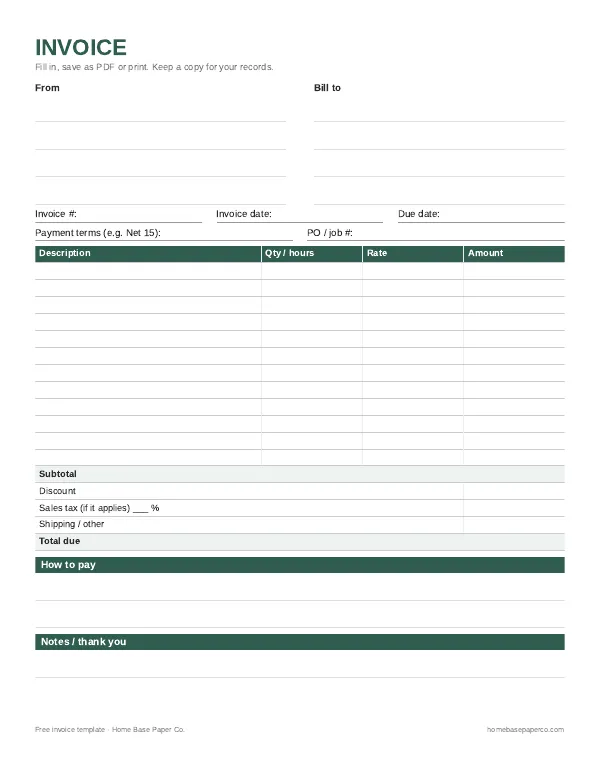
- Standard invoice (PDF page 1). From and Bill To boxes, invoice number, invoice date, due date, payment terms and a PO or job number. Twelve line-item rows with quantity, rate and amount, then subtotal, discount, sales tax, shipping and total due. Space for how to pay and a thank-you note.
- Hourly service invoice (page 2). Built for people who bill by time. Each row has a date, the work done, hours, rate and amount, with totals for hours, billed expenses and the amount due.
- Invoice log (page 3). One line per invoice: number, client, date sent, amount, due date and the date you were paid. It is the simplest way to spot late payments.
- Editable Word invoice (.docx). The same layout as a typed document. Open it in Word, Pages or LibreOffice, or upload it to Google Drive and open it with Google Docs.
How to fill out an invoice, step by step
If you invoice as a contractor, read our guide on 1099 vs W2 to see how your taxes and pay differ from an employee. Selling equipment or a vehicle rather than billing for work? A bill of sale is the right document for that.
- Add your details. Business name (or your own name), address, email and phone. Add a logo to the Word version if you have one.
- Add the client. Name, company, billing address and the email that should receive invoices.
- Give it a unique number. Start at 0001 or use the year plus a count, like 2026-014. Never reuse a number.
- Set the dates. The invoice date is the day you send it. The due date is the date payment is expected, based on your terms.
- List the work. One line per product or service. Be specific: "Logo design, 3 concepts, 2 revision rounds" beats "Design work."
- Do the math. Quantity times rate equals amount. Add the lines for a subtotal, take off any discount, then add tax and shipping if they apply.
- Explain how to pay. Bank transfer details, a payment link, or who to make a check payable to.
- Save it as a PDF and send. A PDF looks the same on every device and is hard to edit by accident. Log it on page 3 the same day.
Invoice template for Google Docs, Word or PDF: which to use
| Format | Best for | How to use it |
|---|---|---|
| Printable PDF | Handwritten invoices, craft fairs, in-person jobs, a paper backup | Print, fill in by hand, hand over or snap a photo |
| Word (.docx) | Typing each invoice on a computer and saving a copy | Open in Word, replace the bracketed text, Save As PDF |
| Google Docs | Working from any device, sharing with a partner or bookkeeper | Upload the .docx to Drive, Open with Google Docs, File > Download > PDF |
| Spreadsheet | Many invoices a month, totals and reports | Log each invoice in an income tracker that adds it up for you |
If you send just a few invoices a month, the Word or Google Docs invoice is plenty. Once you have regular clients, pair it with a spreadsheet that totals income by month so tax time is easier. For more on this topic, see our business templates hub.
Invoice tips that help you get paid faster
Looking for something new to sell? Our 30 small business ideas include service ideas you can invoice from day one.
- Invoice right away. Send the invoice the day the job is finished or the order ships. Delays on your side become delays on theirs.
- Use short, clear terms. "Due on receipt" or "Net 15" with an actual due date works better than a vague "payable soon."
- Make paying easy. List two or three payment options. Every extra step is a reason to put it off.
- Name the file well. "Invoice-2026-014-ClientName.pdf" is easy for both of you to find later.
- Follow up politely. A friendly reminder a day or two after the due date, then again a week later, is normal business practice.
- Mark it paid. When money arrives, write the date and method on your copy and on the invoice log.
- Reference the customer's PO. If a business customer sent you a purchase order, put its PO number on the invoice so their bookkeeper can match it. For your own supply orders, use our free purchase order template.
An invoice is also a record. An invoice documents the sale for both you and the buyer, and the IRS asks business owners to keep records that support the income and expenses on their return. Save each invoice with its proof of payment, in a folder by year. The IRS explains how long to keep records, which is generally at least three years.
Track invoices, income and expenses together
Invoices tell you what you've billed. To see what you've actually earned, you also need your expenses. Our free small business expense tracker Excel template logs spending by category, and the free profit and loss statement template turns the totals into a simple monthly or yearly P&L. When a customer pays, give them a printable receipt template. For a tidy paper trail, see how to organize receipts and the small business tax deduction checklist.
Want income and expenses in one spreadsheet?
The Business Income & Expense Tracker ($7.99) is a spreadsheet for Google Sheets and Excel: log each invoice payment and expense once, and it totals income, expenses and profit by month and category for you. If you also juggle household bills, the Bill Tracker Spreadsheet ($4.99) keeps due dates and payments in one place, and the Household Binder ($6.99) organizes the rest of home admin on paper.
Quoting a job before you do it? Send an estimate template first, then turn the accepted estimate into an invoice.
Track income, expenses and profit in one sheet
Log sales, expenses and business miles - see your monthly profit, category totals for tax time and how much to set aside.
$7.99 · Instant download. Print at home or fill it in on screen. Or browse the full Budget & Money collection.
Frequently asked questions
Where can I get a free invoice template without creating an account? This page has a free invoice template we email to you right away, with no account to create. You get a three-page PDF with a standard invoice, an hourly service invoice and an invoice log, plus an editable Word file. Print as many copies as you like or fill them in on screen for your own business.
Is there an invoice template free for Google Docs? Yes, there's a free invoice template you can use in Google Docs. Download the Word version of the invoice template, upload it to Google Drive, then open it with Google Docs. It converts to an editable Google Doc with the same table, so you can type your business name, the client details and each line item, then download a PDF to send. When the client pays, log the income in the Business Income & Expense Tracker, which works in Google Sheets too.
Can I use the free invoice template in Microsoft Word? Yes, you can use the free invoice template in Microsoft Word. The .docx file opens in Microsoft Word, Word for the web, Apple Pages and LibreOffice. Replace the bracketed text with your details, add rows to the line-item table if you need more, and use File, Save As, PDF so the client gets a file that looks the same on every device.
What should an invoice include? A clear invoice includes your business name and contact details, the client name, a unique invoice number, the invoice date and due date, a description of each product or service with quantity, rate and amount, any discount, tax or shipping, the total due and how to pay. Payment terms such as Net 15 prevent confusion later.
How do I number my invoices? Pick a simple sequence and never reuse a number. Many small businesses start at 0001 or use the year plus a count, such as 2026-001. A unique number makes it easy to match payments to invoices, answer client questions and find records at tax time. The invoice log page in the free PDF keeps the sequence in one place.
Do I need to charge sales tax on my invoice? Sometimes: whether you charge sales tax on an invoice depends on what you sell and where. Many states tax physical products and some tax certain services, while others do not. Check your state revenue department's rules before you add a tax line. If tax does not apply, leave that line blank or remove it so the total stays clear for the client.
What payment terms should I put on an invoice? Common terms are Due on receipt, Net 15 and Net 30, which give the client 15 or 30 days to pay. Shorter terms help your cash flow, especially for new clients or small jobs. State the due date as an actual date too, and list the payment methods you accept so paying you is easy.
Can I use a free invoice template as a receipt? Yes, once it's paid: you can turn a paid invoice into a receipt by marking it Paid with the date and payment method, then sending a copy. An invoice asks for payment and a receipt confirms payment was made. Keep both the invoice and proof of payment, because the IRS expects records that support the income you report.
How long should I keep copies of my invoices? Keep invoices and payment records at least as long as the IRS can examine the tax return they support, which is generally three years and longer in some situations. Many small business owners keep them for seven years to be safe. Save PDFs in a folder by year and back them up off your computer.
What is the difference between the standard and hourly invoice? The standard invoice lists products or flat-rate services with quantity, rate and amount. The hourly service invoice adds a date column and a work-done column, so freelancers, tutors, cleaners and consultants can show each session and the hours worked. Use whichever matches how you price the job, and keep the same numbering for both.
How do I track which invoices have been paid? Use the invoice log in the free PDF to record each invoice number, client, date sent, amount, due date and the date paid. Check it weekly and send a polite reminder when something passes its due date. For a running total of income and expenses, a business income and expense tracker spreadsheet does the math for you.
Free printable
Get paid on time: get the free invoice template
A clean printable invoice with room for your business details, line items, totals and payment terms. You'll also get our weekly HomeBase email with simple small business paperwork and money tips.
Sources
- IRS: Recordkeeping for small businesses irs.gov
- IRS: How long should I keep records? irs.gov
- Investopedia: What is an invoice? investopedia.com