The short answer: a general ledger is the master record of a business's finances: every account, such as cash, equipment, loans, sales and rent, with the current balance of each.
- The journal records what happened; the ledger shows where things stand
- Entries are posted from the journal
- Debits and credits keep it in balance
- A trial balance checks it
- Next step: Plan it with the Business Income & Expense Tracker ($7.99).
A general ledger is the master record of a business's finances: it contains every account, such as cash, equipment, loans, sales and rent, along with the current balance of each one. If the journal is the diary of what happened, the general ledger is the organized summary of where things stand. This guide explains how a general ledger works, how entries get posted to it, how debits and credits keep it in balance and how a trial balance checks it, using examples from the IRS and the Georgia Department of Revenue.

The general ledger in one minute
- Every transaction is first recorded in a journal, in date order.
- Journal entries are periodically posted to the general ledger, sorted by account.
- Each account has a debit side (left) and a credit side (right).
- Every debit has a matching credit, so total debits always equal total credits.
- A trial balance adds up all debits and credits to prove they match.
What is a general ledger?
The Georgia Department of Revenue's basic accounting manual explains it this way: as business transactions occur, financial information is recorded in the journal. Periodically, the journal entries are transferred to the accounts in the ledger. The ledger is a history of transactions by the various asset, liability and owner's equity accounts, so the information is quickly available for preparing financial statements and reports. Each account has three major parts: the account title and number, the left (debit) side and the right (credit) side.
IRS Publication 583 gives a matching definition. A journal is a book where you record each business transaction shown on your supporting documents, and you may keep separate journals for transactions that occur frequently. A ledger is a book that contains the totals from all of your journals, organized into different accounts. The IRS adds that you can buy journals and ledgers online or at a stationery or office supply store.
Journal vs. general ledger
| Journal | General ledger | |
|---|---|---|
| Also called | The general journal | The ledger, the books |
| Order | Chronological, one transaction at a time | Grouped by account |
| Shows | What happened, when, and which accounts it affected | The running balance of each account |
| Filled in | As transactions occur (journalizing) | Periodically, by posting from the journal |
The accounts in a general ledger
IRS Publication 583 says ledger accounts show income, expenses, assets, liabilities and net worth. Here's what each one means:
| Account type | What it tracks | Examples | Open or closed each year |
|---|---|---|---|
| Assets | Property the business owns | Cash, inventory, equipment | Stays open |
| Liabilities | Debts of the business | Loans, accounts payable | Stays open |
| Net worth (owner's equity) | Assets minus liabilities | Owner's equity | Stays open |
| Income | Money earned | Sales, service fees | Closed at the end of each tax year |
| Expenses | Costs of running the business | Rent, supplies, utilities | Closed at the end of each tax year |
The IRS says you close income and expense accounts at the end of each tax year and keep asset, liability and net worth accounts open on a permanent basis. That's why a fresh year starts with zero sales and zero expenses, but your cash and loan balances carry forward.
The Georgia Department of Revenue manual defines a chart of accounts as a numerical listing of the names of all the accounts used by an organization, and notes that different types of businesses use different accounts. Account numbers make each one easier to find and record. The IRS mentions charts of accounts and detailed account descriptions among the documentation you should keep for a computerized recordkeeping system.
The accounting equation behind the ledger
The Georgia Department of Revenue manual describes this as the basic framework for recording the effects of transactions in companies of all sizes:
Assets = Liabilities + Owner's Equity (A = L + OE)
Assets are the resources owned by a business, such as cash, land, buildings and equipment. Liabilities are the rights of creditors, meaning the debts of the business. Owner's equity is the rights of the owners. The manual says the equation must always balance. Every transaction has at least two effects on it. For example, buying $5,000 of equipment on credit increases assets by $5,000 and increases liabilities by $5,000, so the equation stays in balance. That dual effect is where the name double-entry comes from; it does not mean each transaction is recorded twice.
Debits, credits and T accounts
In the double-entry system, IRS Publication 583 says each account has a left side for debits and a right side for credits. It is self-balancing because every transaction is recorded as a debit entry in one account and a credit entry in another.
A T account is a quick sketch of one ledger account: the account name on top, debits on the left and credits on the right. The Georgia Department of Revenue manual uses T accounts to illustrate the rules, then notes that with the number of transactions even a small business has, T accounts are inadequate for daily recording, which is why entries go into a journal first. Journalizing differs from T accounts only in form.
What a debit or credit does depends on the account type. The manual's rules are:
| Account type | A debit... | A credit... | Normal balance |
|---|---|---|---|
| Asset | Increases it | Decreases it | Debit |
| Expense | Increases it | Decreases it | Debit |
| Owner's drawing | Increases it | Decreases it | Debit |
| Liability | Decreases it | Increases it | Credit |
| Revenue | Decreases it | Increases it | Credit |
| Owner's capital | Decreases it | Increases it | Credit |
The manual explains that an account's normal balance is the same as its increase side, because accounts usually have more increases than decreases. It also warns against thinking of debit and credit as meaning increase or decrease; think of them only as left and right.
Example: a journal entry for rent
IRS Publication 583 shows this journal entry for paying rent in October:
| Date | Description of entry | Debit | Credit |
|---|---|---|---|
| Oct. 5 | Rent expense | 780.00 | |
| Cash | 780.00 |
When posted to the general ledger, the Rent Expense account gets a $780 debit and the Cash account gets a $780 credit. Debits equal credits, so the books stay in balance.
Example: a new business's first transactions
The Georgia Department of Revenue manual follows a small service business through its first month. Here are its transactions and how each one hits the ledger:
| Transaction | Debit | Credit | |
|---|---|---|---|
| A | Owner invests $10,000 cash | Cash 10,000 | Owner's Capital 10,000 |
| B | Buys office equipment for $3,000 on account | Office Equipment 3,000 | Accounts Payable 3,000 |
| C | Buys office supplies for $125 | Office Supplies 125 | Cash 125 |
| D | Pays $500 toward the equipment | Accounts Payable 500 | Cash 500 |
| E | Pays first month's rent of $400 | Rent Expense 400 | Cash 400 |
| F | Receives $700 cash from customers | Cash 700 | Service Revenue 700 |
After posting, the Cash account shows debits of $10,700 and credits of $1,025, a debit balance of $9,675. The manual's trial balance for the business lists Cash 9,675.00, Office Supplies 125.00, Office Equipment 3,000.00 and Rent Expense 400.00 on the debit side, and Accounts Payable 2,500.00, Capital 10,000.00 and Service Revenue 700.00 on the credit side. Both columns total 13,200.00.
How posting works
The manual defines posting as transferring debits and credits from the journal to the accounts in the ledger. It uses a four-column account form with a debit column, a credit column, a debit balance column and a credit balance column, and it lists five steps for posting each part of a journal entry:
- Record the date of the journal entry in the Date column of the account.
- Record the amount of the entry.
- Record the journal code and page number (such as GJ1) in the account's posting reference column, so you can trace the entry back to the journal.
- Record the account number in the journal's posting reference column, which shows the posting has been made and to which account.
- Calculate the new balance of the account, keeping a running balance for each one.
Steps 3 and 4 create a cross reference between the journal and the ledger. Accounting software does the posting for you, but the logic is the same.
Where the ledger fits in the accounting cycle
The Georgia manual lays out the full accounting cycle. During the period, you analyze transactions from source documents, record them in a journal and post from the journal to the ledger, as often as needed. At the end of the period, you prepare a trial balance, determine adjustments, prepare a worksheet, journalize and post adjusting entries, prepare financial statements, journalize and post closing entries and prepare a post-closing trial balance.
Checking the ledger with a trial balance
The Georgia Department of Revenue manual says that after the ledger is fully posted, the next step is a trial balance to check the equality of debits and credits. It lists every open general ledger account by account number, with separate debit and credit columns. Trial balances are typically prepared at the end of the month, but they can be done at any time. The manual stresses that a trial balance shows only that total debits and credits are equal; it is not a formal financial statement, though the information for formal statements can come directly from it.
IRS Publication 583 makes the same point: after you post the journal entries to the ledger accounts, total debits must equal total credits. If the amounts don't balance, you've made an error and must find and correct it. It's also a good reason to reconcile your business checking account every month, which Publication 583 recommends to verify your balance and catch errors.
Do you need a general ledger?
A general ledger is the heart of double-entry bookkeeping, but it isn't the only acceptable system. The IRS says you may choose any recordkeeping system suited to your business that clearly shows your income and expenses, and that electronic records must meet the same requirements as paper ones.
IRS Publication 583 describes single-entry bookkeeping as the simplest system to maintain and says it can be a simple and practical system for a small business that is just starting. Double-entry, with journals and a general ledger, has built-in checks and balances to assure accuracy and control. If your business has equipment, loans, inventory or employees, a full ledger becomes more useful. If it's a side business tracking income and expenses for taxes, a simpler log may be all you need.
A simpler option for small businesses
If you're a freelancer, side-business owner or sole proprietor, you may not need a full general ledger. Our Business Income & Expense Tracker ($7.99, for Excel and Google Sheets) is a single-entry tracker: an income and expense log with a category dropdown, a monthly profit and loss summary, category totals, a mileage log, a tax set-aside estimate, a dashboard and a Start Here PDF. It is not a double-entry general ledger, so if your business needs journals, ledgers and a balance sheet, accounting software or an accountant is the better fit. Our guide on tracking business expenses shows how to keep it simple.
For the basics, read what is bookkeeping. For tax time, see our small business tax deduction checklist, our tax documents checklist and our small business expense tracker Excel template.
Your next step
Write down the accounts your business actually uses (cash, a business card, sales, and your main expense categories) and record one week of transactions in a journal. Post them to those accounts and add up the debits and credits. If they match, you've just kept a general ledger. If that feels like more than you need, a single-entry tracker will cover the records the IRS asks for.
Own rental property? A rent roll template is the landlord's companion to the general ledger.
Make it easier
Tools for this

Spreadsheets
Business Income & Expense Tracker
Log sales, expenses and business miles - see your monthly profit, category totals for tax time and how much to set aside.
Frequently asked questions
What is a general ledger? A general ledger is the master record that holds all of a business's accounts, such as cash, equipment, loans, revenue and expenses, with a running balance for each. Transactions are first recorded in a journal, then periodically transferred, or posted, to the accounts in the ledger, as the Georgia Department of Revenue accounting manual explains.
What is the difference between a journal and a general ledger? A journal records each transaction in date order as it happens; recording it there is called journalizing. The general ledger sorts those entries into accounts and shows each account's balance. IRS Publication 583 describes a ledger as a book that contains the totals from all of your journals, organized into accounts.
What accounts are in a general ledger? A general ledger usually holds accounts for assets, liabilities, owner's equity (net worth), income and expenses. IRS Publication 583 says these accounts show income, expenses, assets, liabilities and net worth, and that income and expense accounts are closed at the end of each tax year while the others stay open.
What is posting to the general ledger? Posting is the process of transferring debits and credits from the journal to the accounts in the ledger. The Georgia Department of Revenue manual lists five steps: record the date, record the amount, note the journal page in the account, note the account number in the journal, and calculate the new running balance.
What is a T account? A T account is a simple way to picture one ledger account. The account name sits on top of the T, debits are always listed on the left side and credits on the right side. The Georgia Department of Revenue manual uses T accounts to illustrate the rules of debit and credit, but notes they are inadequate for handling a large number of transactions, which is why businesses use a journal.
How do debits and credits work in a general ledger? Debits and credits always come in matching totals. Every amount entered as a debit in one account must also be entered as a credit in another, so total debits equal total credits. The Georgia Department of Revenue manual says debits record increases in asset and expense accounts, while credits record increases in liability, revenue and owner's capital accounts.
What is a trial balance? A trial balance is a check that adds up all debits and all credits in the general ledger to confirm they are equal. The Georgia Department of Revenue manual says it lists every open general ledger account with debit and credit columns, is typically prepared at month end, and shows only that total debits and credits are equal.
What is the accounting equation? The accounting equation is Assets = Liabilities + Owner's Equity. The Georgia Department of Revenue manual says the equation must always balance and is the basic framework for recording transactions. Assets are resources the business owns, liabilities are the rights of creditors and owner's equity is the rights of the owners.
Do small businesses need a general ledger? Small businesses don't always need a general ledger. A general ledger is part of double-entry bookkeeping. IRS Publication 583 says single-entry bookkeeping can be a simple and practical system for a small business starting out, and the IRS lets you choose any recordkeeping system that clearly shows your income and expenses.
Which general ledger accounts stay open from year to year? Asset, liability and net worth accounts stay open permanently. IRS Publication 583 says you close income and expense accounts at the end of each tax year and keep asset, liability and net worth accounts open on a permanent basis.
Can I keep a general ledger in Excel? Yes, you can keep a general ledger in Excel or Google Sheets by setting up a sheet for each account or a single sheet with an account column, then posting each journal entry as a debit and a matching credit. The IRS says electronic records must meet the same requirements as paper books.
What is a simpler alternative to a general ledger? A single-entry income and expense log is the simpler alternative for many small businesses. The Business Income & Expense Tracker ($7.99) is a single-entry tracker for Excel and Google Sheets with a transaction log, category dropdowns, a monthly profit and loss summary, a mileage log and a tax set-aside estimate.
More from HomeBase
You may also like

Printables
Budget Planner Printable
Twelve undated pages you can print every month: budget, bills, spending, savings and debt.

Spreadsheets
Bill Tracker Spreadsheet
Bills due in 3 days or less light up red, so nothing slips through.

Spreadsheets
Sinking Funds Tracker
It does the math: how much to set aside each month to hit every goal on time.
Spreadsheets
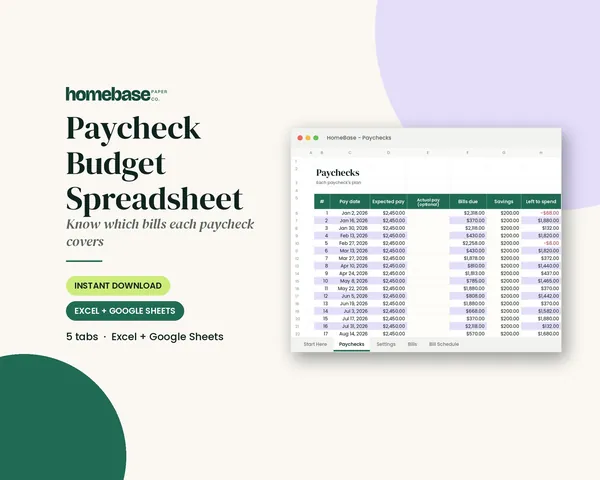
Paycheck Budget Spreadsheet
Enter your bills once. The sheet tells you which paycheck pays each one, all year.
 Club
Monthly club
Money Club
Anyone who wants a clear plan for the month's bills, holiday spending and savings.
Free printable
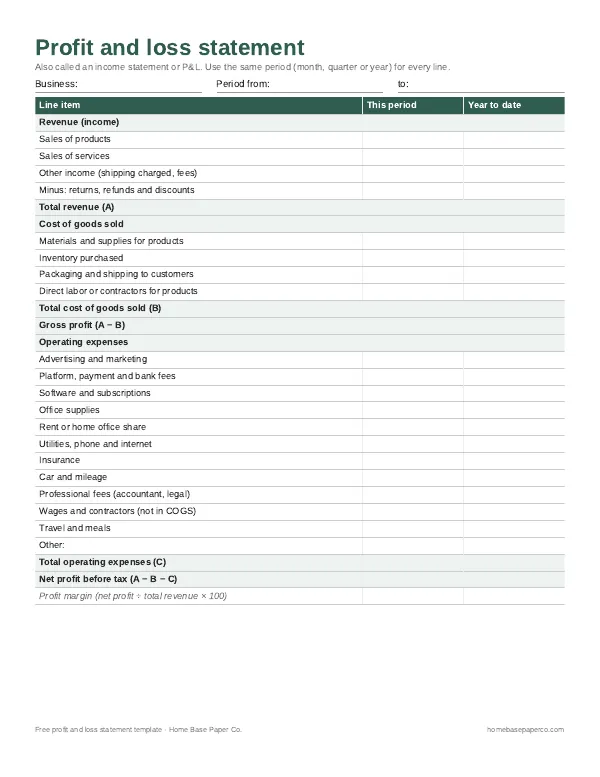
Know your real profit: get the free P&L template
A printable profit and loss statement that walks through revenue, costs and expenses line by line for any month, quarter or year. You'll also get our weekly HomeBase email with simple small business paperwork and money tips.