
 The Holiday Collection

The short answer: cash back apps give back a small share of what you spend. The best setup is one shopping portal for online orders, one receipt app for groceries and one card-linked app for gas, used only on purchases already in your budget.
- Shopping portals: Rakuten, TopCashback, BeFrugal
- Receipt apps: Ibotta, Fetch
- Card-linked and bank offers: Upside, Chase Offers, Amex Offers
- Payouts take time: portals pay after the store confirms the order, often weeks later
- Next step: Get the free Holiday Budget Starter Kit (we email it to you); want more? The Christmas Budget & Gift Planner is $4.99.
Cash back apps give you back a small share of what you spend, either when you shop online through them, scan a receipt, or pay with a linked card. The best setup for most people is one shopping portal for online orders, one receipt app for groceries and one card-linked app for gas, used only on purchases already in your budget. Stacked that way, cash back apps can trim your Black Friday and Christmas shopping without tempting you to buy more.
Cash back only helps if you know what you planned to spend. The Christmas Budget & Gift Planner ($4.99) gives you a holiday budget, a gift list and a spending log in 11 printable pages plus a spreadsheet, so every purchase and every rebate has a place to land. Browse everything for the season in our Holiday shop.
Below you'll find 12 well-known apps grouped by how they work, the payout rules that trip people up, and a stacking plan for the holiday rush. Pair it with our Black Friday budget guide and our how to save money for Christmas plan.
How cash back apps work
Stores and brands pay these apps a fee or a commission when you buy, and the app shares part of it with you. That's why cash back rates change often and why the money isn't yours the moment you check out.
| App type | How you earn | When you get paid | Best for |
|---|---|---|---|
| Shopping portals | Click through the app or extension before you buy online | After the store confirms the order, often weeks later | Online orders, holiday gifts |
| Receipt apps | Pick offers or scan any receipt after you shop | After the receipt is reviewed | Groceries and household items |
| Card-linked apps | Claim an offer, then pay with a card you've linked | After the purchase posts and is verified | Gas, groceries and dining |
| Bank card offers | Add offers inside your bank or card app | As a statement credit | Stores you already use |
| Store loyalty apps | Join the store's own program | As points, rewards or instant discounts | Stores you visit every week |
| Price and coupon extensions | Install in your browser | Instant coupon or later rewards | Comparing prices online |
The 12 cash back apps, grouped by type
These are widely used options. Rates, rules and store lists change, so read each app's terms before you rely on a payout.
Shopping portals (online orders)
- Rakuten: cash back at many online stores when you start your order through the app or browser extension. Its terms list a minimum payout of $5.01, with smaller balances rolling to the next period, and pay by check, PayPal and other options.
- TopCashback: a portal that works the same way: click through, then shop.
- BeFrugal: another click-through portal worth comparing on bigger orders.
Receipt apps (groceries and everyday buys)
- Ibotta: add offers before you shop, then submit your receipt or link a store account. You can withdraw to a bank account or a gift card once you reach $20.
- Fetch: scan almost any receipt for points. Physical receipts must be scanned within 14 days, most rewards start at 3,000 points, rewards are gift cards rather than cash, and points can expire after 90 days without activity.
Card-linked apps (gas, groceries, dining)
- Upside: claim an offer at a nearby gas station, grocery store or restaurant, pay with your linked card, then cash out to a bank account, PayPal or a gift card. It's designed to stack on top of your card and store loyalty rewards.
Bank card offers (built into your card app)
- Chase Offers: add offers in the Chase app and get a statement credit.
- Amex Offers: add offers to an American Express card the same way.
- BankAmeriDeals: Bank of America's version for its debit and credit cards.
Store loyalty apps
- Target Circle: Target's own app for deals and rewards.
- CVS ExtraCare: pharmacy rewards and coupons on everyday items.
Price and coupon extension
- Capital One Shopping: a browser extension that compares prices and offers coupons and rewards while you shop online.
If you want the grocery side in more depth, our couponing for beginners guide and our how to grocery shop on a budget plan both pair well with a receipt app.
Starter version: 3 apps that cover most spending
You don't need all 12. Start with one from each job, use them for a month, and only add more if you keep forgetting to use what you have.
| Job | Pick one | Use it for |
|---|---|---|
| Online orders | Rakuten, TopCashback or BeFrugal | Every planned online gift or order |
| Groceries | Ibotta or Fetch | Your weekly grocery receipt |
| Gas and local | Upside or your bank's card offers | Fill-ups and regular errands |
Set them up in this order:
- Install the portal's browser extension so it reminds you before checkout.
- Link your grocery store account or turn on receipt scanning.
- Link the card you already pay your gas and groceries with.
- Add a line called "cash back pending" to your budget.
- Check that line once a month and move payouts to savings.
How to stack cash back for Black Friday and Christmas
Stacking means earning from several layers on the same purchase. Here's how the layers fit together, from first to last.
| Layer | Example | Can it stack? |
|---|---|---|
| A good price | Sale price, price match or price drop refund | Always start here |
| Store coupon or code | A code at checkout | Usually yes, but some codes cancel portal cash back |
| One shopping portal | Rakuten or TopCashback | Use only one per order; portals compete for credit |
| Card rewards or bank offer | Card points or an added card offer | Yes, on top of the portal |
| Receipt app | Fetch or Ibotta | Often yes, for store purchases and some online receipts |
| Store loyalty | Target Circle or CVS ExtraCare | Usually yes |
A holiday stacking plan that keeps you inside your budget:
- Make the list first. Write every gift and its spending cap before Black Friday starts.
- Check the price, not the percent. Use our guide on how to tell if Black Friday deals are real before cash back enters the math.
- Pick the store, then the portal. Open one portal, click through, and complete checkout in the same session.
- Read the exclusions. Gift cards, some electronics and some sale items may earn less or nothing. The FTC's online shopping advice also says to learn the total cost, including shipping, and read the terms of any deal.
- Pay with the right card. Use a card you'll pay off in full, so interest doesn't erase the rewards.
- Scan the receipt. Add store receipts to your receipt app the same day.
- Log it. Write the purchase and the expected cash back on your gift list.
Our list of what not to buy on Black Friday helps you skip the categories that rarely see real deals.
What cash back is worth on a holiday budget
Rates change by store and week, so here is the arithmetic with example rates. Swap in the rate you actually see on the app before you click through:
| Holiday spending through the portal | At 1% | At 3% | At 5% | At 10% |
|---|---|---|---|---|
| $200 | $2 | $6 | $10 | $20 |
| $600 | $6 | $18 | $30 | $60 |
| $1,000 | $10 | $30 | $50 | $100 |
Most of a holiday cash back total comes from a few high-rate stores, so check the rate on the stores where you already planned to shop rather than buying something extra to earn it. Cash back is a small discount, not a reason to spend, and it only counts as savings if you were going to buy the item anyway.
Where each app type fits in a holiday budget
Different holiday costs suit different apps. Use this as a quick guide when you sort your gift list and plan the season's errands.
| Holiday cost | Best app type | Watch out for |
|---|---|---|
| Online gifts | One shopping portal plus card rewards | Codes that cancel portal credit, and returns |
| In-store gifts | Store loyalty app plus a receipt app | Receipts you forget to scan in time |
| Holiday baking and dinner groceries | Receipt app, plus a card-linked offer if your store has one | Buying brands you don't use just for an offer |
| Travel to see family | Card-linked gas offers | Driving out of your way for a few cents |
| Gift cards as gifts | Usually little or no cash back | Fees, and anyone asking you to pay with gift cards |
| Holiday decor and wrap | Portal or store app on planned items only | "Deal" buys that weren't on your list |
The FTC also warns that anyone who demands payment by gift card is not someone to trust, so never use a cash back gift card balance to "pay" someone who contacts you out of the blue.
Payout rules that trip people up
Cash back feels like money in your pocket, but most of it is a promise until it's confirmed. Watch these rules.
- Pending is not paid. Portal rewards usually stay pending until the store confirms the order and the return window passes. Rakuten's terms, for example, say rewards aren't payable until confirmed.
- Returns reverse cash back. If you send a gift back, expect the reward to disappear too.
- Minimums hold your money. Payout thresholds like $5.01 at Rakuten, $20 at Ibotta or 3,000 points at Fetch mean small balances sit in the app.
- Gift card payouts are not cash. The FTC's holiday gift card tips say to treat gift cards like cash and read their terms and fees. Spend gift card payouts on things already in your budget.
- Points can expire. Some apps expire points after a stretch with no activity.
- Your data is part of the deal. Shopping and receipt apps learn what you buy. The FTC suggests knowing what personal information a site or app collects before you use it.
- Credit card interest beats cash back every time. The CFPB's credit card guide notes that the sooner you pay all or part of your balance, the less interest you pay. A few percent back can't cover a month of interest on a balance you carry.
How to budget with cash back
The safest way to use cash back is to treat it as a bonus that shows up later, never as money you spend now.
| Do | Don't |
|---|---|
| Budget gifts at full price | Lower your gift budget because you expect cash back |
| Log expected cash back as "pending" | Count pending rewards as savings |
| Move confirmed payouts to savings or next year's holiday fund | Let payouts sit until they expire |
| Use gift card payouts for planned buys | Treat a gift card payout as "free" money |
| Keep one portal and one receipt app | Download apps you'll forget to use |
If you want one place to track it all year, the Budget Planner Printable ($5.99) gives you monthly budget and spending pages so cash back gets logged like any other income. For the whole season, the Holiday Season Bundle is $15.99, down from $25.94 for the items bought separately. See all of our Bundles.
Planning bigger? The Holiday Command Center is $47 for Black Friday: subscribers get it first, Nov 24 to 26, through the emailed link, and everyone else can buy it Nov 27 to 30.
Want a free place to start? The Holiday Budget Starter Kit is 3 printable US Letter pages, emailed to you when you join our list.
Holiday cash back checklist
- Gift list and caps written before Black Friday
- One portal installed, with its extension turned on
- One receipt app set up and linked to your store
- One card-linked or bank offer app for gas and errands
- Card you'll pay in full chosen for holiday buys
- "Cash back pending" line added to your budget
- Return windows noted for each gift
- Payouts moved to savings once confirmed
Cash back apps work best as the last step, not the first. Set your budget, find a real price, then let one portal, one receipt app and one card offer give a little back on money you were already going to spend.

The Holiday Collection
Give every person a limit and watch what's left
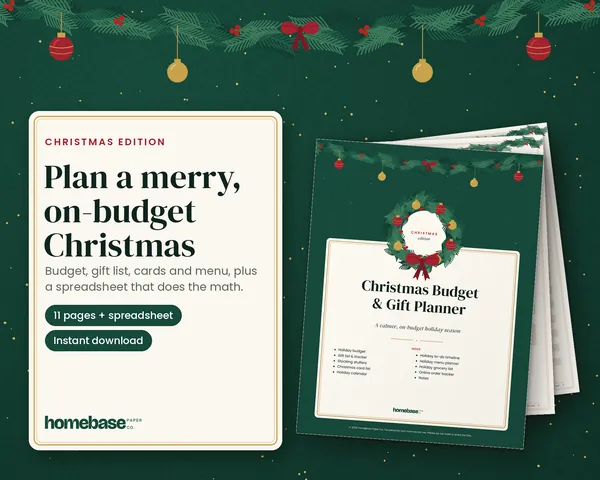
The Christmas Budget & Gift Planner adds up every list for you: a budget for each person, a log of each purchase and the amount left to spend, plus printable gift, card, menu and to-do pages.
- Spreadsheet for Excel and Google Sheets
- 11 printable pages, US Letter + A4
- Instant download, 14-day fix-or-refund promise
Planning the whole season? See the holiday sets from $7, with early prices through Cyber Monday
Make it easier
Tools for this
Printables
Christmas Budget & Gift Planner
Set a budget for every person, log each purchase, and watch what's left - plus printable gift, card, menu and to-do pages.
 Save 38%
Bundles
Holiday Season Bundle
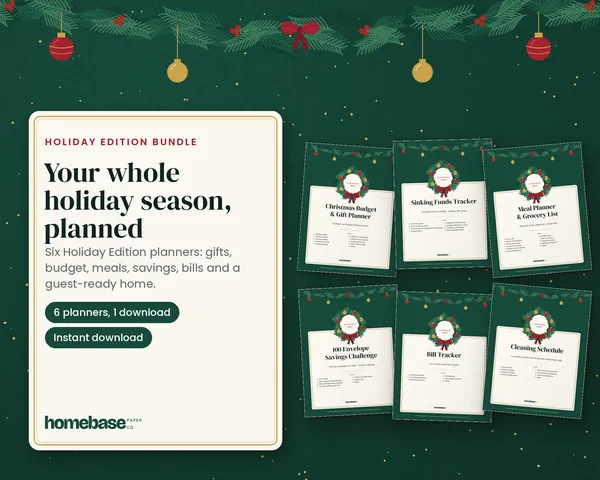
Plan Christmas, save for it all year, and host without the January money hangover.

Printables
Budget Planner Printable
Twelve undated pages you can print every month: budget, bills, spending, savings and debt.
Frequently asked questions
What are the best cash back apps? The best cash back apps for most people are one shopping portal such as Rakuten or TopCashback, one receipt app such as Ibotta or Fetch, and one card-linked app such as Upside. Together they cover online orders, groceries and gas. Pick the ones that match where you already spend.
How do cash back apps make money? Cash back apps earn a fee or commission from stores and brands when you buy, then share part of it with you. That is why rates change often and why rewards stay pending until the store confirms your order. Brands also pay to have their offers featured.
Are cash back apps worth it? Cash back apps are worth it when you use them only on purchases already in your budget. They give back a small share of planned spending without extra work once set up. They stop being worth it the moment they talk you into buying something you didn't plan.
Can you use two cash back apps on the same purchase? Yes, you can usually stack one shopping portal with card rewards, a receipt app and store loyalty on the same purchase. What you can't do is use two shopping portals on one online order, because only one can get credit. Pick one portal per order.
How do I stack cash back apps on Black Friday? Stack cash back on Black Friday by checking the real price first, then clicking through one portal, paying with a card you'll pay in full and scanning the receipt. The Christmas Budget & Gift Planner ($4.99) keeps every gift, cap and expected rebate on one list, so stacking never pushes you over budget.
Why is my cash back still pending? Cash back stays pending until the store confirms your order, which usually means waiting out the return window. Rakuten's terms, for example, say rewards aren't payable until confirmed, and timing varies by store. If you return the item, the reward is usually reversed.
What is the minimum payout on cash back apps? Payout minimums differ by app, so check each one before you rely on a payout. Rakuten's terms list $5.01, Ibotta lets you withdraw at $20, and most Fetch rewards start at 3,000 points. Smaller balances stay in the app until you reach the minimum.
Do cash back apps pay real cash or gift cards? Some pay real cash and some pay only gift cards. Rakuten pays by check, PayPal and other options, Ibotta can pay to a bank account or a gift card, and Fetch rewards are gift cards. Treat a gift card payout like cash and spend it on planned purchases.
Are cash back apps safe to use? Well-known cash back apps are widely used, but they collect data about what you buy. The FTC suggests knowing what personal information a site or app collects before you use it. Use a strong password, never share banking logins in a chat, and stick to apps you can verify.
Do I need a credit card for cash back apps? You don't need a credit card for most cash back apps, but card-linked apps like Upside need a card you've linked. If you use a credit card, pay it in full. The CFPB notes that paying your balance sooner means paying less interest, and interest can wipe out any cash back.
Is cash back from apps taxable? Cash back on your own purchases usually works like a rebate. IRS Publication 525 says a cash rebate you receive from a dealer or manufacturer of an item you buy isn't income, while prizes and awards must be included in your income. Sign-up and referral bonuses can count as income, so if an app sends you a Form 1099-MISC, keep it and ask a tax professional. Logging payouts in the Budget Planner Printable ($5.99) keeps the records easy to find.
Which cash back app is best for groceries? For groceries, a receipt app such as Ibotta or Fetch is the easiest fit. Ibotta pays on specific offers you add before you shop, while Fetch gives points for scanning almost any receipt. Using both on the same grocery receipt is common, as long as you follow each app's rules.
Which cash back app is best for gas? For gas, a card-linked app such as Upside or an offer in your bank's card app works best. You claim the offer, pay with your linked card and the cash back is added after the purchase is verified. It stacks on top of your card's own rewards.
How should I budget the cash back I earn? Budget cash back as a bonus that arrives later, never as money you can spend now. Set gifts at full price, log expected rebates as pending and move confirmed payouts to savings. The Holiday Season Bundle ($15.99, down from $25.94) gives you planning pages for the whole season in one set.
How much cash back can you earn on holiday shopping? It depends on the rate each store pays. As an example, $600 of holiday purchases through a portal earns $6 at 1%, $18 at 3%, $30 at 5% and $60 at 10%. Check the live rate in the app before you click through, because rates change and some items are excluded.
More from HomeBase
You may also like
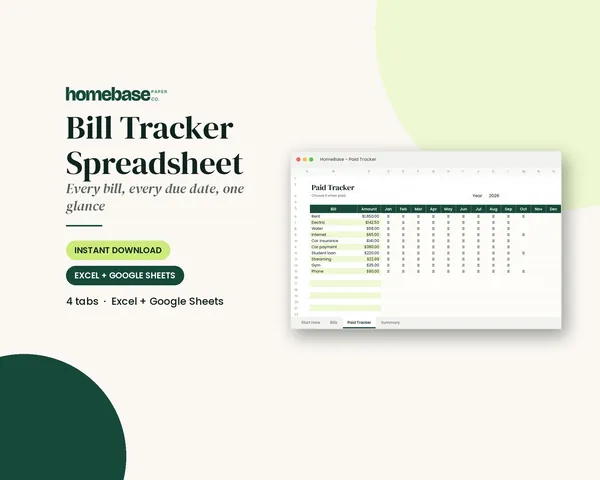
Spreadsheets
Bill Tracker Spreadsheet
Bills due in 3 days or less light up red, so nothing slips through.
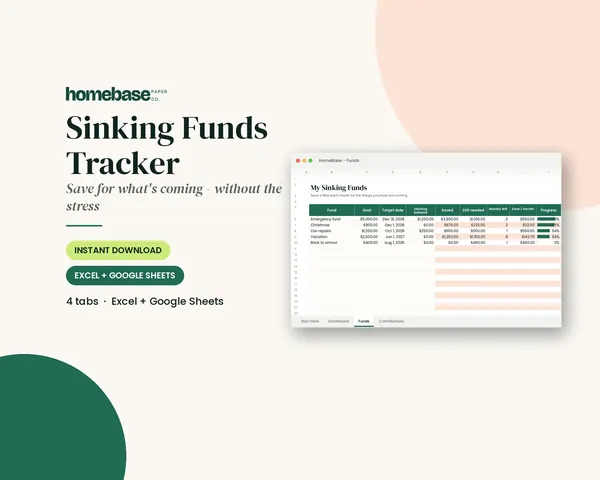
Spreadsheets
Sinking Funds Tracker
It does the math: how much to set aside each month to hit every goal on time.
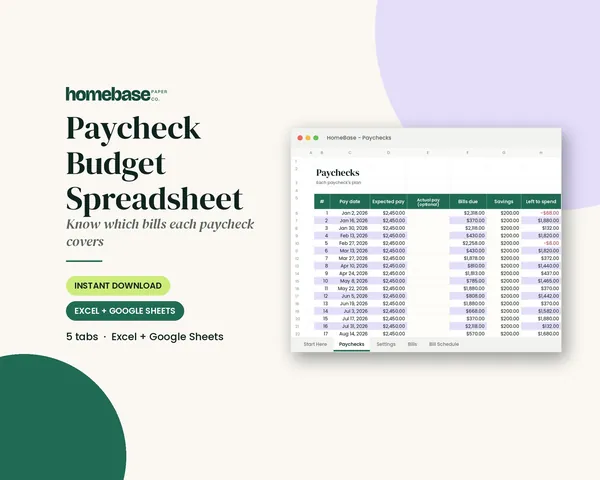
Spreadsheets
Paycheck Budget Spreadsheet
Enter your bills once. The sheet tells you which paycheck pays each one, all year.
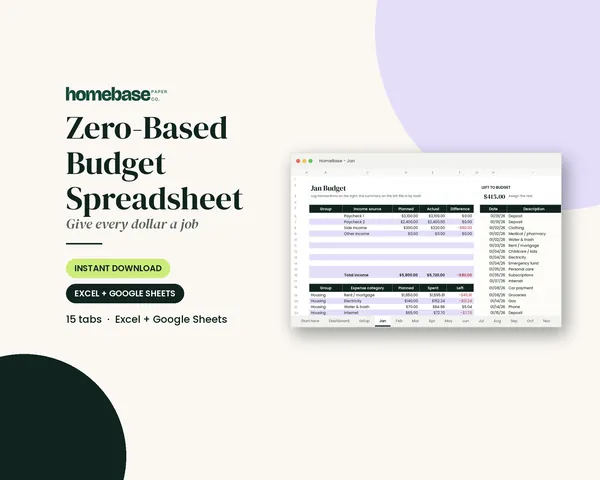
Spreadsheets
Zero-Based Budget Spreadsheet
The 'Left to budget' counter turns green when every dollar has a job.
 Club
Monthly club
Money Club
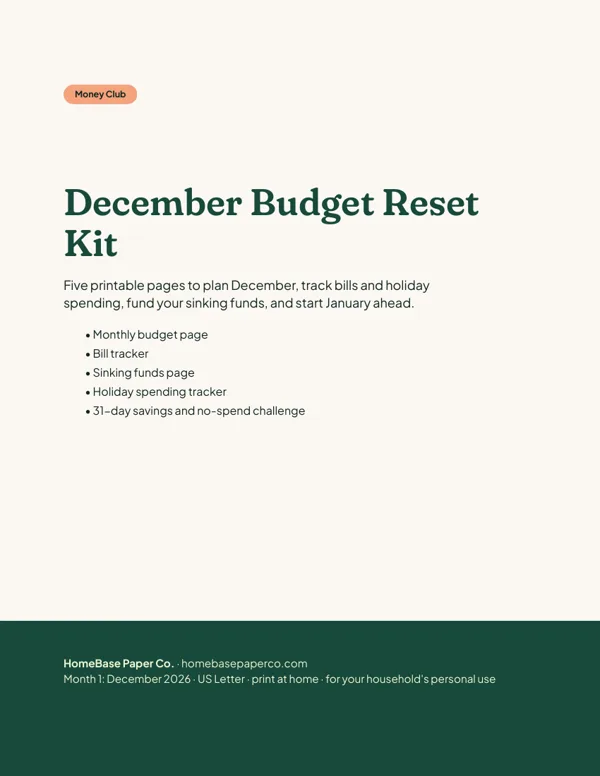
Anyone who wants a clear plan for the month's bills, holiday spending and savings.
Free printable
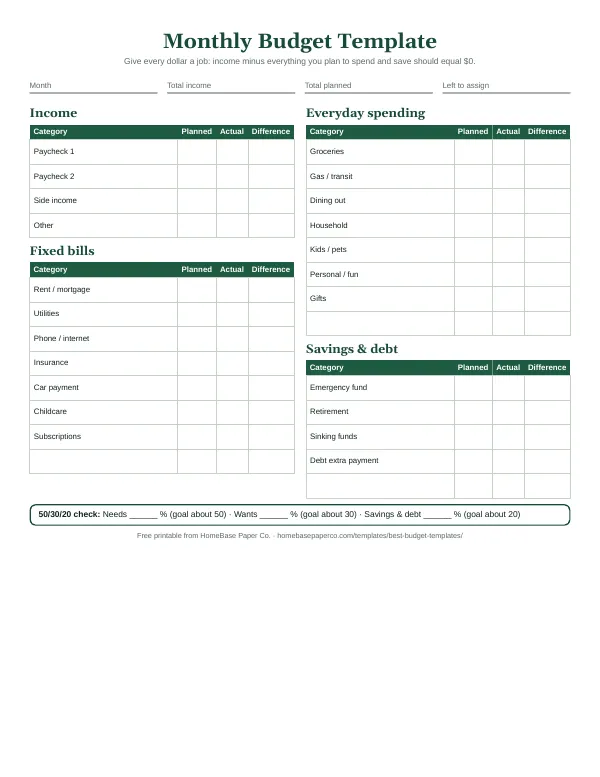
Give every dollar a job: get the free monthly budget template
A printable zero-based monthly budget: income, bills, everyday spending and savings on one page, with a planned vs. actual column. You'll also get our weekly HomeBase email with simple budgeting and bill-paying tips.
Sources
- FTC: Online shopping consumer.ftc.gov
- FTC: Tips for holiday gift card shopping consumer.ftc.gov
- CFPB: Credit cards consumerfinance.gov
- IRS: Publication 525, Taxable and Nontaxable Income irs.gov