

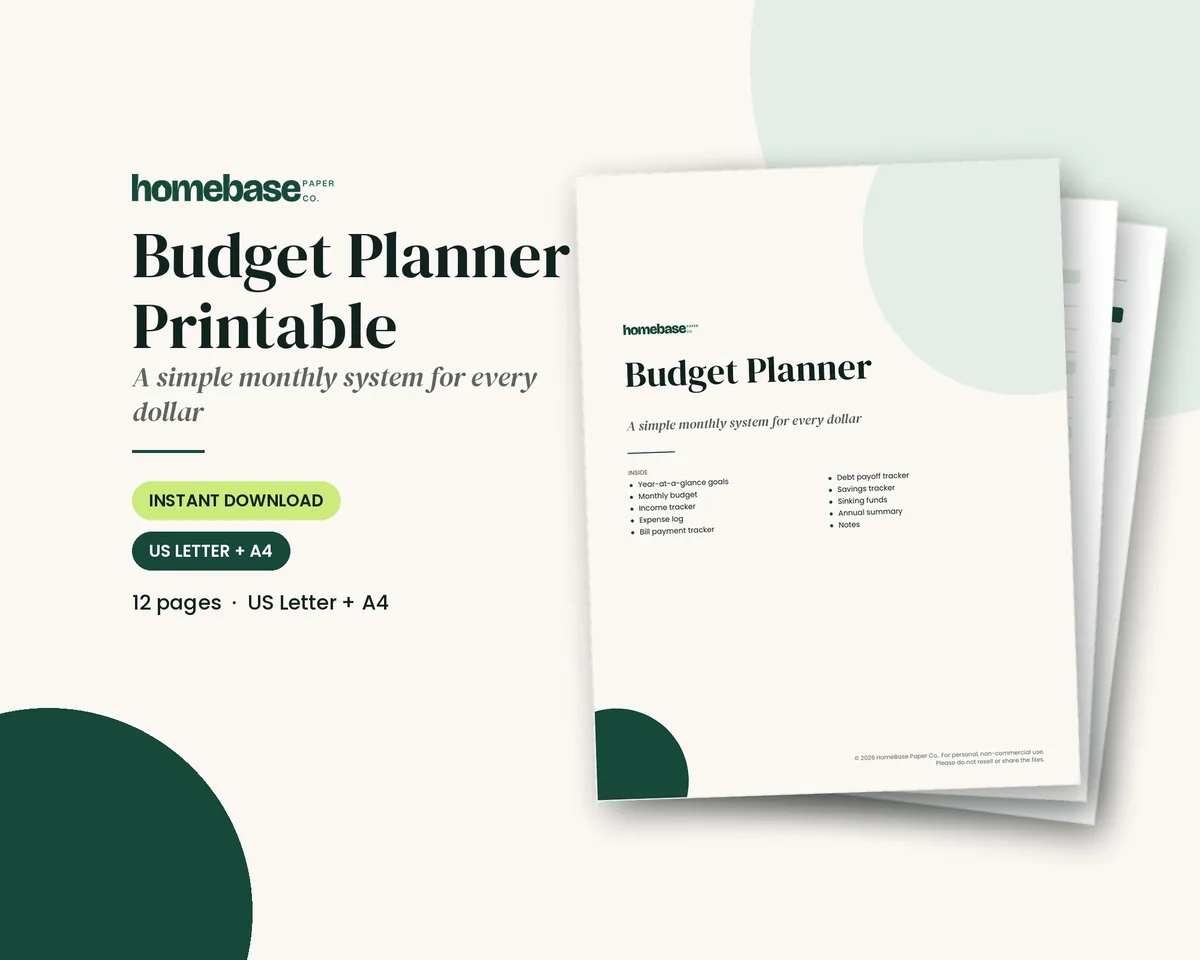
The short answer: a budget planner is a set of pages or a sheet that shows your income, bills, spending and savings for one month, so you decide where each dollar goes before you spend it. To choose one, match the format to how you really work: paper if writing numbers by hand helps you notice them, a spreadsheet if you want the math done for you, an app if you want purchases pulled in automatically. To use it, fill in your take-home pay and bills, give every dollar a job, then spend 10 minutes a week checking the plan against what happened.
- Pick a format: the table below compares paper, printable, spreadsheet and app planners side by side.
- Set it up in 7 steps: you'll need about an hour once, then 10 minutes a week.
- Start today: the Budget Planner Printable ($5.99) has twelve undated pages for your monthly budget, bills, spending, savings and debt, and you can begin in any month. Prefer a sheet that does the math? Browse our budget spreadsheets and planners.
Every dollar amount in this guide is an example to show the math. Your income, bills and household will set your real numbers. This is general education, not financial advice. The government tools linked below were checked on November 13, 2026.
What a budget planner does (and what it doesn't)
A budget planner gives your money one place to live on paper or on screen. It lists what comes in, what goes out and what is left, and it does that for the month ahead instead of the month behind. That is the difference between a plan and a record.
It does not need to be fancy. A good monthly budget planner answers three questions: how much money do I have this month, what already has a claim on it, and what is left to choose. Everything else is a bonus.
It also won't fix a budget that has no room in it. If your bills are higher than your pay, a planner makes the gap visible, which is the first step to closing it. Our guide to how to budget on a low income picks up from there.
Budget planner types compared: paper, printable, spreadsheet or app
There are four common formats. None is the best for everyone. The right one is the one you will still open in week six.
| Format | Best for | Setup time | Upkeep | Watch out for |
|---|---|---|---|---|
| Paper budget planner book | People who like writing by hand and want no screen | Under 30 minutes | Write in it, add up by hand | Math errors; you can't copy a page if you run out |
| Printable budget planner (PDF) | Hand-writers who want to reprint pages every month | 30 to 45 minutes | Print a fresh month, fill it in | You need a printer, or a print shop |
| Budget planner spreadsheet | People who want formulas, charts and a year view | About an hour | Type in spending; totals update on their own | Typing errors; a broken formula goes unnoticed |
| Budget planner app or online tool | People who forget to log purchases | 15 to 30 minutes | Mostly automatic, with category fixes | Wrong categories; cash is missed; you share account data |
Setup and upkeep times are rough estimates for a first month, not measured results. Two more things sit under the table. First, you can mix formats. You can keep a paper or printable planner for the monthly plan and use a bank app only to look up purchases. Second, our printable vs. spreadsheet comparison goes deeper on those two, and best budgeting apps compares seven apps on price and free plans.
If you use a phone to track spending, the CFPB's spending tracker says to read its tips on protecting your information on digital money apps first. That advice applies to any app that touches your accounts.
Choosing a budget planner: 5 questions to ask
Pick based on your weakest habit, not your best day. Answer these in order and stop at the first one that is a strong yes.
- Do you forget to write things down? Choose an app or a bank feed you check weekly. Automation covers the weak spot.
- Do you overspend without noticing? Choose paper or a printable. Writing a number by hand slows you down.
- Do you like formulas and charts? Choose a spreadsheet. It adds, compares and graphs for you.
- Is your pay uneven or paid every two weeks? Choose a planner with a paycheck view, such as a paycheck budget spreadsheet or a paycheck-based planner page.
- Do you share the budget with a partner? Choose something you can both see: a shared sheet, or a printable on the fridge.
Then test it for one month. A full month is long enough to hit every bill and one busy week. If you stopped using it by week two, that is useful information and not a failure. Try the next format.
A note from Malaysia: I grew up as the oldest of three, the one my family leaned on to keep everything coordinated, and I've learned that a plan you can pick back up beats a perfect plan you quit in February. That's why our planners are undated, so you can start in any month and restart without feeling behind.
What to look for in a budget planner
Whatever the format, check that it has these sections. Missing one is the most common reason a planner stops working.
| Section | What it does | Why it matters |
|---|---|---|
| Monthly budget | Plans income, bills, spending and savings in one view | The center of the whole planner |
| Income tracker | Records each paycheck and side income | Shows what you can really spend |
| Expense log | Lists each purchase by category | Turns guesses into real numbers |
| Bill payment tracker | Tracks due dates and what is paid | Prevents late fees |
| Debt payoff tracker | Follows balances down to zero | Keeps a goal in front of you |
| Savings tracker | Tracks emergency and goal savings | Makes saving visible |
| Sinking funds | Splits big yearly costs into monthly amounts | Stops car repairs and gifts from becoming surprises |
| Annual summary | Shows the year at a glance | Lets you spot patterns |
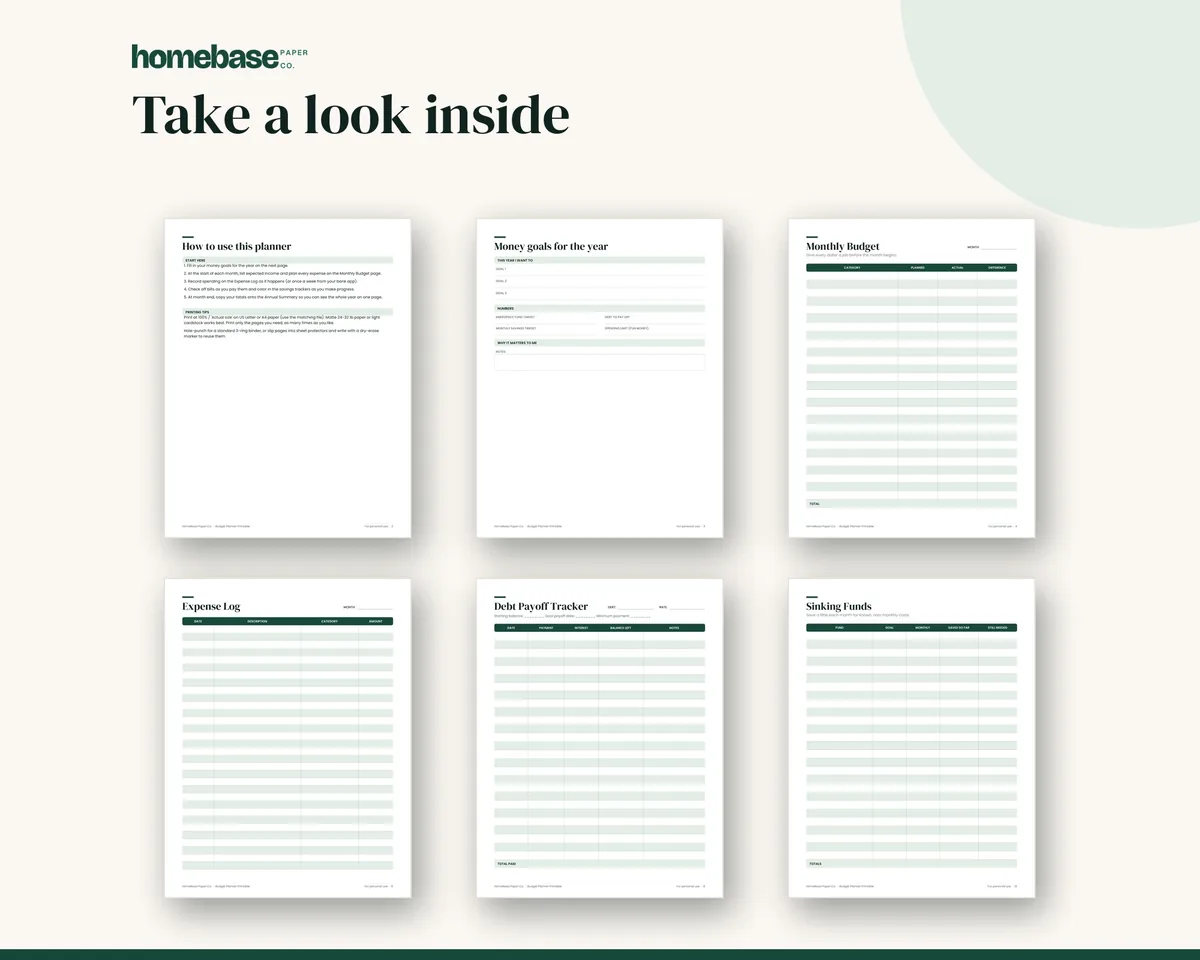
Also look for undated pages, so a missed week doesn't waste a month, and a place to write goals. If bills are your weak spot, a separate Bill Tracker Printable ($3.49) adds a 12-month paid tracker and a bill calendar. If you want more detail on the sections, our monthly budget worksheet guide shows a filled-in page.
HomeBase budget planners at a glance
Here is how our own options match the formats above. Prices are the current list prices on each product page.
| Planner | Format | Price | Best fit |
|---|---|---|---|
| Budget Planner Printable | 12-page printable PDF, US Letter and A4 | $5.99 | Hand-writers who want a month-by-month budget planner |
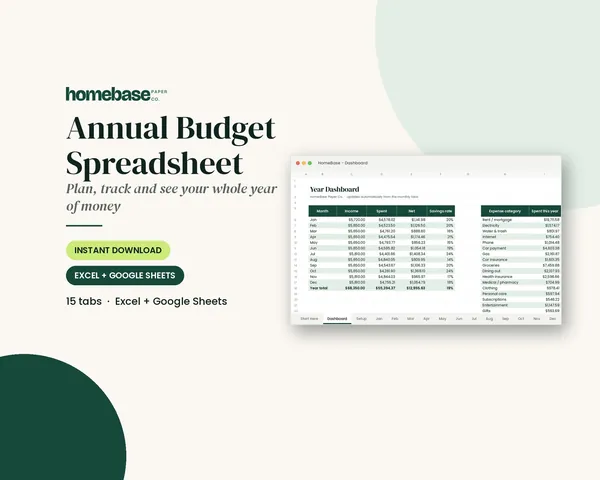
| Annual Budget Spreadsheet | Excel and Google Sheets, 12 monthly tabs | $6.99 | People who want planned vs. actual and a year dashboard |
| Paycheck Budget Spreadsheet | Excel and Google Sheets | $5.99 | Weekly, biweekly or semi-monthly pay |
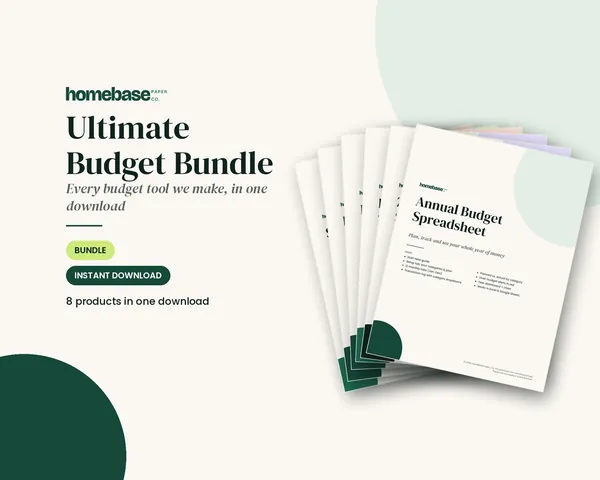
| Ultimate Budget Bundle | 6 spreadsheets plus 2 printables | $19.99 | Trying paper and spreadsheet together |
Not sure which one? Start with the printable, since the steps below work on paper first. You can move the same plan into a spreadsheet later.
Setting up a budget planner: 7 stages from blank pages to a finished plan
This is how to fill out a budget planner for the first time, whichever format you chose.
- Pick one planning period. Use a calendar month unless you are paid weekly or every two weeks, in which case budget by paycheck.
- Gather real numbers. Pull the last one to three months of bank and card statements. Real numbers beat memory.
- Write down your income. Count take-home pay, not gross pay. The CFPB's budgeting steps say to include every source, such as multiple jobs, child support or benefits.
- List fixed bills first. Rent, loans, insurance and phone come before anything flexible.
- Set variable limits. Use last month's real spending as the starting limit for groceries, gas and fun money, then trim one category.
- Add savings and sinking funds. Put a number on emergency savings and divide yearly costs by 12.
- Make it add up. Income minus everything you planned should be zero or more. If it is negative, trim variable categories before fixed ones.
The CFPB's spending tracker explains why month-long tracking beats a snapshot: tracking everything for a month, rather than a week or two, lets you see all your income and expenses in one place. If a month feels like too much, it says to try one or two weeks. That is a fine place to begin.
Do one more thing: map your bill due dates against your paydays. The CFPB's bill calendar suggests marking the date a payment must be sent, two or three days early for online payments or at least seven days early for mail. If bills pile up in one week, ask the company whether you can change the due date.
A filled-in budget planner example
Here is one month for a household with $4,200 in take-home pay. These numbers are examples. The point is the structure, and that the last line reaches zero.
| Line | Type | Planned | Notes |
|---|---|---|---|
| Take-home pay | Income | $4,200 | After taxes and payroll deductions |
| Rent | Fixed | $1,450 | Due on the 1st |
| Utilities | Fixed | $210 | Average of the last three months |
| Car payment | Fixed | $320 | |
| Insurance | Fixed | $160 | Monthly share of the premium |
| Phone and internet | Fixed | $140 | |
| Minimum debt payments | Fixed | $120 | |
| Groceries | Variable | $600 | Limit, checked weekly |
| Gas and transit | Variable | $180 | |
| Household and personal | Variable | $120 | |
| Dining out and fun | Variable | $150 | The category to trim first |
| Other | Variable | $100 | Kids, pets, small surprises |
| Sinking funds | Savings | $150 | Car repair, gifts, yearly bills |
| Emergency savings | Savings | $300 | Moved on payday |
| Extra debt payment | Goal | $200 | The leftover, given a job |
| Total planned | $4,200 | Left to assign: $0 |
The fixed bills add up to $2,400 and the variable limits to $1,150. Savings and sinking funds are $450, and the extra $200 pays down debt. That is $4,200 in all, which matches the income line.
If your own total comes out under zero, don't panic. That is what the planner is for. Move money from variable lines first, then look at the biggest fixed bills.
A weekly and monthly budget planner routine
A planner only works if you open it. The routine below takes about 10 minutes a week and 30 minutes a month.
| When | Time | What to do |
|---|---|---|
| During the week | 2 minutes | Keep receipts in one spot, or log purchases at the end of the day |
| Weekly check-in | 10 minutes | Enter spending, compare each variable line with its limit, move money between lines if needed |
| Payday | 5 minutes | Move savings first, mark which bills this paycheck covers |
| Month-end review | 30 minutes | Add up actual vs. planned, note why each big gap happened, set next month's limits |
| Once a quarter | 20 minutes | Re-check fixed bills and subscriptions, and your goals |
The CFPB suggests keeping receipts in a folder you review at the end of each week, which is the same idea. Here is how to read the month-end review:
| What you see | What it can mean | Next step |
|---|---|---|
| Over the limit again and again | The limit was too low | Set next month's limit from real spending |
| Under the limit again and again | The limit was padded | Move the extra to savings or debt |
| Money left, but a bill was late | Bills landed before payday | Add due dates, ask to move one |
| One odd month | A one-time event | Don't rewrite the plan yet |
For a month-to-month budget planner, copy the same layout each month and carry forward only what changed. If you are paid every two weeks, our biweekly budget template and weekly budget guide show how to split the month.
Common budget planner mistakes and fixes
| Mistake | Why it hurts | Fix |
|---|---|---|
| Using gross pay | You plan money you never see | Use take-home pay only |
| Skipping yearly bills | Renewals look like surprises | Divide by 12 and fund a sinking fund |
| No cash line | Cash purchases vanish | Write cash spending in the log |
| Budgeting from memory | Memory leaves out small buys | Start from statements |
| Too many categories | You stop logging | Use 10 to 15 lines and group the rest |
| Quitting after one bad month | One month is data, not a verdict | Reset and pick up the next week |
| No goal on the page | Nothing to work toward | Write one goal on the first page |
The CFPB's budgeting steps make the goal point too: it's helpful to have an end goal to work toward. If you want a first goal, the CFPB's emergency fund guide says even a small amount set aside can give you some financial security.
Free budget planner or paid: which should you use?
You can start free. The CFPB tools linked above are free, and a notebook costs a few dollars. A free budget planner is a fine way to learn what you need.
A paid planner is worth it when it saves setup time or fixes a gap in your habits. A ready-made printable has the sections already laid out, and a spreadsheet already has the formulas. Check that the product shows real pages, lists what is included and doesn't promise results. For a method on top of the planner, see zero-based budgeting, the 50/30/20 budget or our guide to how to stick to a budget.
Start your budget planner this week
You now have what you need to choose a format, set up the pages and keep up the habit. Here is where to go next:
- Paper and printable: the Budget Planner Printable ($5.99) has a monthly budget, income tracker, expense log, bill tracker, debt and savings trackers, sinking funds and an annual summary, all undated.
- Spreadsheet: the Annual Budget Spreadsheet ($6.99) shows planned vs. actual by category and turns over-budget lines red.
- Both formats: the Ultimate Budget Bundle ($19.99) includes six spreadsheets and two printable planners.
See every option on the Budget & Money shelf, or browse printables and spreadsheets.
Make it easier
Tools for this

Printables
Budget Planner Printable
Twelve undated pages you can print every month: budget, bills, spending, savings and debt.
Spreadsheets
Annual Budget Spreadsheet
See exactly where your money goes every month - without complicated software.
 Save 57%
Bundles
Ultimate Budget Bundle
All 6 spreadsheets + both printable planners - for less than half the price of buying them separately.
Frequently asked questions
What is a budget planner? A budget planner is a set of pages, a spreadsheet or an app that plans your income, bills, spending and savings for the month ahead. The Budget Planner Printable ($5.99) gives you twelve undated pages for that, so you can start in any month.
How do you use a budget planner? To use a budget planner, write down your take-home pay, list your fixed bills, set limits for flexible spending, then add savings until the plan reaches zero. After that, spend about 10 minutes a week comparing what you spent with each limit.
How do I choose a budget planner? Choose the budget planner that guards your weakest habit: an app if you forget to log purchases, paper if you overspend without noticing, a spreadsheet if you like formulas. Try it for one full month and keep it only if you kept it up.
What should a budget planner include? A good budget planner includes a monthly budget, an income tracker, an expense log, a bill tracker, debt and savings trackers, sinking funds and an annual summary. The Budget Planner Printable ($5.99) has all of these on twelve undated pages.
Is a paper budget planner better than an app? Neither is better for everyone. Paper slows you down so you notice each number, while an app pulls purchases in automatically but can miss cash and guess wrong categories. The Budget Planner Printable ($5.99) is a paper option you can reprint each month.
What is the difference between a printable budget planner and a spreadsheet? A printable budget planner is filled in by hand, and a spreadsheet adds the numbers for you. The Annual Budget Spreadsheet ($6.99) shows planned vs. actual by category and turns over-budget lines red. See the printable vs. spreadsheet comparison for more.
How do I fill out a budget planner for the first time? Start with your last one to three months of statements, write in take-home pay, list fixed bills, set limits for variable spending, then add savings. Keep adjusting until income minus every planned line is zero or more.
How long does it take to set up a budget planner? Plan on about an hour the first time, then about 10 minutes a week. These are rough estimates, and gathering statements is usually the slowest part. If a full month of tracking feels like too much, the CFPB says to try one or two weeks.
How often should I update my budget planner? Update your budget planner weekly for about 10 minutes and review it for about 30 minutes at month-end. The CFPB suggests keeping receipts in a folder and reviewing them at the end of each week, which fits the same routine.
Should I use a monthly or a weekly budget planner? A monthly budget planner sets the whole plan, and a weekly check-in keeps flexible spending in line. If you are paid weekly or every two weeks, the Paycheck Budget Spreadsheet ($5.99) assigns each bill to the paycheck that pays it.
Can I use a free budget planner? Yes, a free budget planner works well for learning what you need. The CFPB offers a free spending tracker and bill calendar, and a notebook works too. A paid planner such as the Budget Planner Printable ($5.99) mainly saves setup time with its sections already laid out.
How do I use a budget planner if my income changes every month? Plan fixed bills first, and base the month on a low, realistic estimate of your recent take-home pay. Treat anything above that as extra and give it a job after the bills are covered. A paycheck-based view can also help.
How do I plan for yearly bills in a budget planner? Divide each yearly bill by 12 and set that amount aside every month in a sinking fund. The Budget Planner Printable ($5.99) includes a sinking funds page, so car repairs and renewals stop showing up as surprises.
What if I go over budget in a category? Move money from another variable category so the plan still adds up, and note why it happened. One over-budget month is information, not failure. If the same line runs over again and again, raise its limit from real spending.
Do I need a budget planner if I already have a bank app? A bank app shows what already happened, and a budget planner decides what should happen. Use the app to look up purchases and the planner, like the Budget Planner Printable ($5.99), to set limits before you spend.
Is the Budget Planner Printable dated? No, the Budget Planner Printable ($5.99) is undated, so you can start in any month and pick it back up after a missed week. It is a 12-page PDF in US Letter and A4, and you can reprint pages whenever you need a fresh month.
Can couples share one budget planner? Yes, couples can share one budget planner if they both see it and review it together once a month. Agree on categories and a personal spending amount for each person first. Our guide to budgeting as a couple has more.
More from HomeBase
You may also like
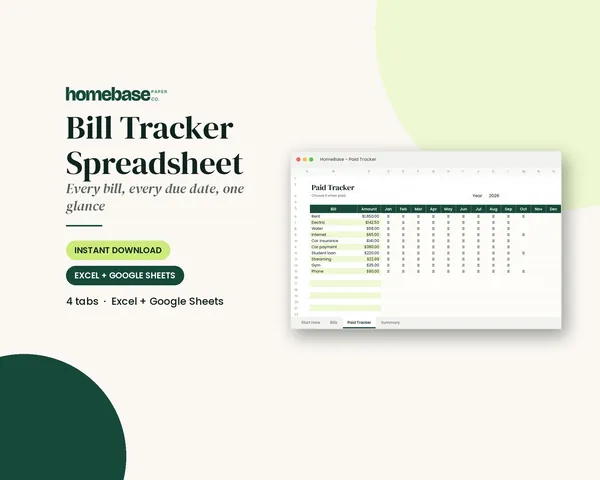
Spreadsheets
Bill Tracker Spreadsheet
Bills due in 3 days or less light up red, so nothing slips through.
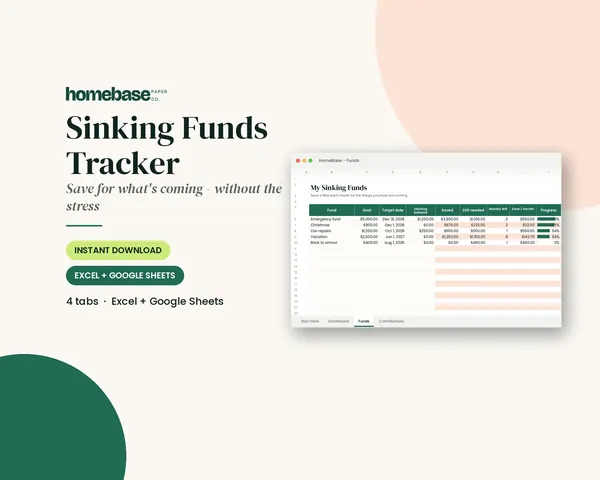
Spreadsheets
Sinking Funds Tracker
It does the math: how much to set aside each month to hit every goal on time.
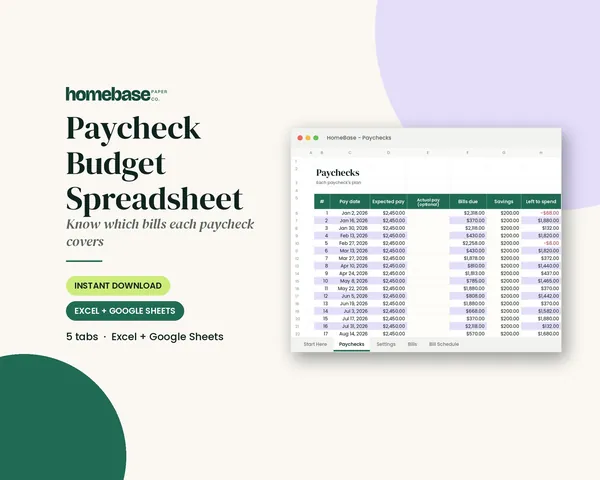
Spreadsheets
Paycheck Budget Spreadsheet
Enter your bills once. The sheet tells you which paycheck pays each one, all year.
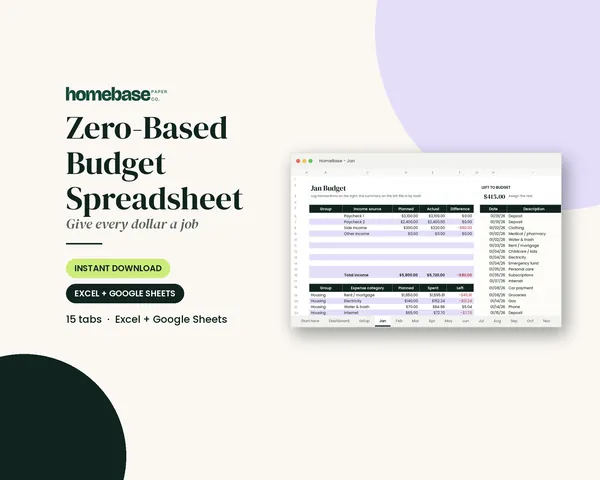
Spreadsheets
Zero-Based Budget Spreadsheet
The 'Left to budget' counter turns green when every dollar has a job.
 Club
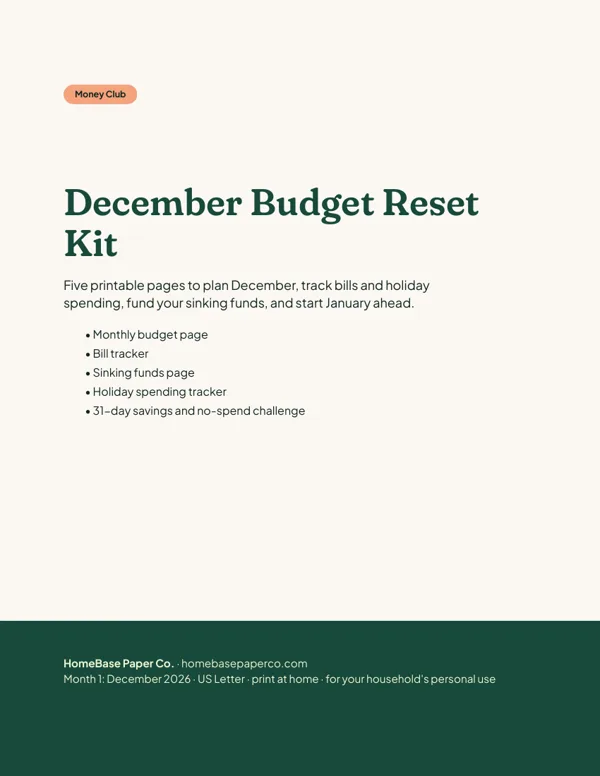
Monthly club
Money Club
Anyone who wants a clear plan for the month's bills, holiday spending and savings.
Free printable
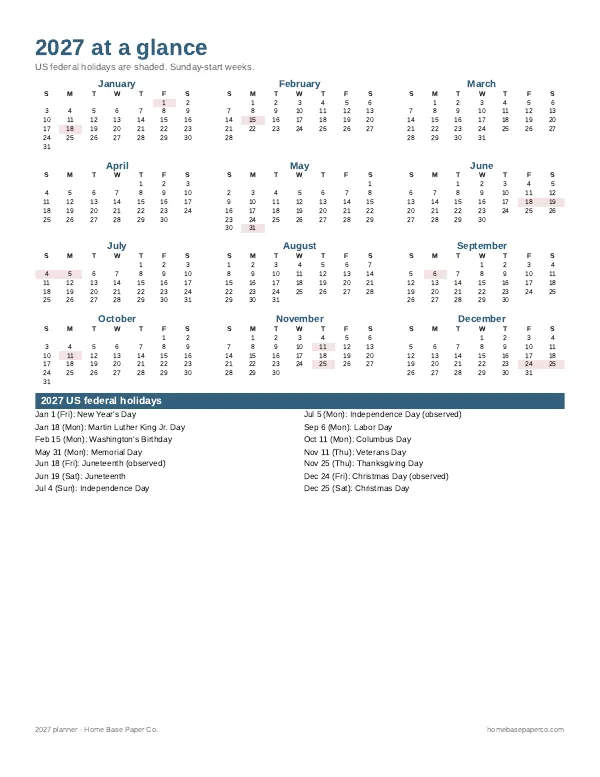
Get organized for the new year: get the free 2027 planner
A 16-page printable 2027 planner with a year-at-a-glance page and monthly calendars with US holidays marked. You'll also get our weekly HomeBase email with simple planning and home organization tips.
Sources
- CFPB: Spending tracker (Your Money, Your Goals) files.consumerfinance.gov
- CFPB: Bill calendar (Your Money, Your Goals) files.consumerfinance.gov
- CFPB: Budgeting: How to create a budget and stick with it consumerfinance.gov
- CFPB: An essential guide to building an emergency fund consumerfinance.gov