

The short answer: to make a vision board, pick three to five areas of your life, write one specific goal with a deadline for each, then add an image and a few words for each goal. Under each picture, write the first small step you'll take this week.
- Time: about an hour for a first board
- Supplies: poster board or corkboard, magazines or printed photos, scissors, glue or tape
- Price every money goal: goal amount ÷ number of months = amount to save per month
- Review it through the year
- Next step: Plan it with the Sinking Funds Tracker ($4.99).
To make a vision board, pick three to five areas of your life, write one specific goal with a deadline for each, then collect one image and a few words that stand for every goal and arrange them on a poster, a corkboard or a digital page you'll see every day. Under each picture, add the first small step you'll take this week. For any goal that costs money, add its price and the amount you need to set aside each month. That last step is what turns a pretty collage into a plan.
Most guides stop at the collage. This one covers the full process in seven steps, vision board ideas for every area of life, vision board examples and layouts you can copy, words and phrases to use, how to make a digital vision board, a worked example of pricing your goals, and how to review the board so it doesn't end up behind the bookcase by February.
| Vision board at a glance | |
|---|---|
| Time to make | About an hour for a first board |
| Best time to start | Late December or early January, though any month works |
| What you need | Poster board or corkboard, magazines or printed photos, scissors, glue or tape, a pen (or a free design app for a digital board) |
| How many goals | One goal per life area, three to five areas |
| What makes it work | Specific goals, a first step under each image, a monthly money plan and a regular review |
What is a vision board?
A vision board is a collage of pictures and words that represent the goals you want to reach in a set period, usually the coming year. N.C. Cooperative Extension describes it as a tool to help clarify, concentrate and maintain focus on a specific life goal. You hang it where you'll see it, and every glance reminds you what you're working toward and why.
A vision board isn't a wish list or a substitute for the work. Beautiful beach houses with no goal, date or next step behind them are decoration. The boards that help are tied to written goals, which is why 4-H teaches goal setting first and the collage second.
What you need to make a vision board
You don't need a craft store haul. Purdue Extension's 4-H activity, Create Your Own Vision Board, lists poster board, magazines or printed photos, glue, tape, stickers and scissors as the full supply list, and plans about 60 minutes for the activity.
| Format | What you need | Best for |
|---|---|---|
| Poster board | Poster board, magazines, scissors, glue stick, markers | People who like making things by hand and have a wall to hang it on |
| Corkboard | Corkboard, pushpins, printed photos, index cards | Goals that change during the year, since you can swap pieces without starting over |
| Notebook or planner page | One page, a pen, small printed photos or sketches | Small spaces, privacy, or keeping the board next to your budget |
| Digital board | A free design or slideshow app, saved images | Phone lock screens, laptop wallpaper, and anyone short on supplies |
Use what you have: old catalogs, greeting cards, travel brochures and your own photos. If you keep cards and mementos the way I do, they may be the most meaningful pieces on your board.
How to make a vision board in 7 steps
Step 1: Write your goals before you touch a magazine
Start with words, not pictures. Grab a sheet of paper and write down what you want the next 12 months to look like. Then shape each goal into a SMART goal: specific, measurable, achievable, relevant and time-bound. Purdue's 4-H guide puts it plainly: vague goals without action steps or deadlines are easily forgotten or set aside. Our guide to goal setting covers this step in more detail, with examples for every life area.
Compare these:
- Vague: "Travel more."
- SMART: "Take a four-night beach trip in July 2027 and pay for it in cash."
The second one tells you what picture to find, what it will cost and when you need the money.
Step 2: Choose three to five life areas
A board with 25 goals is a board you'll stop reading. N.C. State's Alamance County Extension recommends that you focus on one to three goals instead of a long list that leaves you overwhelmed. On a vision board, a good rule is one goal per area, three to five areas total.
Common life areas: money, health, home, relationships, career or school, faith or personal growth, travel and fun. The 4-H version groups them as head, heart, hands and health, which is an easy frame if you're stuck.
Step 3: Find one strong image for each goal
Pick pictures that show the result you want, not just the topic. A photo of a credit card says "debt." A calendar page circled "Debt free" says "done." Look for:
- A photo of the place, thing or moment itself
- Your own photos from a proud or happy time
- A simple drawn symbol, like a checkmark, a key or a sunrise
- A number written large, like a savings total or a payoff date
Step 4: Add a few words
Words make the board readable at a glance. Keep them short: one goal statement per image, written in the present tense ("I pay cash for our summer trip"), plus one word or verse for the year if that speaks to you. Skip long quotes. You want to read the board in ten seconds.
Step 5: Put a price and a monthly amount on every money goal
This is the step most vision board guides skip, and it's the one that decides whether a goal actually happens. A trip, a move, a debt payoff and a savings cushion all have a price tag. Write it on the board.
The math comes straight from the CFPB's My New Money Goal worksheet: goal amount ÷ number of months = amount to save per month. The worksheet then has you list three months of income and expenses to see whether that monthly amount fits your budget.
Here's a worked example for a board started in January 2027:
| Goal on the board | Price | Deadline | Months | Save per month |
|---|---|---|---|---|
| Four-night beach trip, paid in cash | $1,800 | July 31, 2027 | 7 | $257.14 |
| Starter emergency fund | $1,000 | December 31, 2027 | 12 | $83.33 |
| Holiday 2027 fund, no credit cards | $900 | November 30, 2027 | 11 | $81.82 |
| New mattress | $600 | September 30, 2027 | 9 | $66.67 |
| Total | $4,300 | $488.96 |
Example figures only. Use your own prices and dates.
Now you know the truth: these four goals need about $489 a month. If your budget has $300 free, push a deadline back, trim a goal or pick three. Better to learn that in January than in June.
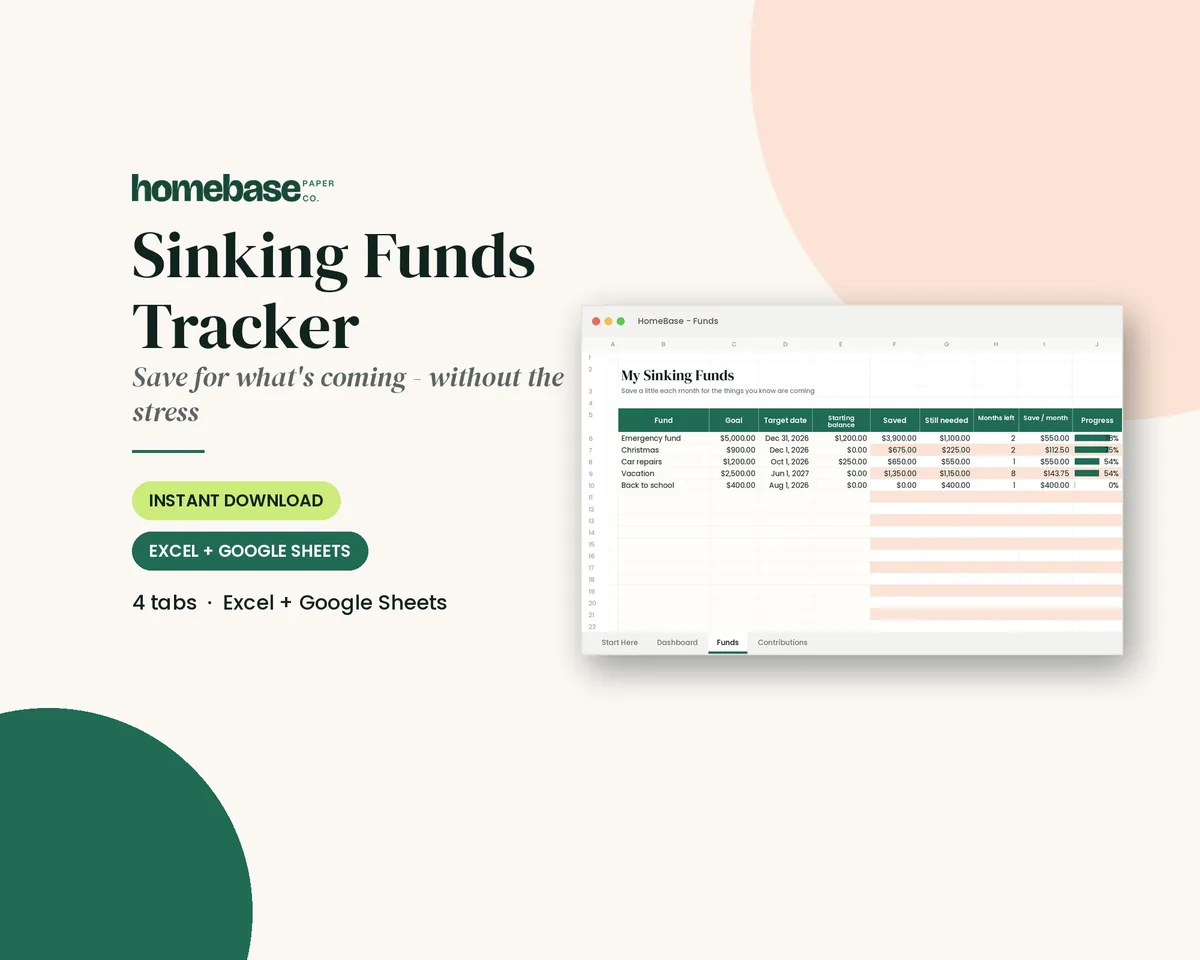
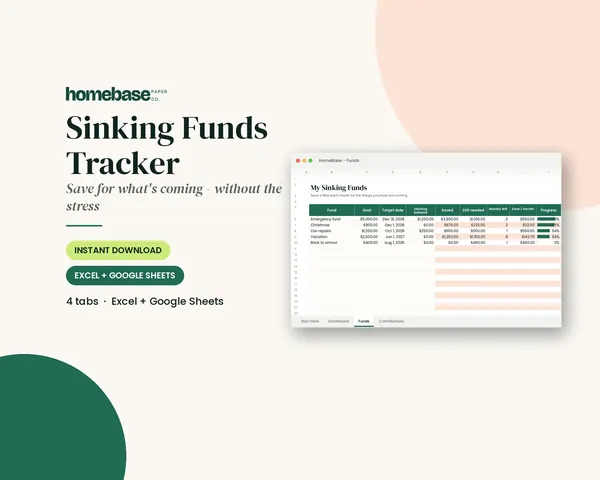
The Sinking Funds Tracker ($4.99, Excel and Google Sheets) does this math for you. Enter up to 20 goals with their target dates, and it shows the monthly amount needed to hit each date, with progress bars that fill as you log deposits. It's the spreadsheet version of your vision board's money corner. You can read more about the method in our guide to sinking funds.
Step 6: Write the first step under each image
A goal with no next step stays a picture. Under each image, add one small action you can finish this week:
- Beach trip: "Open a separate savings account Friday."
- Emergency fund: "Set up a $20 automatic transfer on payday."
- Health: "Walk after dinner Monday, Wednesday and Friday."
- Relationships: "Text my sister to set a monthly lunch date."
When you finish a step, write the next one on a sticky note and cover the old one. Your board should always show what to do next.
Step 7: Put it where you'll see it every day
Hang it by your coffee maker, inside a closet door, over your desk or on the fridge. Alamance County Extension suggests the refrigerator or a laptop screen saver, so your goal stays in front of you daily. If you'd rather keep it private, make it a page in your planner or your phone's lock screen.
Vision board ideas by life area
Use this table to fill each section of your board. Take one idea per area and make it yours.
| Life area | Image ideas | Words | First step |
|---|---|---|---|
| Money | A savings number, a payoff date circled on a calendar, a jar of coins | "I pay cash for what matters" | Write your monthly savings amount on the board |
| Travel | A beach, a city skyline, a ticket stub or postcard | "Paid for before we pack" | Price the trip and divide by the months left |
| Home | An organized pantry, a fresh paint color, a cozy reading corner | "Calm, clutter-free home" | Pick one room for January |
| Health | Walking shoes, a full water bottle, a home-cooked meal | "I move every day" | Schedule three walks this week |
| Relationships | A long table set for dinner, two coffee cups, a handwritten card | "I show up for my people" | Put one standing date on the calendar |
| Career or school | A desk, a diploma or certificate, a business card | "Slow progress is still progress" | Sign up for one class or set one portfolio deadline |
| Faith or growth | An open journal, a sunrise, a verse card | One word for the year | Choose a daily time for reading or reflection |
| Fun | A concert, a recipe you want to master, a garden | "Make room for joy" | Add one fun thing to the budget |
Vision board examples you can copy
If a blank board feels intimidating, start with one of these layouts. Each one works on poster board, a corkboard or a single digital slide.
| Layout | How it's arranged | Best for |
|---|---|---|
| The grid | Three to six equal boxes, one goal per box, each with an image, the goal and a first step | First-time boards and anyone who likes things tidy |
| The center goal | One big goal in the middle with its price and deadline, and smaller goals around it | A year with one main focus, like paying off debt or a move |
| The word of the year | One word across the top, with three to five images below that each show what the word looks like in practice | People who prefer a theme to a list |
| The timeline | Four columns for the four quarters, with each goal placed in the quarter you'll finish it | Goals with deadlines spread across the year |
| The life wheel | A circle split into slices for money, health, home, relationships, work and fun | A balanced year when no single goal comes first |
A worked example: the grid layout
Here's how a simple six-box grid might look for one person's year:
- Money: a photo of a savings jar, "$1,200 emergency fund by July," first step "set up a $50 automatic transfer each payday."
- Health: walking shoes, "walk 20 minutes, five days a week," first step "schedule three walks this week."
- Home: a clear kitchen counter, "one room decluttered each month," first step "start with the junk drawer."
- Work or school: a laptop and a certificate, "finish one online course by May," first step "pick the course and enroll."
- Relationships: two coffee cups, "a standing monthly date with a friend," first step "put the first one on the calendar."
- Fun: a garden bed, "grow tomatoes this summer," first step "price seeds and soil."
Every box has a picture, a measurable goal and something to do this week. That's the difference between a vision board and a collage. For help turning big wishes into goals like these, see our guide to goal setting.
Vision board words and phrases
Words do as much work as pictures on a board. Use short phrases you'd actually say to yourself, and keep them positive and in the present tense. Here are some ideas to borrow or adapt:
| Life area | Words and short phrases |
|---|---|
| Money | Debt-free, saved first, paid in cash, enough, steady, "I know where my money goes" |
| Health | Strong, rested, moving every day, "I feel good in my body," fuel |
| Home | Calm, simple, clutter-free, welcoming, "a place for everything" |
| Work and growth | Learning, focused, brave, finished, "one step at a time" |
| Relationships | Present, generous, "I show up," together, kind |
| Fun and rest | Joy, play, adventure, rest, "make room for fun" |
Pick one phrase per goal rather than covering the board in words. If you choose a single word of the year, put it at the top in the biggest letters.
How to make a money vision board
A money vision board puts your financial goals in one picture, and it pairs naturally with a new January budget. Put your biggest money goal in the center, its price and deadline in large numbers underneath, and smaller goals around it.
Good money vision board pieces:
- A payoff date. If you're paying off holiday debt or a credit card, write the month you'll be done. Our guides on paying off holiday debt and the debt snowball vs. avalanche can help you set a realistic date.
- A savings thermometer. Draw a tall thermometer and color it in as you save. It's the same idea as a progress bar.
- Your sinking funds. Small envelopes or labels for each planned expense: car repairs, gifts, school costs, the trip.
- A "why" photo. The people or the experience the money is for.
- A monthly number. The total you need to save each month, from Step 5.
Not sure which goals belong on the board? Start with our guide to setting financial goals, which walks through short, medium and long-term goals, then come back and give each one a picture.
Need help choosing the first few? Browse our examples of short-term goals for money, health, work and home.
Paper, digital or planner page: which vision board is best?
| Paper or corkboard | Digital | Planner page | |
|---|---|---|---|
| Visibility | High, if hung where you pass daily | High, if set as a lock screen | Medium; you see it when you open the planner |
| Easy to update | Corkboard yes, glued poster no | Very easy | Easy with sticky notes |
| Privacy | Low; visitors can see it | High | High |
| Pairs with your budget | Separate | Separate | Same place as your numbers |
Many people make both: a paper board for the wall and a copy on their phone. If you want the board and the budget side by side, the Budget Planner Printable ($5.99) opens with a "Money goals for the year" page, followed by a monthly budget, savings tracker and sinking funds pages, so your goals and your monthly numbers live in the same binder.
How to make a digital vision board
A digital vision board works the same way as a paper one: written goals first, one image per goal, a few words and a first step. You just build it on a screen. Here's a simple way to do it:
- Pick your size. Use a phone-wallpaper size (a tall, narrow canvas) for a lock screen, or a widescreen slide for a laptop or desktop background.
- Open a free tool you already know. A free design app, a slideshow program or a private pin board all work. A single slide is often the easiest.
- Make a simple grid. Split the canvas into three to six boxes, one per goal, so the board stays readable on a small screen.
- Add one image per goal. Use your own photos where you can. If you use images from the web, keep the board for personal use.
- Type the goal, deadline and first step in short lines under each image. Large text matters more on a phone than on a poster.
- Save it as an image and set it as your lock screen or wallpaper. That's what makes a digital board visible every day.
- Make a copy each quarter before you change it, so you can see how far you've come by December.
The one downside of a digital board is that it's easy to scroll past. If you notice you've stopped seeing it, print a copy for the fridge or the inside of a planner.
How to make a 2027 vision board
Late December and early January are the most popular times to make a vision board, because the new year gives you a natural starting line. For a 2027 board:
- Look back at 2026 first. Write down what worked, what didn't and what you want more of. Your 2027 board should grow out of that list, not out of a magazine.
- Pick three to five themes for the year, such as health, money, home, family or a skill, and give each one a section of the board.
- Turn each picture into a dated goal. "Travel" becomes "a long weekend away by June 2027"; "pay off debt" becomes "credit card paid off by October 2027".
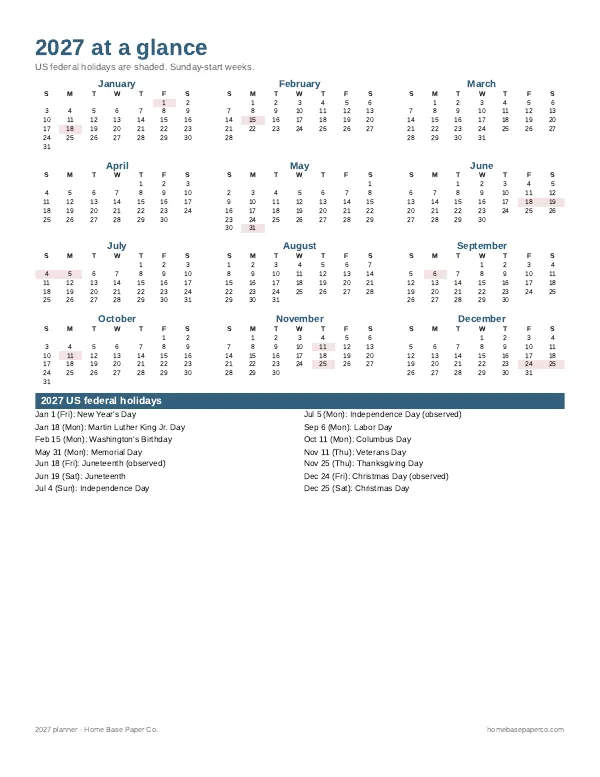
- Put the dates on a calendar. Copy each goal's target month onto a 2027 calendar or 2027 planner so it shows up during the year, not just on the wall.
- Plan a quarterly check-in in March, June, September and December to swap pictures and update goals.
How to review your vision board through the year
A vision board isn't a one-night project. Build in three check-ins:
Pair the board with a free habit tracker printable so the daily steps behind each picture get checked off.
- Daily (ten seconds): Look at it while the coffee brews. Read the words out loud if that helps.
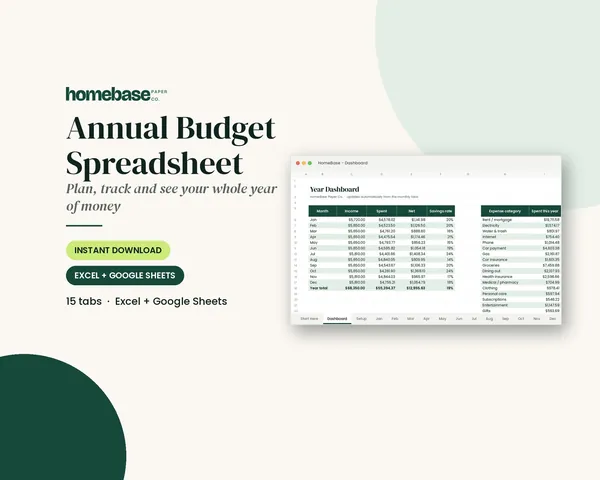
- Monthly (15 minutes): On the same day you review your budget, check each goal. Did you make the deposits? Is the first step done? Write the next step. The Annual Budget Spreadsheet ($6.99) has 12 monthly tabs, planned vs. actual by category and a year dashboard, so you can see if the money side of your board is on track.
- Quarterly (one hour): In April, July and October, swap out finished goals, adjust deadlines and celebrate what you've done.
I'll be honest about why I care so much about the review. I put myself through Oakland University the long way, with seasons when work or family had to come first. What I learned is that a plan you can pause and pick back up beats a perfect plan you quit in February. If you miss a month, don't make a new board. Pick up where you left off.
Common vision board mistakes
- Too many goals. Three to five areas, one goal each. A crowded board gets ignored.
- Pictures with no plan. Every image needs a goal statement and a first step.
- No price tags. If a goal costs money and the board doesn't say how much, it will compete with every other expense and lose.
- Hiding it. A board in a drawer can't remind you of anything.
- Never updating it. Your goals will change. Let the board change too.
Vision boards for couples, families and teens
Vision boards aren't only a solo project.
- Couples: Make one shared board for joint goals, such as a trip, a move or a debt payoff, and keep separate boards for personal goals. Put the shared money goals in the center with their monthly amounts, so you can plan them into your budget together.
- Families: A family board can hold a few goals everyone helps with, like a summer trip, a weekly game night or a cleaner garage. Let each person add one picture. Keep it on the fridge or in a shared space.
- Teens and students: A vision board is a good way to practice goal setting. Purdue Extension's 4-H activity is written for young people and starts with goal setting before the collage. Focus on school, activities, saving for something specific and one new skill.
A vision board night with friends or family
Making boards together is a fun, low-cost January tradition. Everyone brings old magazines and a few printed photos, writes goals for 15 minutes before cutting anything, and ends by sharing one goal and one first step. Alamance County Extension recommends a goal buddy for accountability, so pair up and check in on the first of each month.
Make room for what you dream about
I grew up in Detroit as the oldest of three, in a working family that rebuilt after 2008, and I've always been the planner. I've also learned that a budget isn't only about cutting back. It's how you make room for what you dream about. My one trip abroad was to Jamaica, and New York, San Diego, Florida and Chicago at Christmas each made my world a little bigger. Trips like those happen when someone puts a number and a date on a dream.
That's the whole idea of a vision board that works: a picture to keep you inspired, a date to keep you honest, and a monthly amount to make it real. If you'd like everything in one place, the Ultimate Budget Bundle ($19.99) includes the Annual Budget Spreadsheet, the Sinking Funds Tracker and the Budget Planner Printable, plus our other budget tools. Browse all our money planners and budget tools, or shop by format: budget spreadsheets or printable planners.
Getting your money ready for the new year? Our end of year financial checklist and our guide to making a budget for the new year pair well with your board. And if the holidays come first, our free Holiday Budget Starter Kit is 3 US Letter pages, emailed after you join our list.
Make it easier
Tools for this
Spreadsheets
Sinking Funds Tracker
It does the math: how much to set aside each month to hit every goal on time.

Printables
Budget Planner Printable
Twelve undated pages you can print every month: budget, bills, spending, savings and debt.
Spreadsheets
Annual Budget Spreadsheet
See exactly where your money goes every month - without complicated software.
Frequently asked questions
What is a vision board? The Budget Planner Printable ($5.99) opens with a money goals page that works like the written half of a vision board. A vision board is a collage of pictures and words that stand for the goals you want to reach, usually in the coming year. You keep it where you'll see it every day, so your goals and the reasons behind them stay in front of you. It can be a poster, a corkboard, a planner page or a digital image.
How do you make a vision board step by step? The Budget Planner Printable ($5.99) gives you a place to write the goals, prices and monthly amounts behind your vision board. Write your goals first, then make the collage. Turn each goal into a SMART goal, choose three to five life areas, find one strong image and a short phrase for each goal, add a price and monthly amount to every money goal, write the first step under each image, and hang the board where you'll see it daily.
What should I put on my vision board? The Sinking Funds Tracker ($4.99) helps you price each money goal you put on your vision board. Put one goal per life area, each with an image, a few words and a first step. Good pieces include photos of the result you want, your own photos, a savings number or payoff date, one word for the year, and the monthly amount you need to save. Leave off anything that isn't tied to a real goal.
How many goals should go on a vision board? The Budget Planner Printable ($5.99) keeps three to five yearly goals on one page so the board stays focused. Three to five goals is plenty. N.C. State Extension recommends focusing on one to three goals instead of a long list that leaves you overwhelmed. One goal per life area keeps the board readable in a few seconds.
How do I put money goals on a vision board? The Sinking Funds Tracker ($4.99) turns each money goal on your board into a monthly savings amount, for up to 20 goals. Give every money goal a price and a deadline; the CFPB's method is goal amount divided by the number of months. The tracker does that math and shows progress bars as you log deposits, so the money corner of your board stays current.
What supplies do I need to make a vision board? The Budget Planner Printable ($5.99) is a printable planner, so the written half of your board can go in a binder next to it. Poster board or a corkboard, magazines or printed photos, scissors, glue or tape and a pen. That's the same short list Purdue Extension's 4-H vision board activity uses. A digital board needs only a free design app or a slideshow program and some saved images.
Is a digital or paper vision board better? The Budget Planner Printable ($5.99) pairs with either kind of vision board by keeping your goals next to your monthly numbers. Neither is better for everyone; the best vision board is the one you'll see every day. A paper board on a wall you pass is hard to ignore, while a digital board on your lock screen goes everywhere and is easy to update. Many people make a paper board and keep a photo of it on their phone.
Can I make a vision board in a planner? Yes, and the Budget Planner Printable ($5.99) is built for it, because your goals and your budget share one binder. A planner page works well if you want privacy or a small footprint. The planner opens with a Money goals for the year page, followed by monthly budget, savings tracker and sinking funds pages, so your goals sit right next to your monthly numbers.
When is the best time to make a vision board? The Annual Budget Spreadsheet ($6.99) starts a new year of monthly budget tabs, which is why late December or early January is a natural time for a board. Late December or early January is the most popular time, because it lines up with a new budget and a new calendar. But any month works. A birthday, a new job, a move or the start of a school year are all good times to make one. For a 2027 board, many people start in late December or the first weeks of January, but any month you're ready works.
How often should I update my vision board? The Annual Budget Spreadsheet ($6.99) has a monthly tab for each check-in, so your vision board review fits into your budget routine. Glance at it daily, check it monthly and refresh it quarterly. Use the monthly check to confirm your savings deposits and write each goal's next step. Every three months, swap out finished goals and adjust deadlines that no longer fit.
Do vision boards actually work? The Sinking Funds Tracker ($4.99) turns the money goals on a vision board into monthly deposits you can see. Yes, a vision board works as a reminder, but not as a replacement for action. It keeps your goals visible and specific, but the progress comes from the plan behind it: a deadline, a monthly amount and a first step. Pair the board with a budget and a regular check-in, such as the Sinking Funds Tracker for money goals.
How do I track the money side of my vision board? The Annual Budget Spreadsheet ($6.99) shows each month whether your vision board's savings goals actually got funded. Track the money side in the same place you track your budget. The spreadsheet has 12 monthly tabs, planned vs. actual by category and a year dashboard, so you can see each month whether your savings goals got funded. Review it on the same day you check your board.
What is a vision board party? The Budget Planner Printable ($5.99) is an easy way for each guest to write down goals before cutting out pictures. A vision board party is a get-together where everyone makes a board at the same time. Ask guests to bring magazines and photos, spend the first 15 minutes writing goals, then cut and paste. End by sharing one goal and one first step, and pair up as goal buddies for monthly check-ins.
What if I fall behind on my vision board goals? The Sinking Funds Tracker ($4.99) lets you change a goal's deadline and recalculate the monthly amount without starting over. Pick up where you left off instead of starting over. Move the deadline, lower the monthly amount or drop one goal so the rest can move forward. A plan you can pause and pick back up beats a perfect plan you quit in February.
How do I make a digital vision board? The Budget Planner Printable ($5.99) works as the printed backup for a digital vision board, with your goals and monthly amounts on paper. Pick a phone-wallpaper or widescreen size, make a simple grid of three to six boxes, add one image per goal, then type the goal, deadline and first step under each. Save it as an image and set it as your lock screen or desktop background so you see it every day.
More from HomeBase
You may also like
Spreadsheets
Bill Tracker Spreadsheet
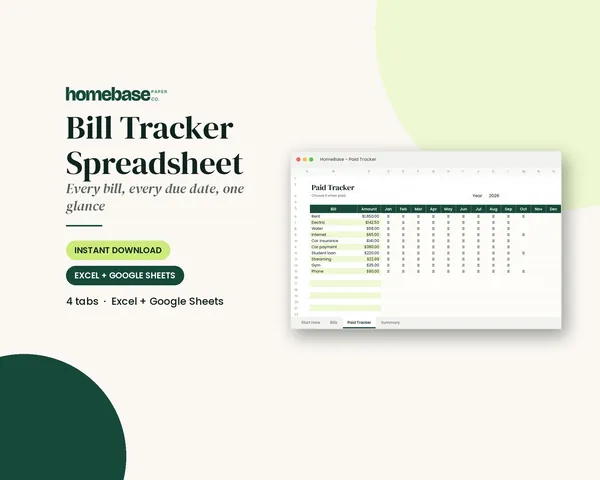
Bills due in 3 days or less light up red, so nothing slips through.
Spreadsheets
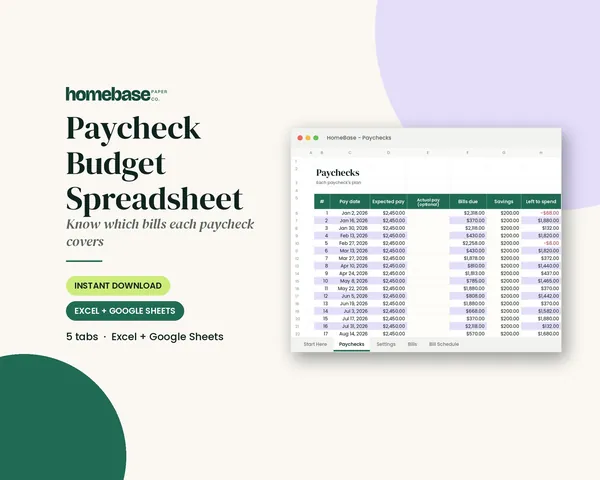
Paycheck Budget Spreadsheet
Enter your bills once. The sheet tells you which paycheck pays each one, all year.
Spreadsheets
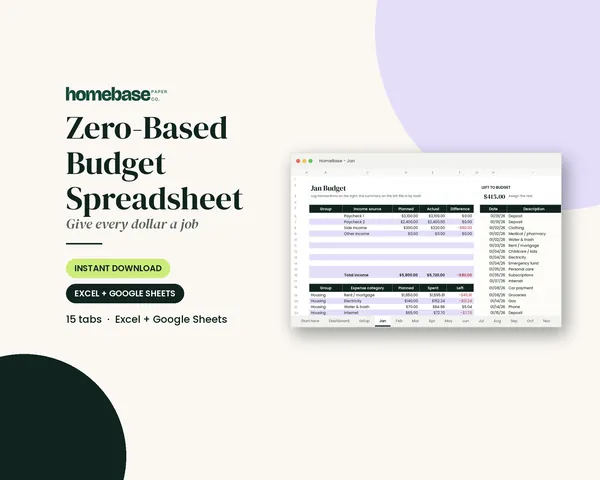
Zero-Based Budget Spreadsheet
The 'Left to budget' counter turns green when every dollar has a job.
Spreadsheets
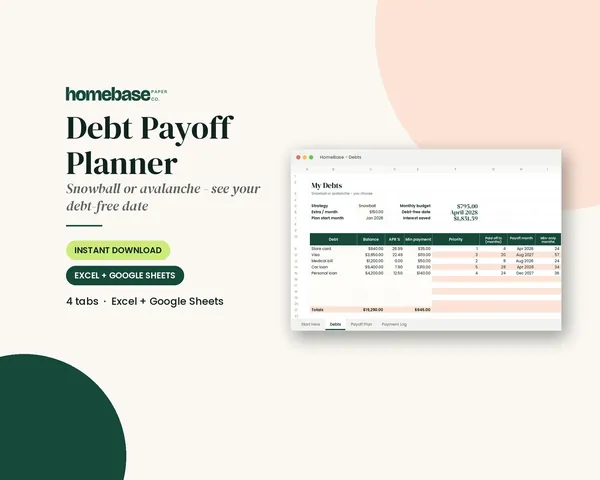
Debt Payoff Planner
Pick snowball or avalanche, add any extra payment, and get your debt-free month instantly.
 Club
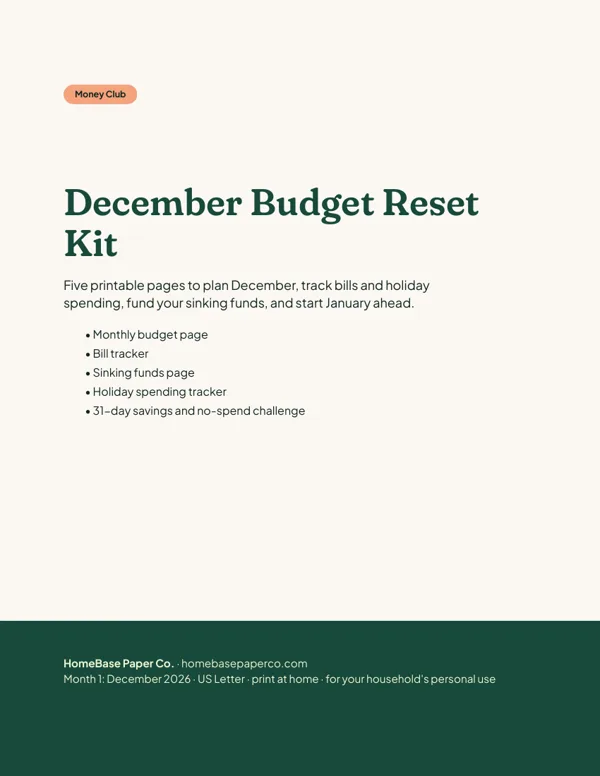
Monthly club
Money Club
Anyone who wants a clear plan for the month's bills, holiday spending and savings.
Free printable
Get organized for the new year: get the free 2027 planner
A 16-page printable 2027 planner with a year-at-a-glance page and monthly calendars with US holidays marked. You'll also get our weekly HomeBase email with simple planning and home organization tips.
Sources
- How to Create a Vision Board (N.C. Cooperative Extension, Union County Center) union.ces.ncsu.edu
- How to Set a Goal and Stick With It (N.C. Cooperative Extension, Alamance County Center) alamance.ces.ncsu.edu
- Create Your Own Vision Board (Purdue Extension 4-H) extension.purdue.edu
- My New Money Goal financial planning worksheet (Consumer Financial Protection Bureau) files.consumerfinance.gov